LPOD Outdoor Amplifier / Block Up Converter Revision 9
Ethernet-based Remote Product Management MN-LPOD
4–21
Calibrate LNB Current
The LNB should be calibrated only when it is running at nominal operating
conditions.
The value of the LNB Current Supply (in mA) is provided here as a reference point. The LNB current
alarm upper and lower thresholds are determined by this calibrated LNB reference point and the
LNB current window setting.
Click [Calibrate] to perform an LNB calibration and display the updated read-only value.
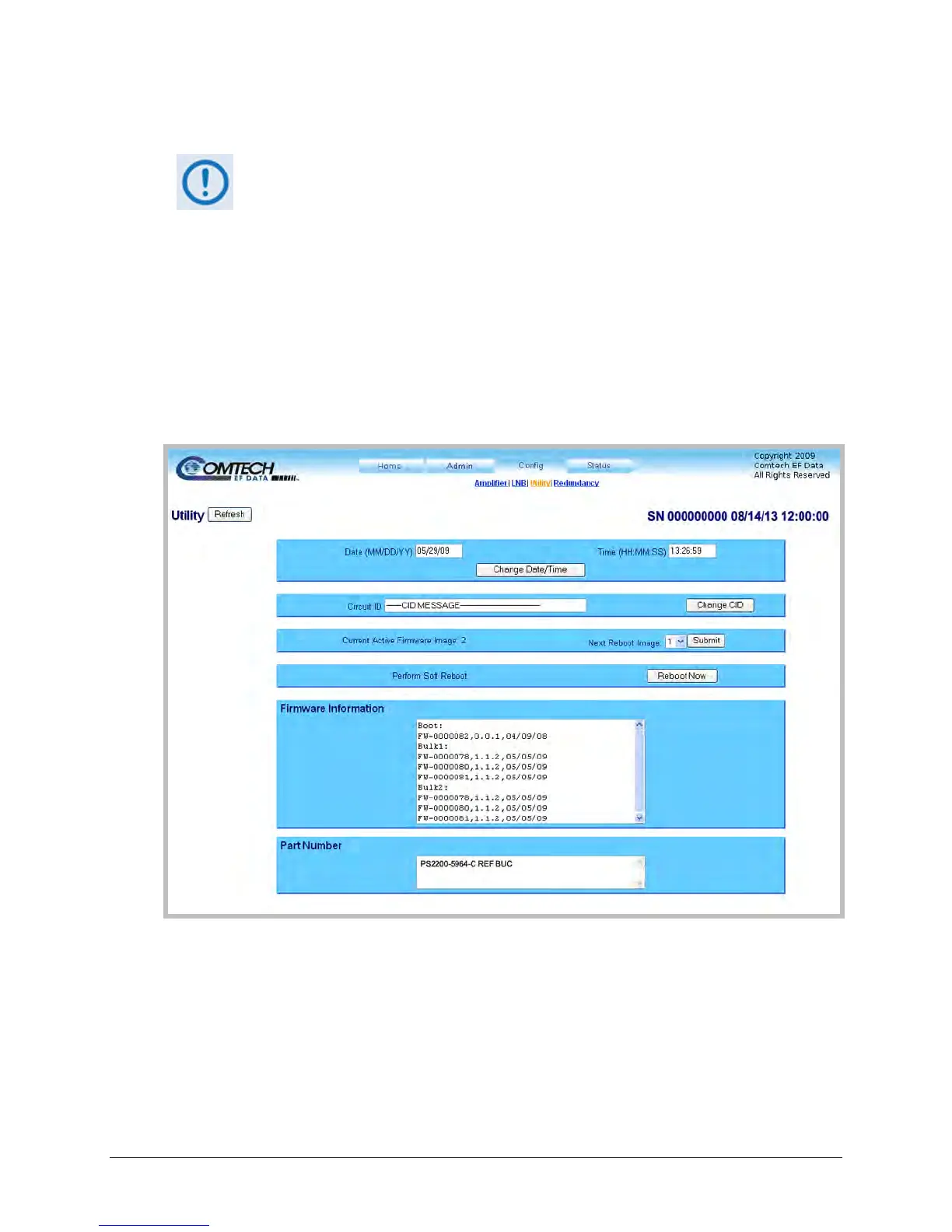
4.5.4.3.3 Config | Utility
Use this page to configure LPOD operating parameters.
Figure 4-8. Config | Utility Page
Click [Refresh] (at the top of the page) to update the page appearance to the current operating
configuration.
Date and Time
• Enter a date using international format in the form DD/MM/YY (where DD = day [01 to 31],
MM = month [01 to 12], and YY = year [00 to 99]).



 To Next Page