LPOD Outdoor Amplifier / Block Up Converter Revision 9
Ethernet-based Remote Product Management MN-LPOD
4–17
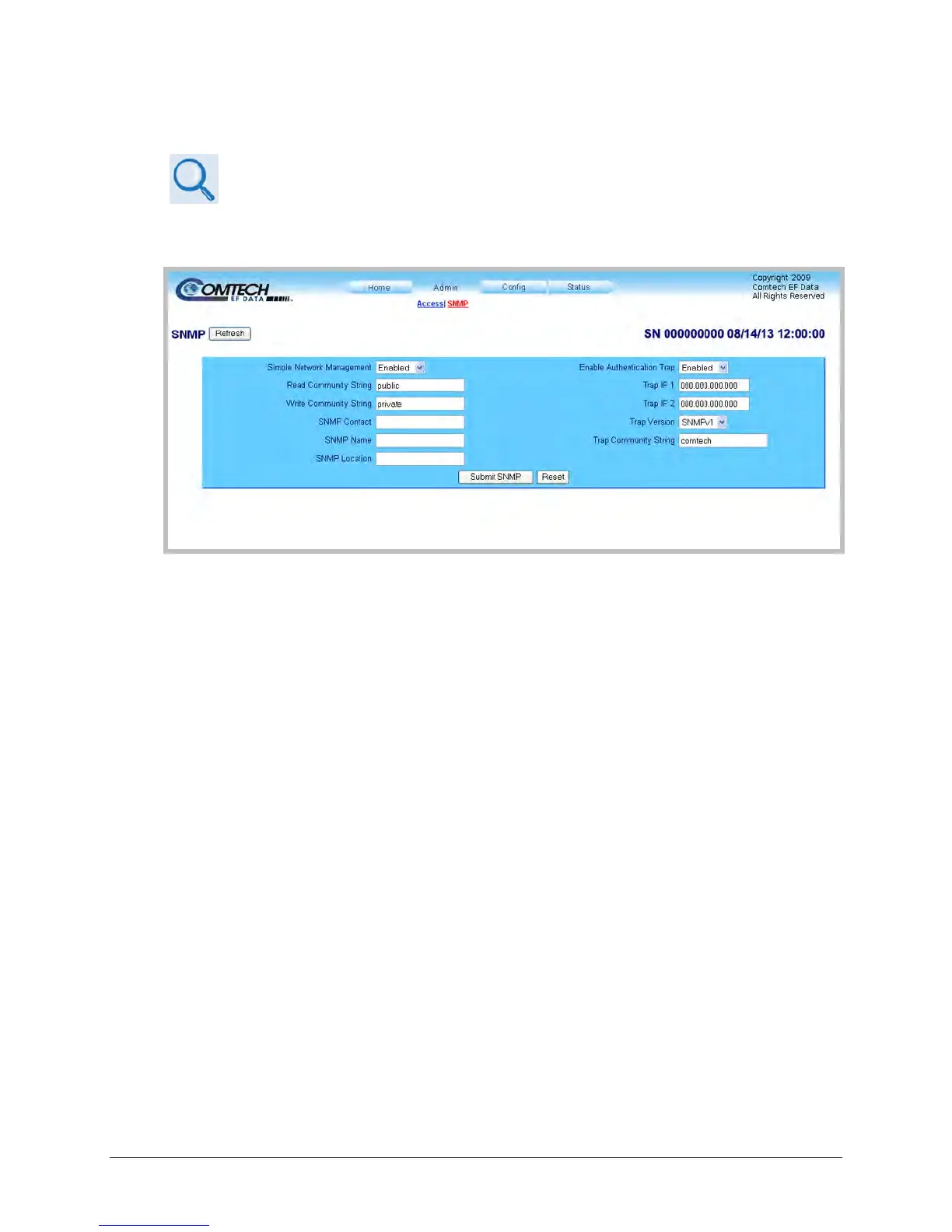
4.5.4.2.2 Admin | SNMP
Sect. 4.3 SNMP INTERFACE
The Administrator must use this page to manage the LPOD SNMP (Simple Network Management
Protocol) settings.
Figure 4-5. Admin | SNMP Page
Click [Refresh] (at the top of the page) to update the page appearance to the current operating
configuration.
SNMP
• Simple Network Management (Operational Status) – Use the drop-down list to select the
Simple Network Management operational setting as Enabled or Disabled.
• The Read Community String and Write Community String fields can be any combination of
characters and a length of 0 to 20 characters:
o The factory default for the Read Community String parameter is public.
o The factory default Write Community String is private.
• Authentication Trap Operational Status – Use the drop-down list to select the Enable
Authentication Trap operational setting as Enabled or Disabled.
• The Administrator can assign up to two SNMP Trap IP addresses and one SNMP Trap
Community String.
• The SNMP Trap Community String field can be any combination of characters and a length
of 0 to 20 characters. The factory default for the SNMP Trap Community String is comtech.



 To Next Page