LPOD Outdoor Amplifier / Block Up Converter Revision 9
Ethernet-based Remote Product Management MN-LPOD
4–20
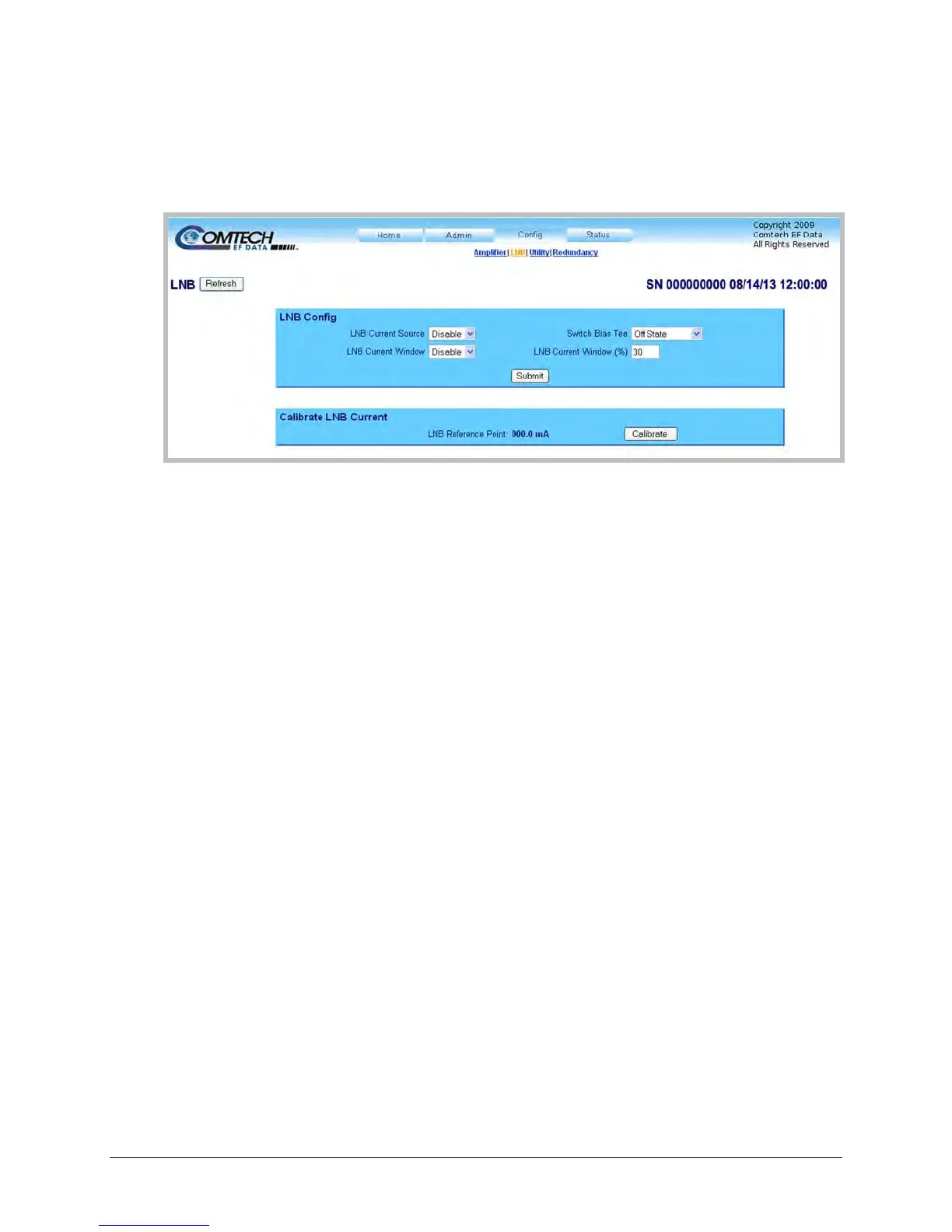
4.5.4.3.2 Config | LNB
Use this page to configure Low-Noise Block Downconverter parameters, and display the LNB
status for L-Band operation.
Figure 4-7. Config | LNB Page
Click [Refresh] (at the top of the page) to update the page appearance to the current operating
configuration.
LNB Config
• LNB Current Source – Use the drop-down list to select this feature as either Enabled or
Disabled.
• Switch Bias Tee – Use the drop-down list to select either Through State (unmute LNB) or Off
State (mute LNB).
• LNB Current Window – Use the drop-down list to select this feature as either Enabled or
Disabled.
• LNB Current Window (%) – This field defines the size of the LNB Current Window, and
determines the fault thresholds for the LNB current draw.
Any LNB current reading that is outside the window may generate an alarm, a fault, or may
be masked entirely depending on the state of the user-configured fault mask (see the MSK
command syntax in Chapter 5. SERIAL-BASED REMOTE PRODUCT MANAGEMENT for more
information).
For example: If the LNB draws 100mA, and the LNB current fault window is set to the
default value of 30(%), then the allowable current draw for the LNB will be from 70 mA
minimum to 130 mA maximum because the window is +/- 30% centered on the calibrated
LNB current draw.
Click [Submit] to save any changes.



 To Next Page