GE Voluson E10 Training Manual
© 2017 Conquest Imaging
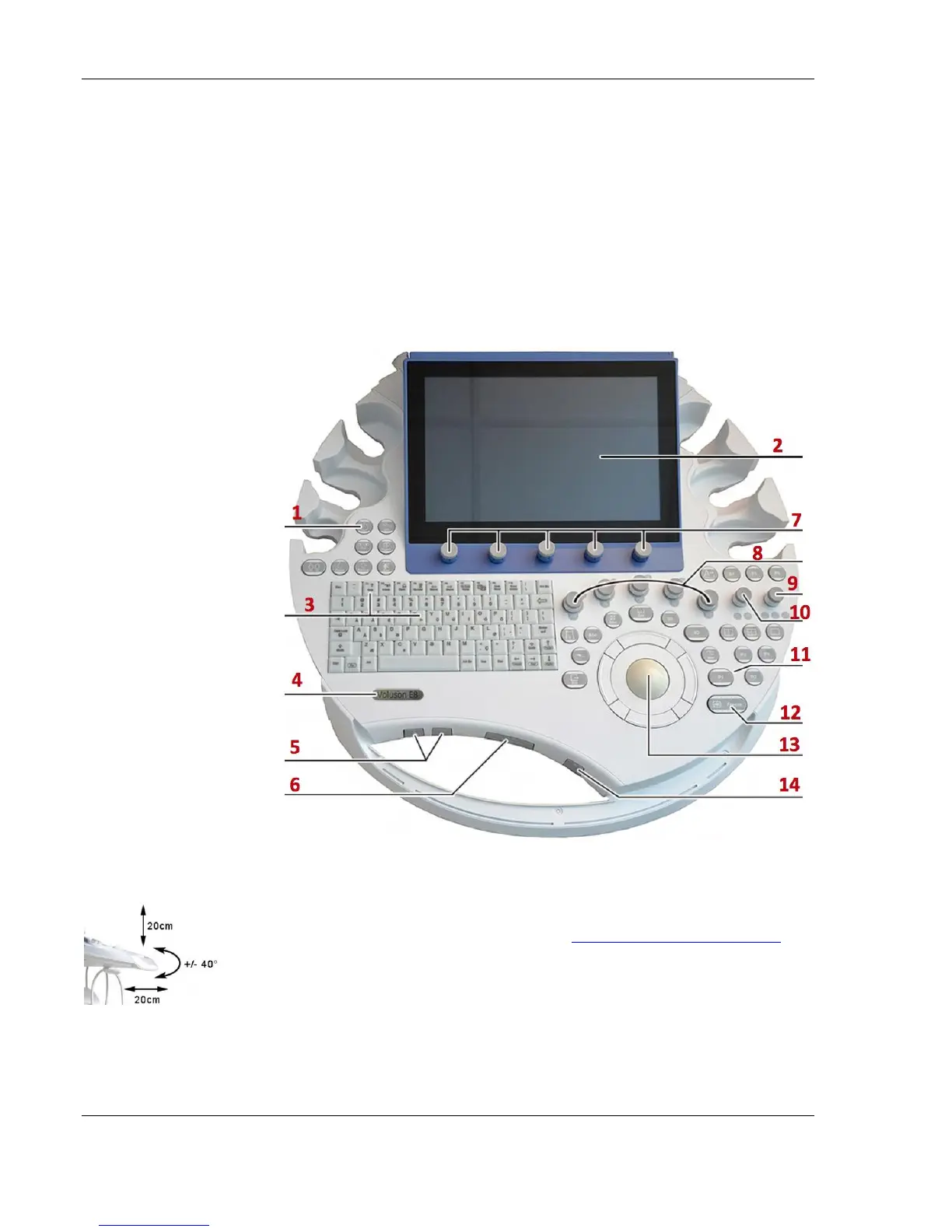
Control Panel
The control panel is the main user interface, receives user inputs,
communicates with the system host CPU via Universal Serial Bus
(USB) ports and displays various outputs via the touch panel.
It includes the On/Off switch, controls used to manipulate picture
quality, and controls used to measure and analyze, an alphanumeric
keyboard and ergonomic controls.
Control Console Positioning
For ergonomic considerations the control console can be rotated,
translated and adjusted in height. See Control Console Positioning in
the Adjustments module of this manual.
Height adjustment: 20 cm (7.9 inch)
Translation adjustment: 20 cm (7.9 inch)
Rotation adjustment: +/- 40°
1.Power button
ON/OFF/Standby
2. Touch Panel screen
3. Alphanumeric keyboard
and F1 key (to invoke
EUM)
4. Logo
5.Height adjustment
control.
6. Console rotation button
7. Touch Panel
rotary/push/flip controls
8. Five mode keys on/off
(push), Gain (rotate) X,Y,Z
rotary controls in 3D/4D
Volume Mode
9. Focus Depth (flip), B-
Image Angle (rotate),
Focus Zones (push)
10. Zoom Box on/off
(push), Zoom Size (rotate),
B-Image Depth (flip)
11. P-keys
12. Freeze / Run key
13. Trackball and Trackball
keys
14. Lamp on/off



 To Next Page