GE Voluson E10 Training Manual
© 2017 Conquest Imaging
Troubleshooting Log/Image Capture
You should collect vital system information before starting any
troubleshooting.
1. Press the Utilities key on the control console.
2. In the “Utilities” menu touch the Setup button to invoke the setup
desktop on the screen.
3. On the right side of the screen select Administration and then
click the System Info tab.
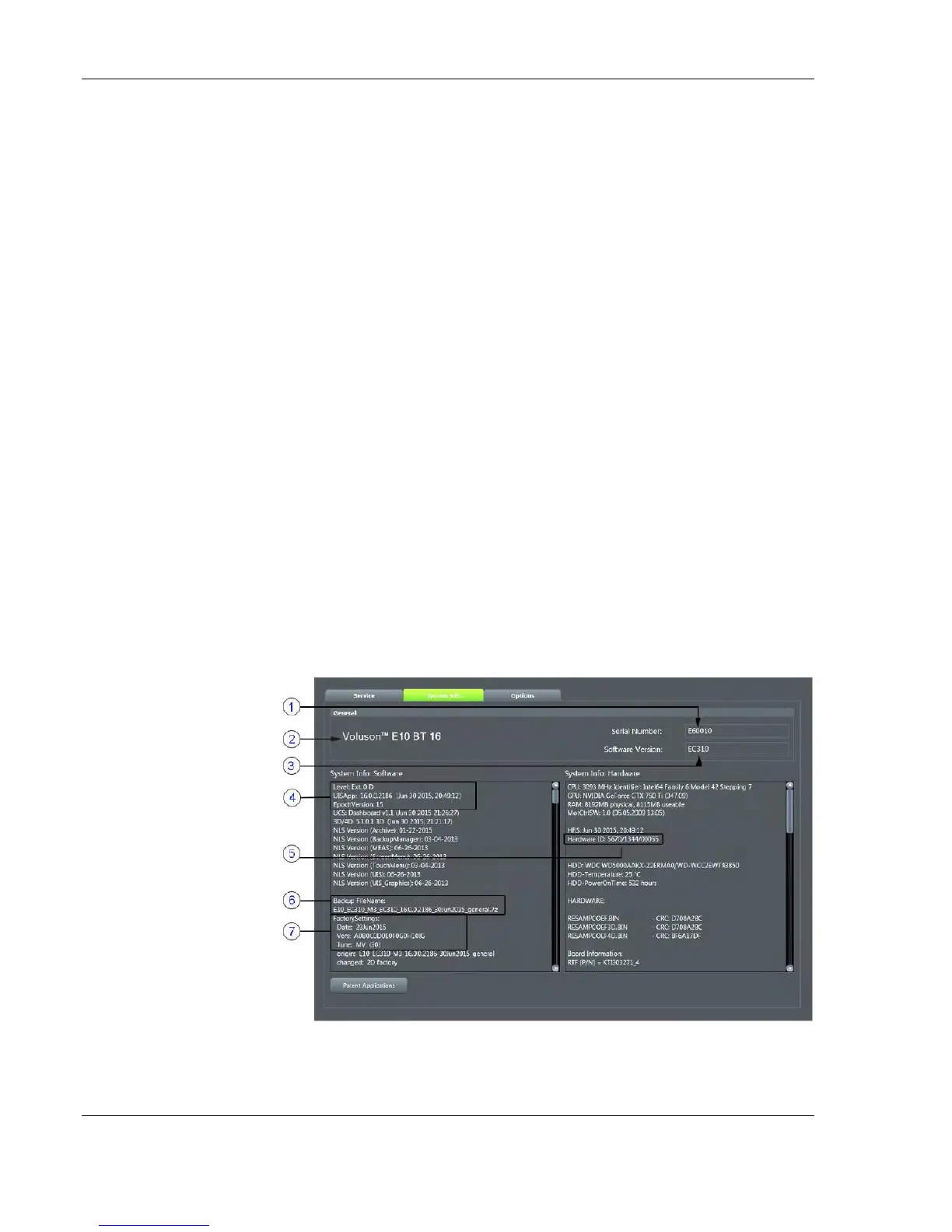
The following information should be noted:
System Type
System Serial number (also visible on label on back of the system)
Application Software version
Backup version (File name, Date of Factory Settings, Tune
version, etc.)
Additional information (e.g., Hardware ID, “Mainboard Type”,
HW configuration, etc.)
All the above information can be found in the "System Info" page:
1. Serial Number
2. System Type
3. Software Version
4. Application Software
5. Hardware ID
6. Backup File Name
7. Factory Settings: Date
& Tune version



 To Next Page