GE Voluson E10 Training Manual
© 2017 Conquest Imaging
Module 9 System Adjustments
This module covers adjustments that can be made to the GE E10
systems.
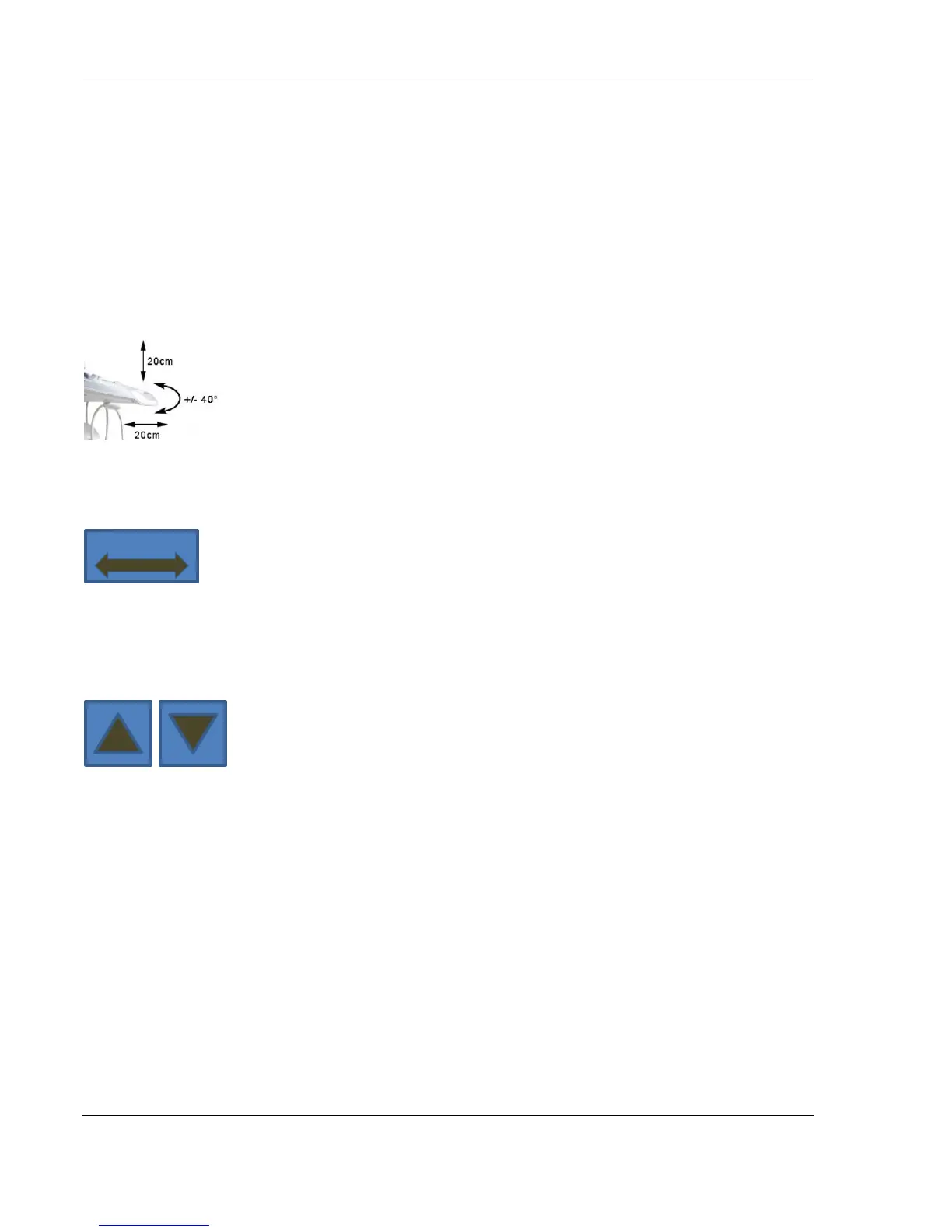
Control Console Positioning
For ergonomic considerations the control console can be rotated,
translated and adjusted in height.
Height adjustment: 20 cm (7.9 inch)
Translation adjustment: 20 cm (7.9 inch)
Rotation adjustment: +/- 40°
Control Console Rotation
Press the Brake button inside of the handlebar opening to
rotate/translate the console to the desired position. Press the Brake
button again in order to secure the console against uncontrolled
movement.
Control Console Height Adjustment
Height adjustment is done with the Lift UP / Lift DOWN buttons inside
of the handlebar opening.
Video Monitor
The Voluson E-Series system video monitor displays the ultrasound
images on a 23” color LCD. The LCD Flat panel monitor is adjustable in
relation to the user interface:
Tilt: + 40° / - 90°
Rotate: +/- 90°
The monitor and it’s
housing are sold as
separate FRUs.



 To Next Page