3-12
1010PVNFM-3A
Section 3
of the second area prepared, secure the spacing bar to the already mounted transducer by
inserting the transducer index screw through the REF hole on the Bar. Put mounting strap
around transducer and tighten as in Step 5. Sight along spacer bar to ensure axial alignment
to the pipe. Adjust if necessary and do not overtighten. Ensure that the transducers do not
move while tightening.
7. Connect the transducer cable, ensuring that you have observed the upstream/downstream
orientation in respect to the cable and the input jack on the flow computer. If this is a dual-
channel unit, make sure you are connecting the cables to the correct channel’s input jacks.
Repeat this procedure for the number index transducer.
8. Return to the menu, and press <ENT> to finish the transducer install routine.
3.1.9 DIRECT MODE - MOUNTING FRAMES, SPACER BAR AND SPACING
GUIDES
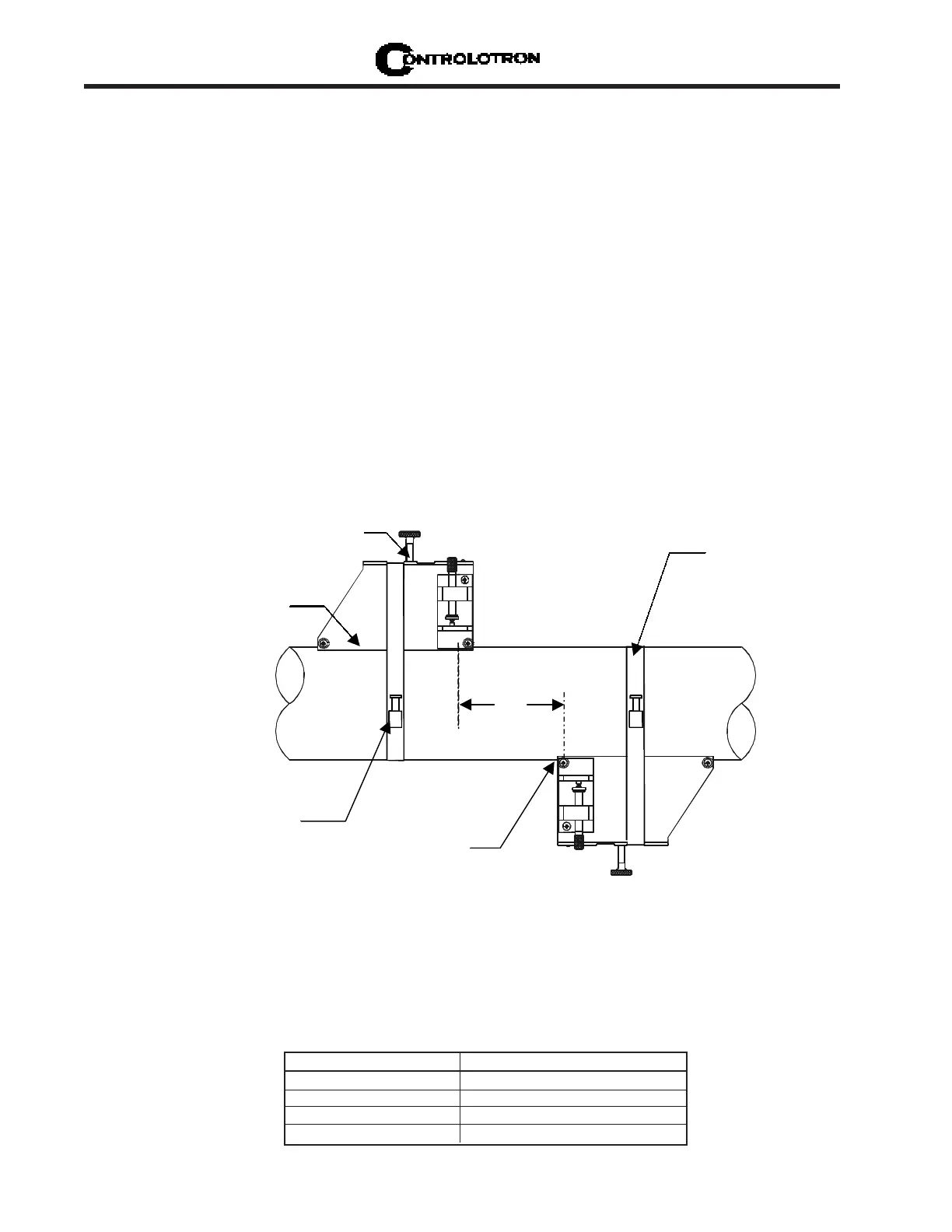
The combination of mounting frames, spacer bar and spacing guides is the recommended way
to mount Direct Mode transducers. The mounting frame establishes the axial alignment of the
transducers, and allows you to remove and replace either transducer while preserving their
exact mounting location.
For Direct Mode mounting, you will use a spacer bar to establish the distance between trans-
ducers and a spacing guide to easily locate the transducers at the nine o’clock and three
o’clock positions. Should the distance between transducers be beyond the span of a spacer
bar, a measuring tape can be used. The Mylar spacing guide comes in various lengths and
widths to accommodate most pipe sizes (see list below).
Spacing Guide P/N Size
1012-145-1A 2" x 26" (50.8 x 660.4 mm)
1012-145-1 2" x 45" (50.8 x 1143.0 mm)
1012-145-2 4" x 81" (101.6 x 2057.4 mm)
1012-145-3 4" x 155" (101.6 x 3937.0 mm)
INSTALLATION - DIRECT MODE WITH TRANSDUCERS, MOUNTING FRAMES
SPACER BAR (Not Shown) AND SPACING GUIDE
Ltn
Transduce
Clamping
Screw
Mounting
Frame
Mounting
Strap
Ltn
Reference
Notch
Mounting Strap
Adjusting Screw



 To Next Page