B-1
1010PVNFM-3A
Appendix
SITE SETUP CONSIDERATIONS FOR 1010N BLIND SYSTEMS
Controlotron offers an economical “blind” 1010 NEMA system (without a local keypad and graphic
display screen). This supplement describes the hardware and software requirements for pro-
gramming these models. Site setup for a blind unit requires a PC connected to the RS-232 serial
port. These models include a serial interface cable for this purpose. The serial interface cable
includes 9-pin and 25-pin connectors to accommodate both types of IBM-compatible serial ports.
A PC communication program such as Terminal (Windows 3.x™) or HyperTerminal (Windows
95/98™) serves as the data entry interface. These programs reproduce the menu screens that
would appear on the system’s graphic screen. In fact, the example screens in this manual are
actual HyperTerminal™ screen captures. Once the serial interface is established, the site setup
procedure for blind and graphic display systems are identical. You could choose to program a
graphic display system using a PC and a communications program. However, note that for mod-
els with a local display screen, the serial interface cable is an option.
NOTE: You can use a DOS-based communications program also. Make sure that your
PC is loading the ANSI.SYS driver via your Config.sys file. Set the program’s
RS-232 parameters to match those of the flowmeter (see HyperTerminal™ ex-
ample screen on next page).
THE RS-232 INTERFACE CABLE
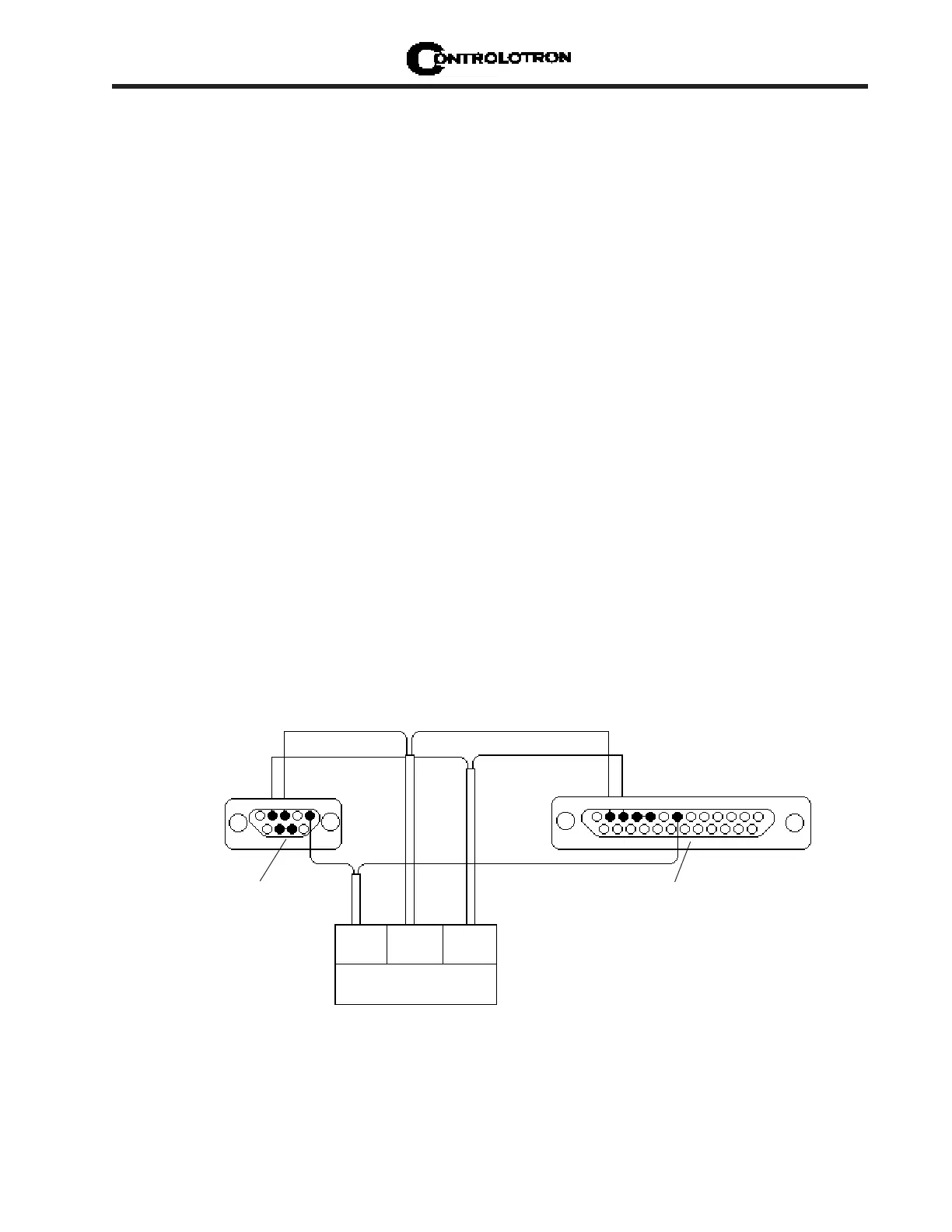
The physical connection between the flow computer and your PC is accomplished using a serial
interface cable, part number: 1015CPC-N. The schematic below shows the configuration of the
cable. The wire ends for the flow computer termination are tinned for easy insertion into TB1 on
the flow computer. Each wire is labeled to identify the correct terminal pin on TB1. In addition,
both connectors have their CTS pin shorted to the RTS pin (pins 4 - 5 on 25-pin connector and
pins 7 - 8 on 9-pin connector). This eliminates the need for hardware “handshaking.”
APPENDIX B
1015CPC-N SERIAL INTERFACE CABLE
6
GND
4
RX
1
TX
TB1
*Solder side shown
*Solder side shown



 To Next Page