B-3
1010PVNFM-3A
Appendix
6. You will now see a blank terminal screen. Next left-click [File] on the top menu bar. Drag the
highlight down to [Properties] and then left-click.
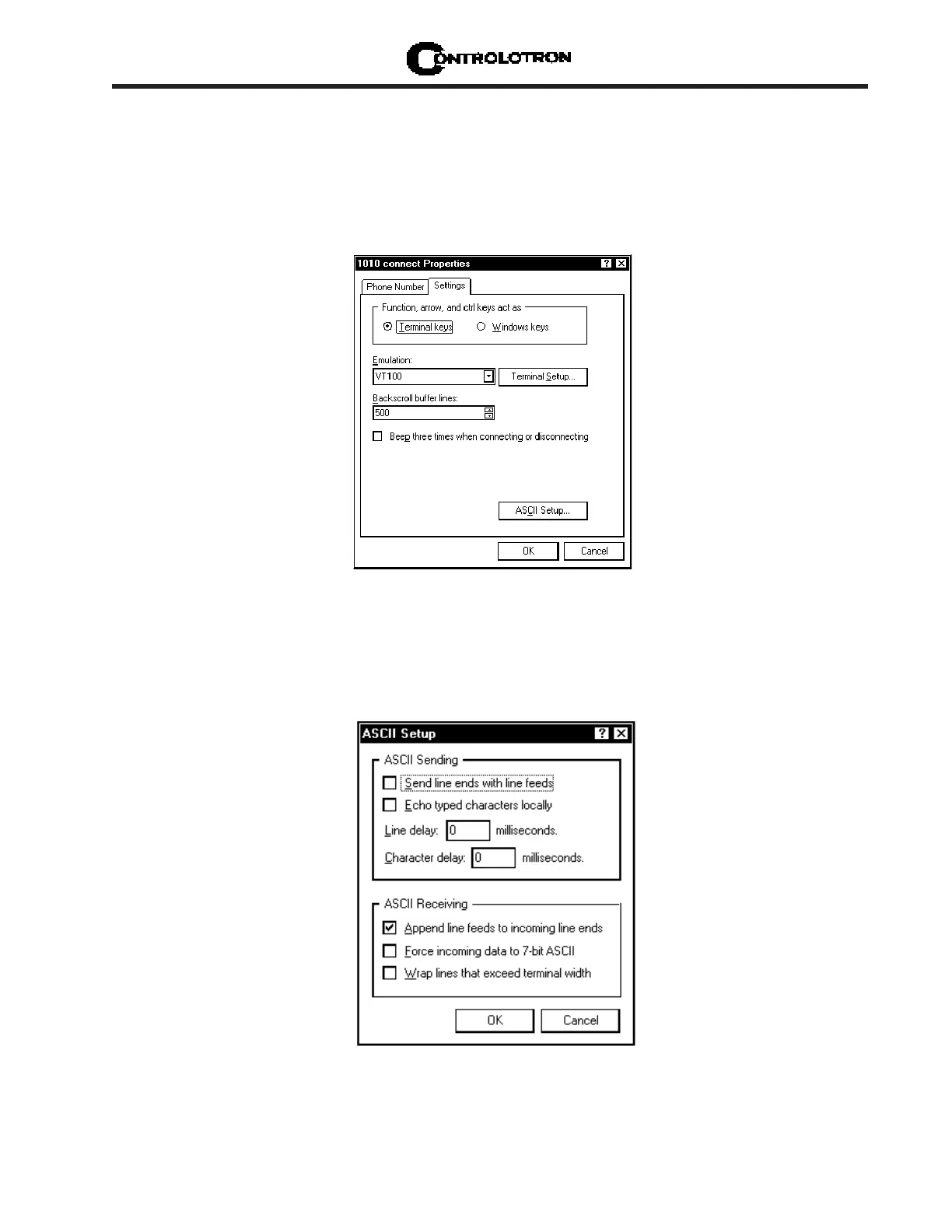
7. Left-click the [Settings] tab. Expand the [Emulation] box by left-clicking the <Down Arrow>
on the right-hand side. Drag the highlight down to [VT-100] and then left-click to select it (as
shown below).
8. Next, left-click on the [ASCII Setup] button (see screen above). In the [ASCII Sending] dialog
box, make sure that both [send line ends with line feeds] and [Echo Typed characters locally]
are
UNCHECKED. In the [ASCII Receiving] dialog box, left-click to place a check mark before
the [Append line feeds to incoming line ends] dialog. When your screen looks like the example
below, left-click the [OK] button.



 To Next Page