B-5
1010PVNFM-3A
Appendix
Data Display Mode
After you complete the installation, you can toggle between Installation Menu mode to Data
Display mode. This is the same as using the <MENU> key on the 1010 keypad (see manual). The
PC keyboard equivalent to the <MENU> key is <CNTRL> + <L>. Note that the 1010 RS-232
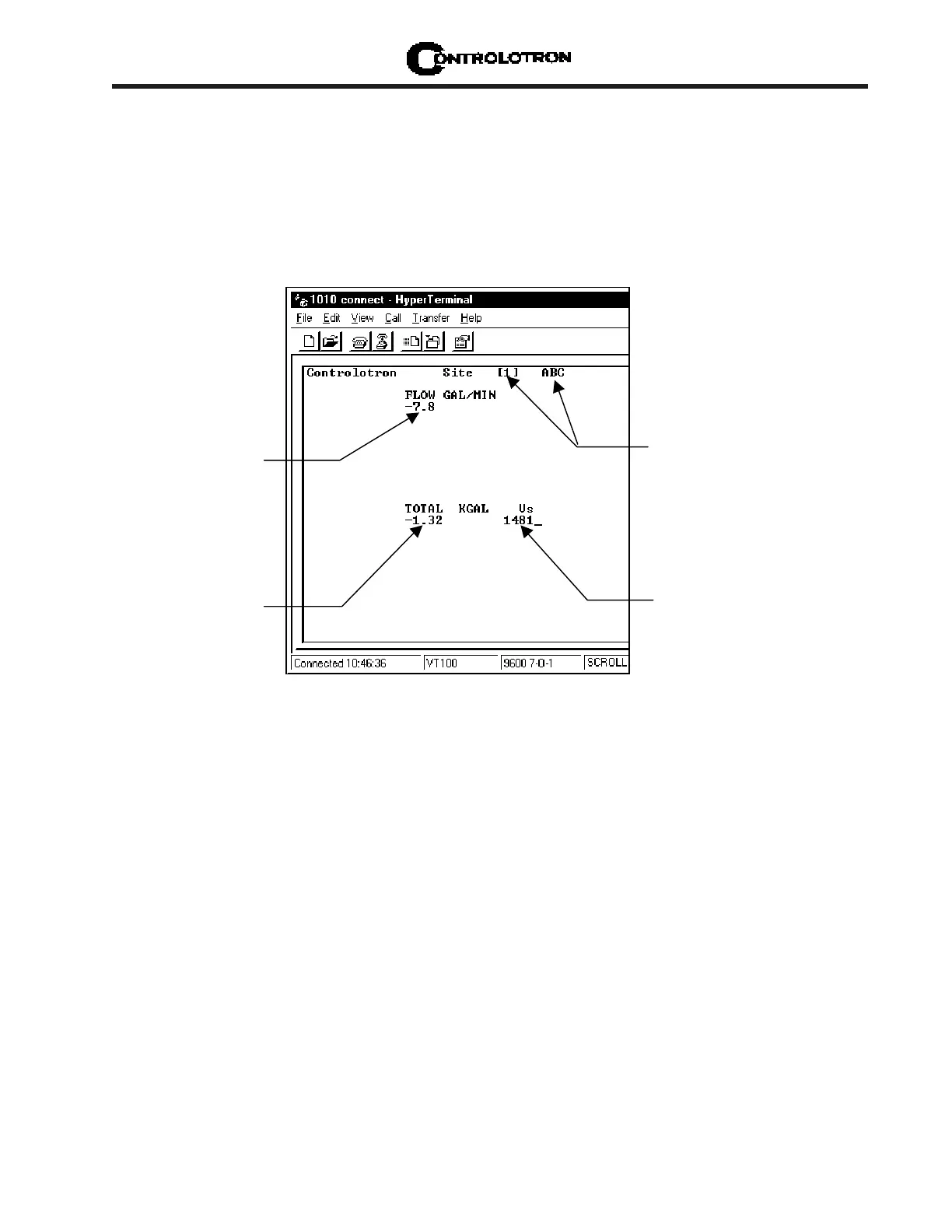
interface does not support graphics. Therefore, when you use HyperTerminal™ to view the data
display screens, you will see the same data in alphanumeric form only (as shown below). You can
still use the <Up Arrow> and <Down Arrow> to switch between available display screens.
This is the current flow
reading and flow units.
(This would be a large
graphic characters on
the1010 screen.
This is the current measured liquid
This is the flow
total display.
This is the name of the current active
site setup. The [1] indicates that
measurement channel is currently
active.



 To Next Page