254 • Crestron Zūm® Wired Solutions Product Manual — Doc. 9349B
Assign a Zone ID to an RAP
To designate different areas of a floor as a zone, assign a load controller a Zone ID. The Zone ID
drop-down menu options are letter groupings AA to AZ and BA to BF.
Remove a RAP
To delete a load controller, click . A confirmation window opens. Click Yes to delete the load
controller, or No to keep the load controller.
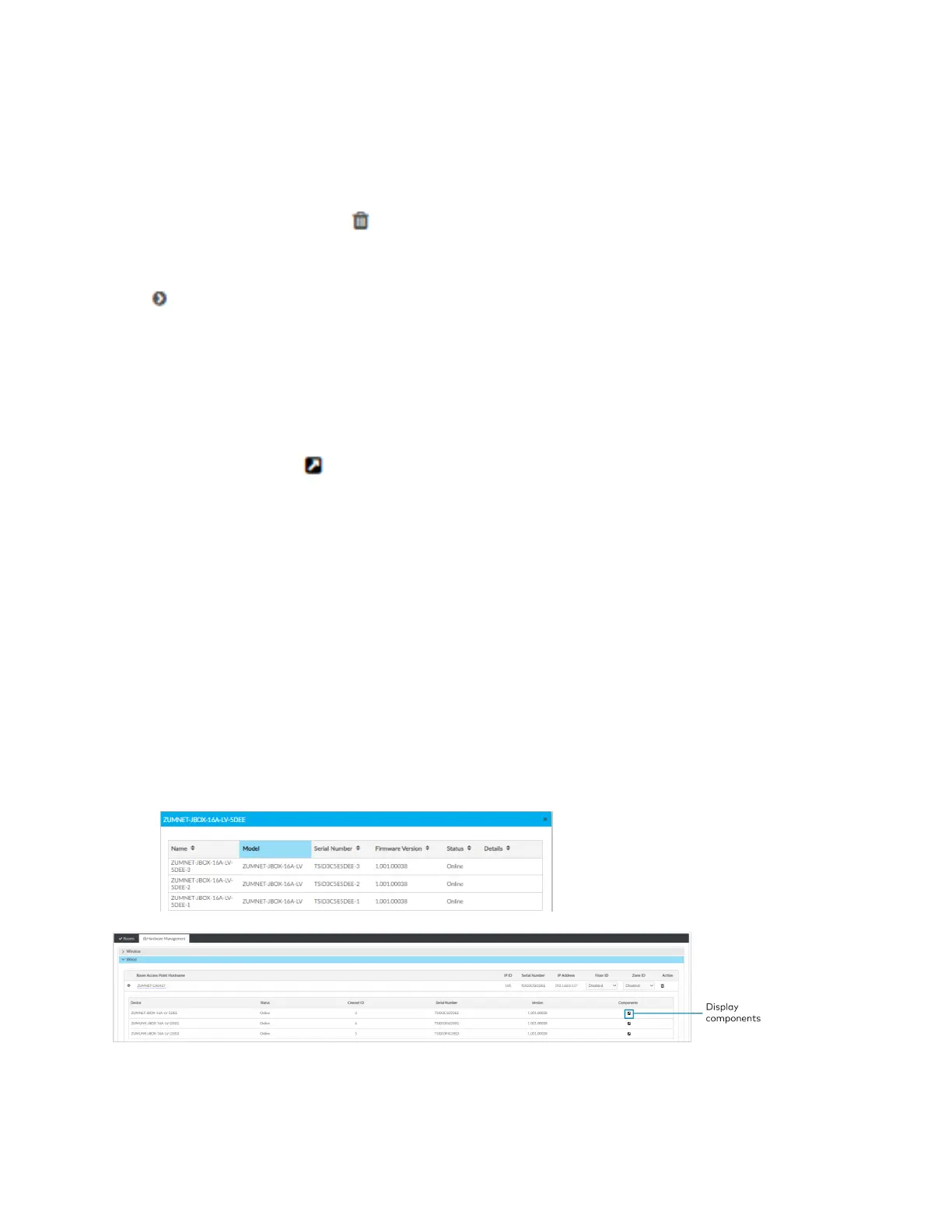
Review RAP Components
Click next to a load controller to view connected devices.
l
Device: Displays child devices connected to the parent load controller.
l
Status: Displays Online or Offline to show the child device's status.
l
Cresnet ID: Displays the child device's Cresnet® control network ID.
l
Serial Number: Displays the child device's serial number.
l
Version: Displays the child device's current firmware version.
l
Components: Click to view the child device components. Components displays the
internal functions of a load controller, such as the internal occupancy sensors, photocell,
and load controller, as well as other devices connected to the device, such as a keypad.
o
Name: For internal components, the name of the component is the device name plus
the suffix "-1," "-2," or "-3."
n
-1: Load Controller component: Controls the connected loads.
n
-2: Occupancy sensor component: Uses occupancy to control the connected
loads.
n
-3: Photocell component: Uses ambient light to control the connected loads.
n
Change the component name by using the Zūm App.
o
Model: Displays the device model.
o
Serial Number: Displays the component's serial number.
o
Firmware Version: Displays the component's firmware version.
o
Status: Displays Online or Offline to show the component's status.



 To Next Page