Product Manual — Doc. 9349B Crestron Zūm® Wired Solutions • 253
Wired Devices
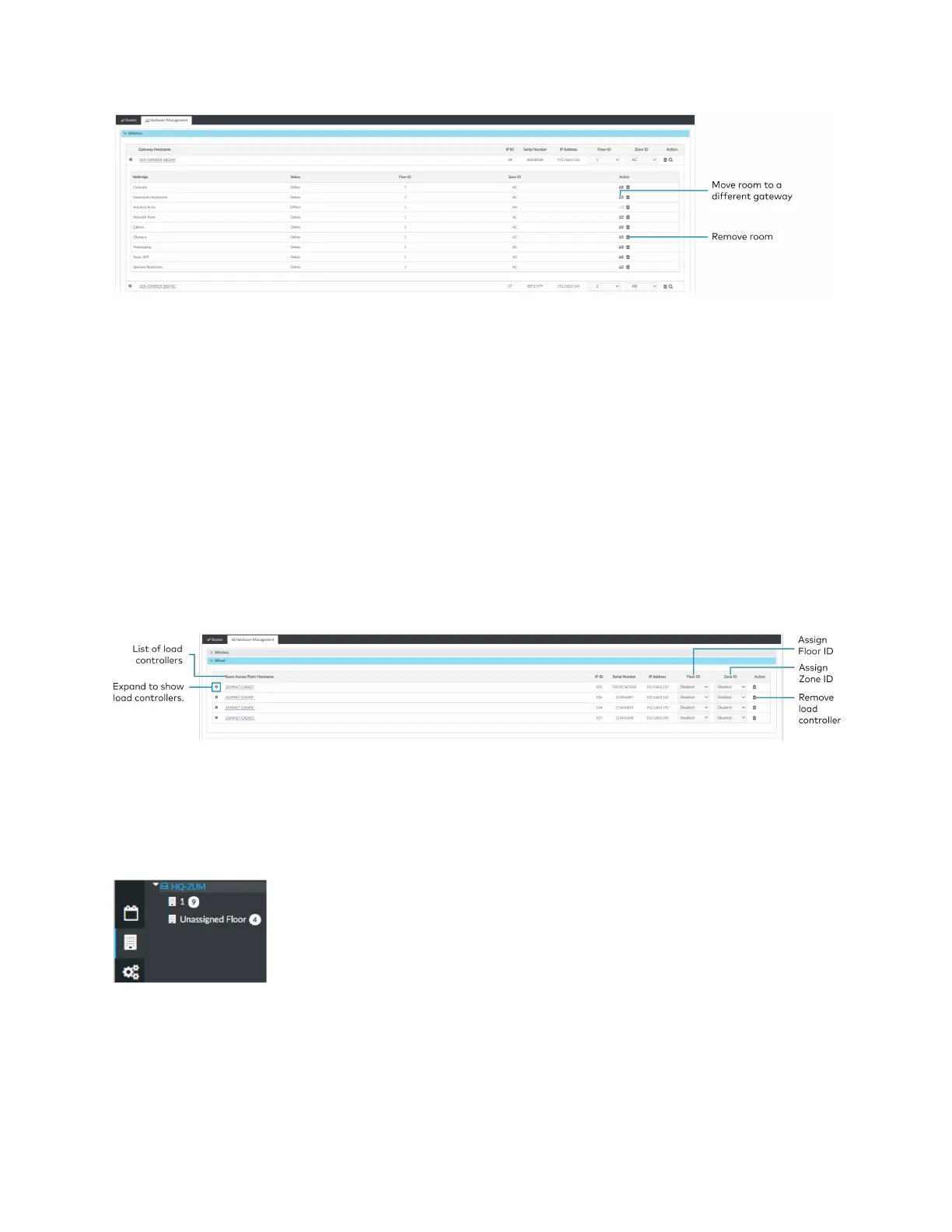
Access wired Room Access Points in the Hardware Management tab and expand the Wired
menu. A Room Access Point (RAP) is the main device in the room. View information about the
RAP, assign Floor or Zone IDs, or remove an RAP. To view devices connected to RAP, refer to
Review RAP Components on page 254.
l
Room Access Point Hostname: Displays the main device's name.
l
IP ID: Displays the main device's IP ID.
l
Serial Number: Displays the main device's serial number.
l
IP Address: Displays the main device’s IPaddress.
l
Floor ID: Refer to Assign a Floor ID to an RAP on page 253.
l
Zone ID: Refer to Assign a Zone ID to an RAP on page 254.
l
Action: Refer to Remove a RAP on page 254.
Assign a Floor ID to an RAP
Assigning a Floor ID to a load controller adds a floor to the Floor list. The Floor ID drop-down
menu options are numbers -40 to + 200 and Disabled. The Floor ID can be negative to indicate a
floor below ground or positive to indicate a level above ground. Disabled categorizes the load
controller to Unassigned Floor.



 To Next Page