Back
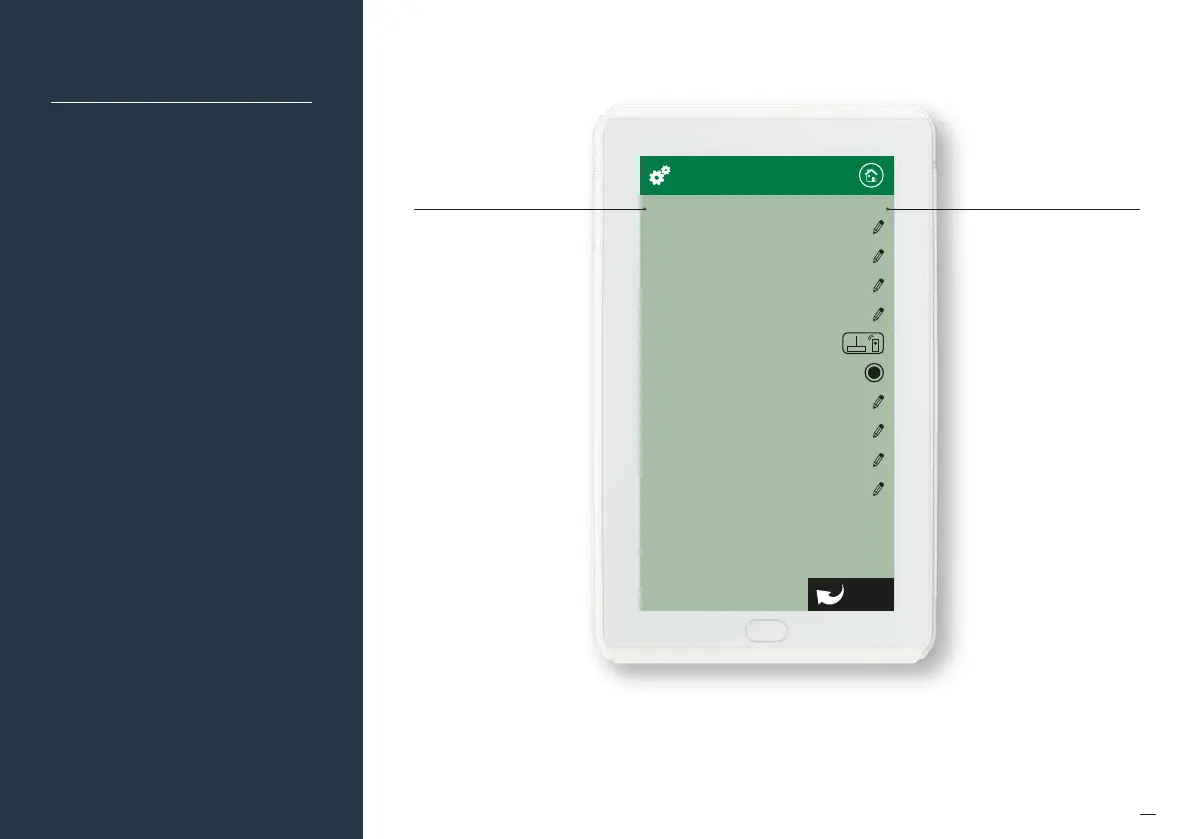
No. of Zones
4
No. of Constants
1
Zone Setup
AC Unit Setup
Pair Wireless Device
iSave
Options
WiFi Bridge Config
Change Password *******
Myzone Device List
System Configuration
63
Number of Zones
Number of Zones
First set up the number of
zones in your system. To
do this click on “Number of
Zones”, delete the factory
default setting of 8 and enter
in the correct number of
zones being used in
the application.
NOTE: Number of zones must
also include any constant/
spill zones.
Naming Zones
Before you proceed further,
it is suggested you mark
your zones and name them
accordingly under zone
summary in the home
screen. To do this, go back to
the main menu, click on the
zones icon, then click on a
zone (e.g. Zone 1).
Delete the current zone
name and type your desired
zone name. Continue until all
zones are correctly named.
Once completed, return to
the configuration menu.


 To Next Page