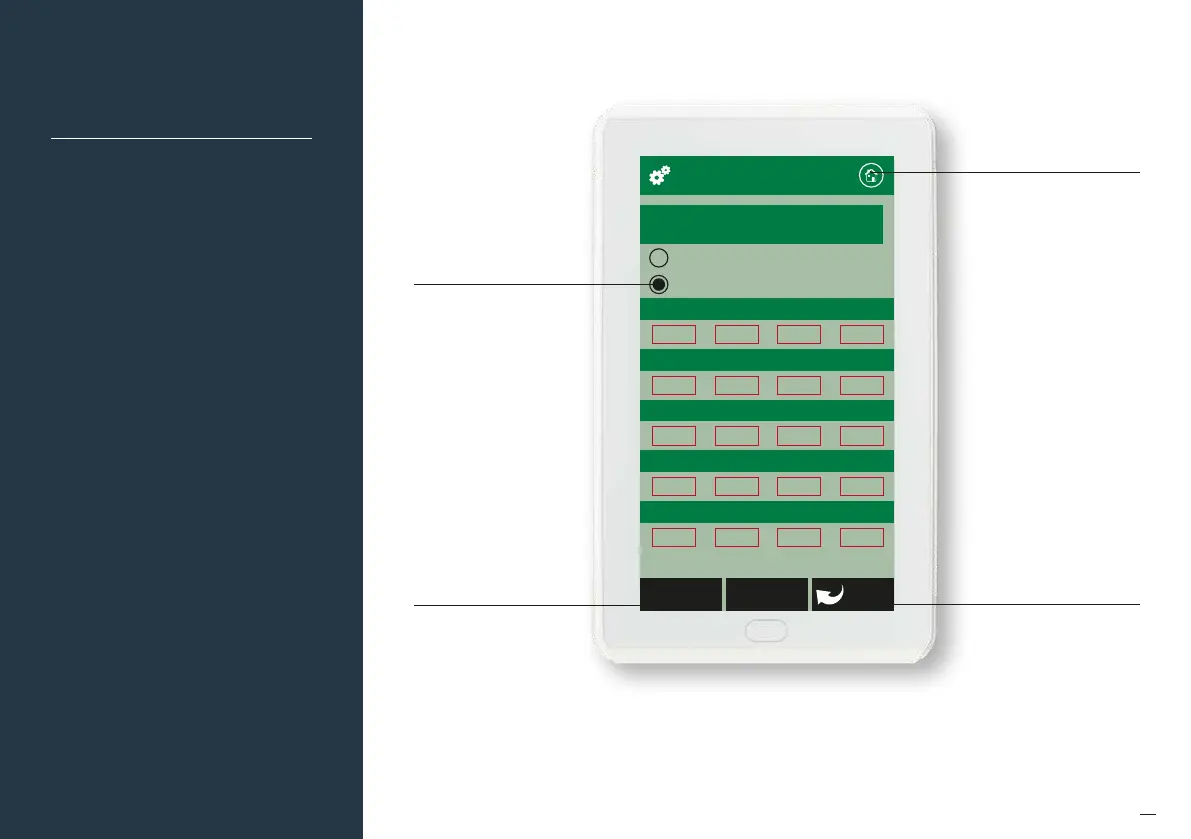
Auto Configuration
Manual Configuration
WiFi Configuration
IP Address
IP Address
0 0 0 0
Subnet Mask
0 0 0 0
Default Gateway
0 0 0 0
Primary DNS Server
0 0 0 0
Secondary DNS Server
0 0 0 0
BackPreviousApply
79
Wi-Fi Manual IP
Configuration
Touch here to go back without
saving the changes
Select either Auto or Manual
Configuration. If manual is
selected you will need to
know the IP, Subnet Mask,
Default Gateway, Primary
DNS Server and Secondary
DNS Server addresses if
applicable. If you require
manual configuration please
contact your IT specialist to
assist you.
Touch here to go to the
home screen
Touch here to apply the
changes to the configuration


 To Next Page