86
Pairing and
Configuring Myzone
RF Sensors
Note:
• To pair other devices such as a
Myzone bridge or repeater simply
press the pairing button on the
device and at the same time press
the paring button on the touch
screen and wait for the update to
complete.
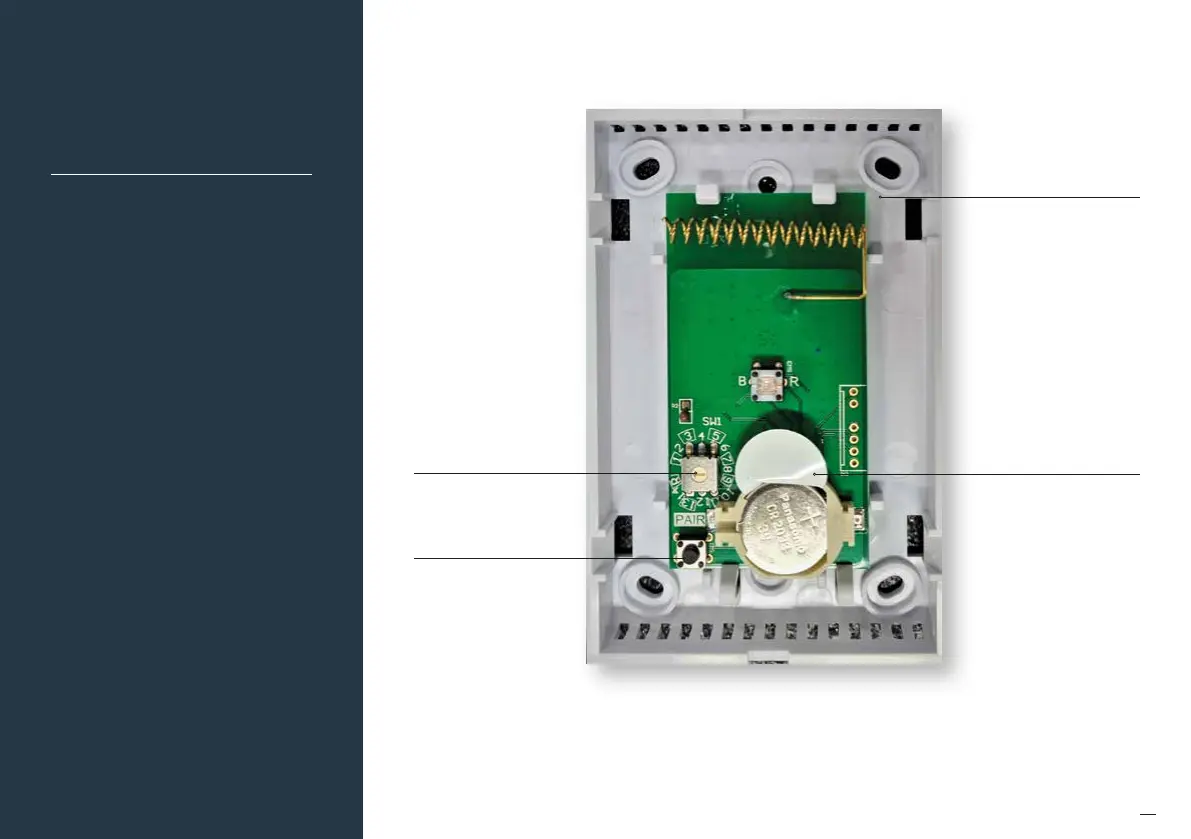
Set the zone selector dial to
the zone number that the
sensor will control
Press and hold the pair
button on the wireless
sensor. At the same time
press the "Pair Wireless
Device Button" on the touch
screen and wait until the
update is complete.
Remove front cover from sensor
Remove the battery tab on
the sensor


 To Next Page