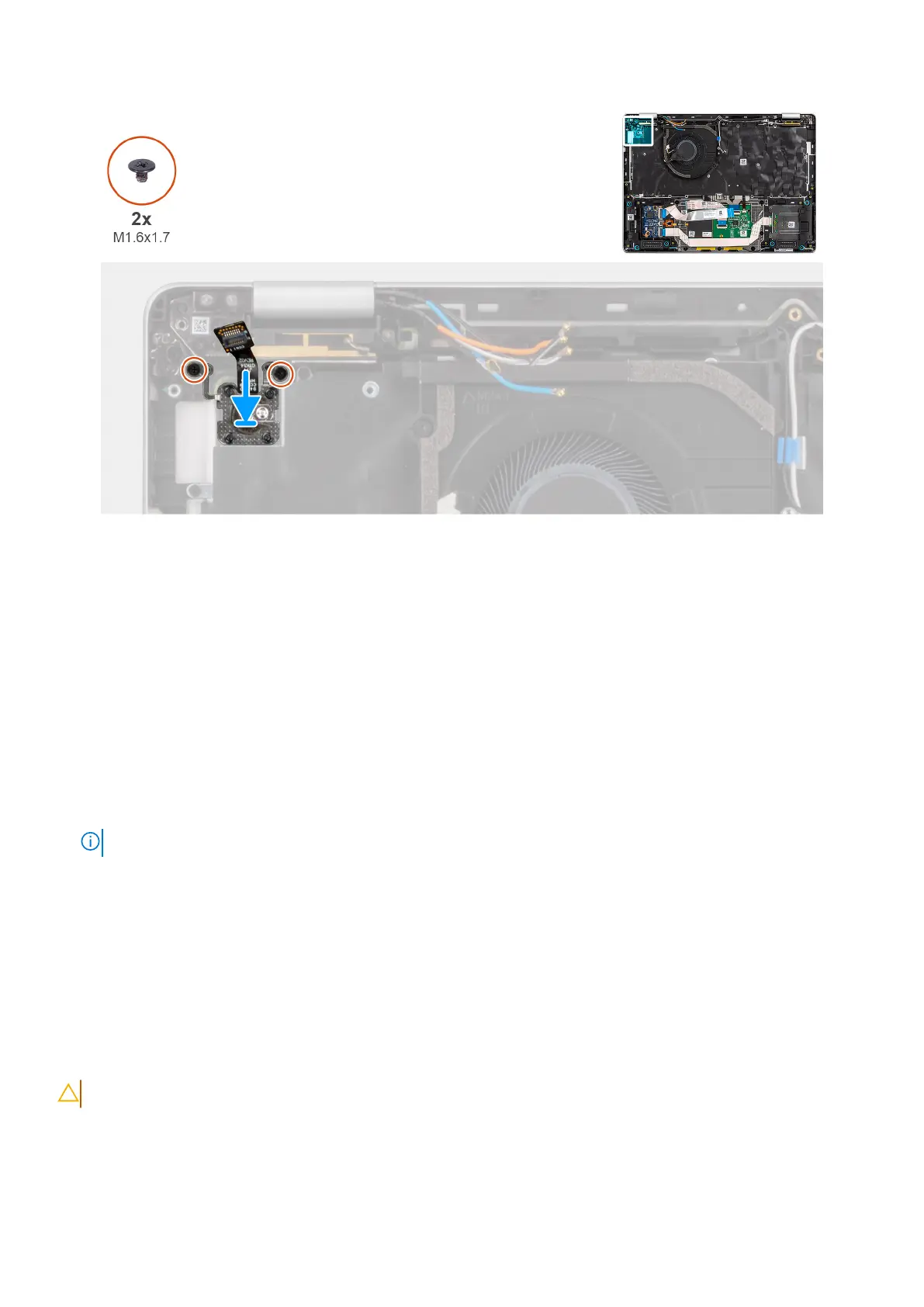
Figure 78. Installing the power button with fingerprint reader
Steps
1. Connect the power button with fingerprint reader cable to the connector on the computer.
2. Replace the power button bracket in place.
3. Replace the two screws (M1.6x1.7) that secure the power button bracket in place.
Next steps
1. Install the I/O board.
2. Install the system board.
3. Install the heat sink.
4. Install the fan.
5. Install the M.2 2230 solid state drive or M.2 2280 solid state drive, as applicable.
6. Install the WWAN.
NOTE: This procedure applies only to computers shipped with a WWAN card installed.
7. Install the battery.
8. Install the base cover.
9. Install the SIM card tray, if required.
10. Follow the procedure in after working inside your computer.
Keyboard assembly
Removing the keyboard
CAUTION: The information in this removal section is intended for authorized service technicians only.
Prerequisites
1. Follow the procedure in before working inside your computer.
2. Remove the sim-card tray, if applicable.
Removing and installing Field Replaceable Units (FRUs)
111



 To Next Page