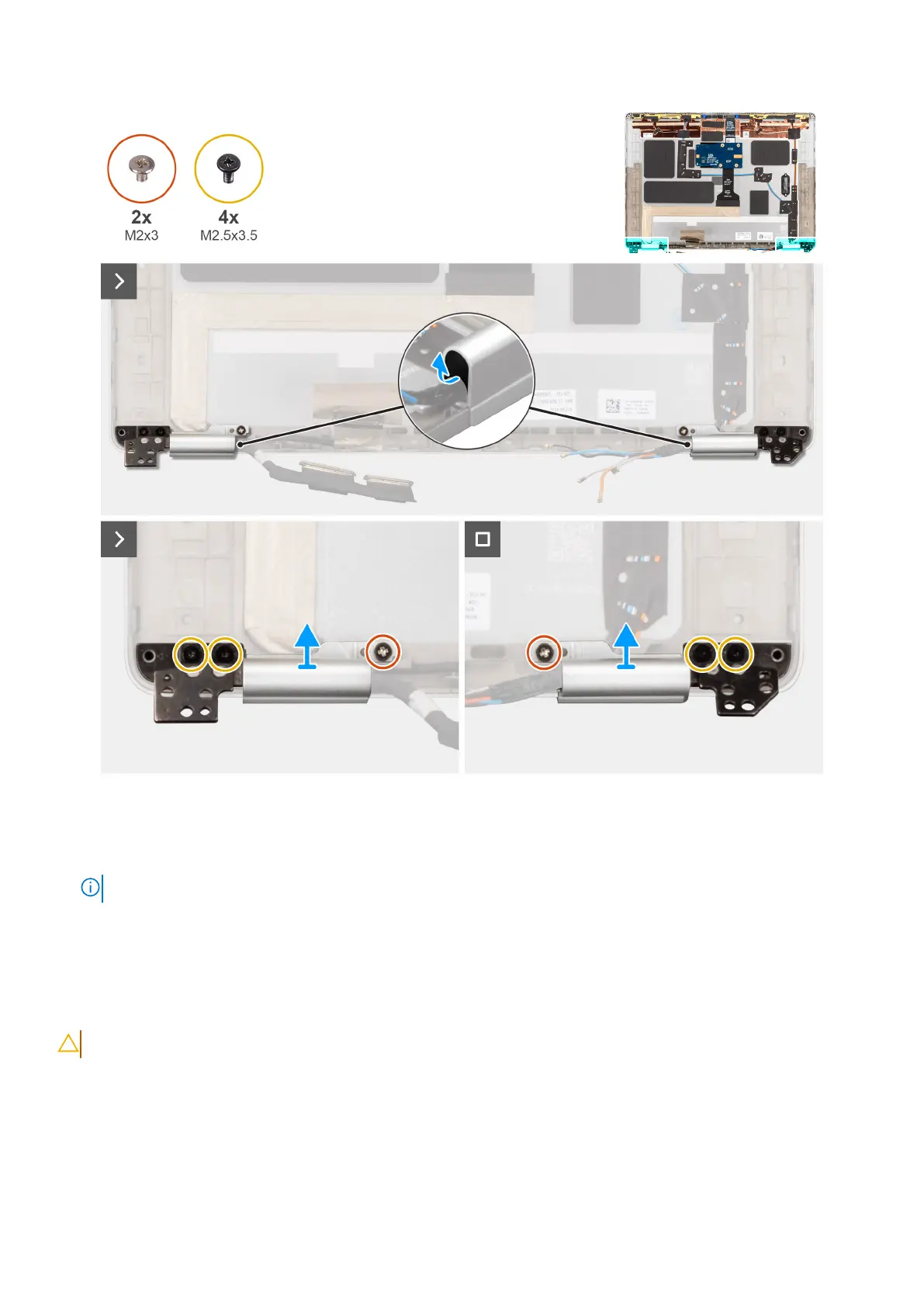
Figure 54. Removing the display hinges
Steps
1. Using a plastic scribe, pry the hinge rubber out of the left and right hinge caps.
NOTE: Do not pull the display cable, Darwin cable, or the WWAN antenna cables out of the hinge caps directly.
2. Remove the two screws (M2x3) and four screws (M2.5x3.5) that secure the display hinge cap and hinge assembly in place.
3. Press the hinge caps to remove them from the display back cover.
Installing the display hinge cap and hinge assembly
CAUTION: The information in this installation section is intended for authorized service technicians only.
Prerequisites
If you are replacing a component, remove the existing component before performing the installation procedure.
Removing and installing Field Replaceable Units (FRUs)
83



 To Next Page