About this task
NOTE: Ensure that the hinges are opened to the maximum before replacing the display assembly on the palm-rest and
keyboard assembly.
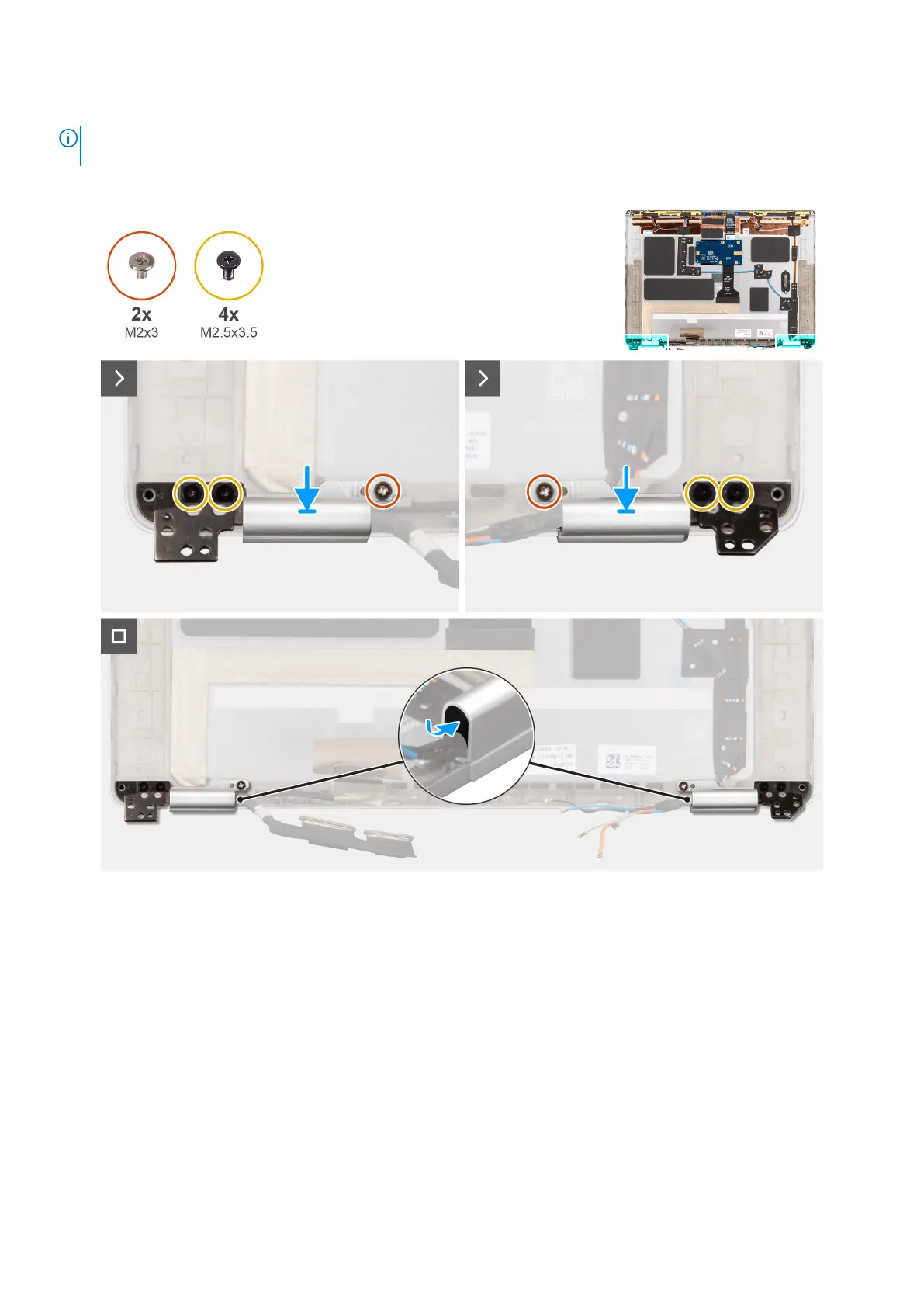
The following images indicate the location of the display hinges and provide a visual representation of the installation procedure.
Figure 55. Installing the hinge caps
Steps
1. Replace the hinge caps over the display cable and the WLAN cables on each side of the back cover.
2. Route the display/camera cable and WWAN cable/darwin antenna cable through the respective hinge caps.
3. Replace the two screws (M2x3) and four screws (M2.5x3.5) that secure the display hinge cap and hinge assembly in place.
4. Replace the hinge rubber into the left and right hinge caps.
Next steps
1. Install the display panel .
2. Install the display bezel.
3. Install the display assembly.
4. Install the WWAN.
84
Removing and installing Field Replaceable Units (FRUs)



 To Next Page