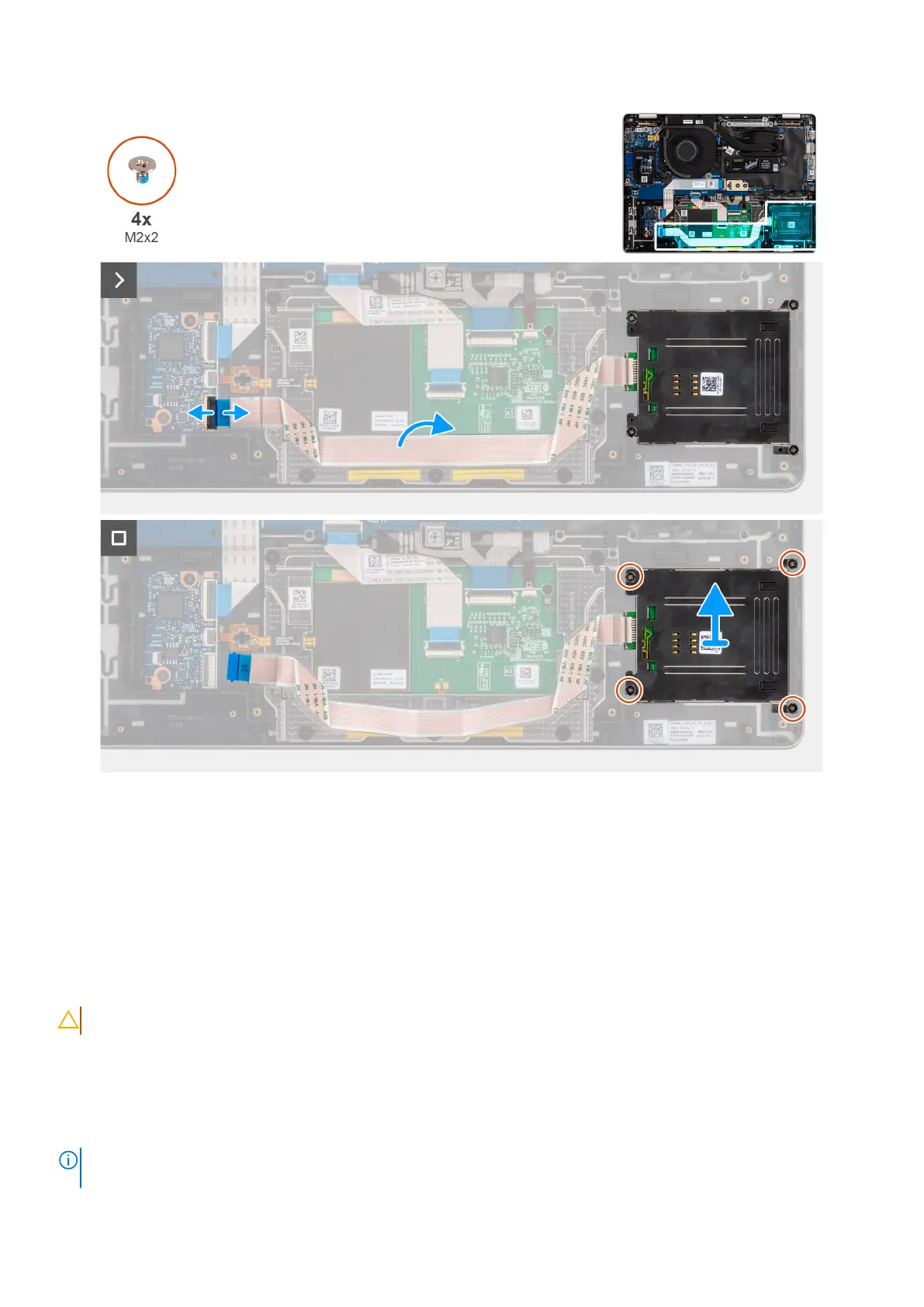
Figure 63. Removing the smart card reader
Steps
1. Open the latch and disconnect the smartcard reader flexible flat cable from the USH daughter board.
2. Peel the smartcard reader flexible flat cable.
3. Remove the four screws (M2x2) that secure the smart card reader in place.
4. Remove the smart card reader from the palm-rest assembly.
Installing the smart card reader
CAUTION: The information in this installation section is intended for authorized service technicians only.
Prerequisites
If you are replacing a component, remove the existing component before performing the installation procedure.
About this task
NOTE:
If the rubber grommets are pushed out when removing the left speaker, push them back in before replacing the left
speaker.
94 Removing and installing Field Replaceable Units (FRUs)



 To Next Page