Installing the system board
CAUTION: The information in this installation section is intended for authorized service technicians only.
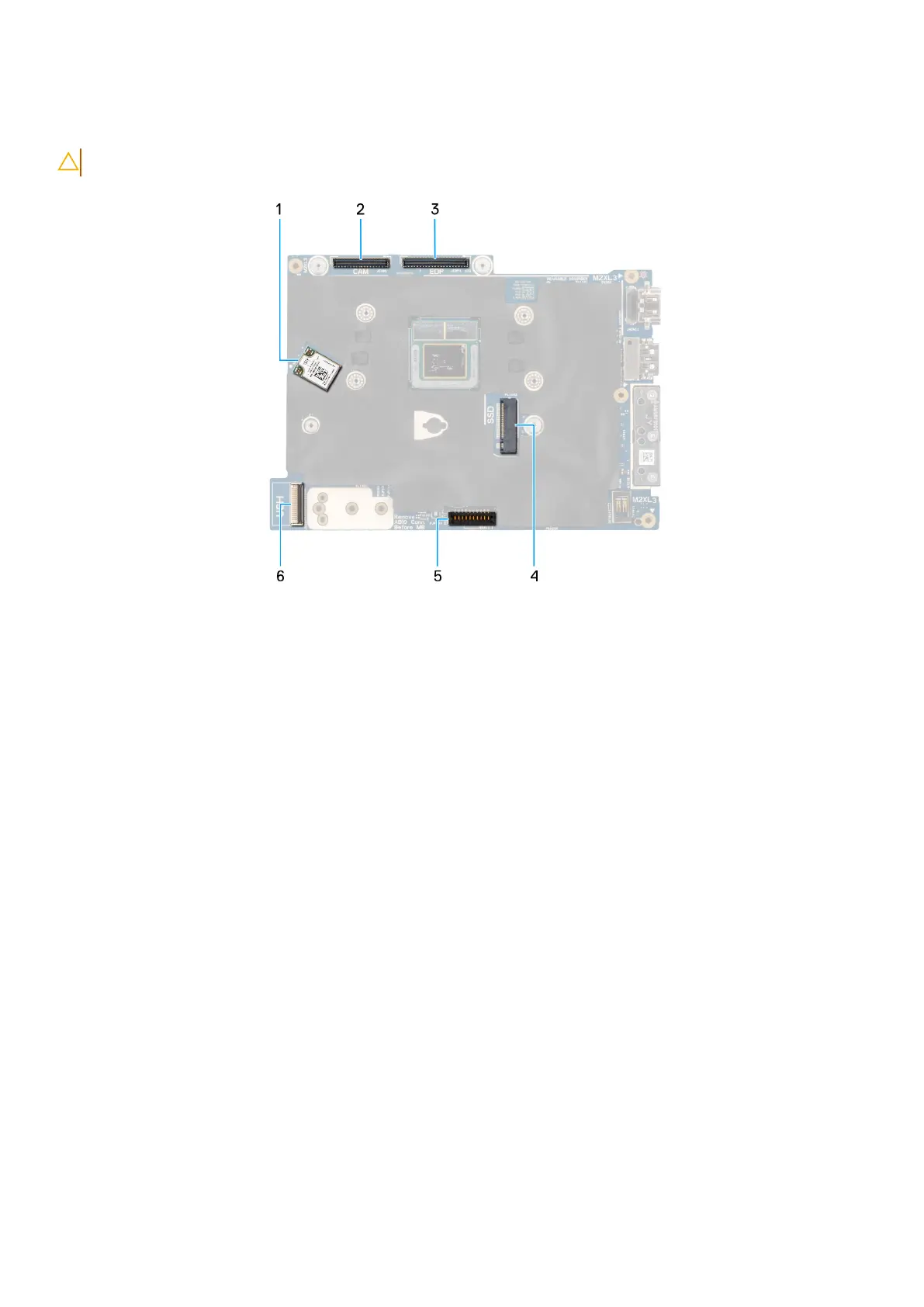
Figure 71. Sytem board callout
1. WLAN card
2. Camera cable connector
3. Display cable connector
4. Solid state drive slot
5. Battery cable connector
6. USH cable connector
102
Removing and installing Field Replaceable Units (FRUs)



 To Next Page