Views of Dell Pro 14 Plus
Right
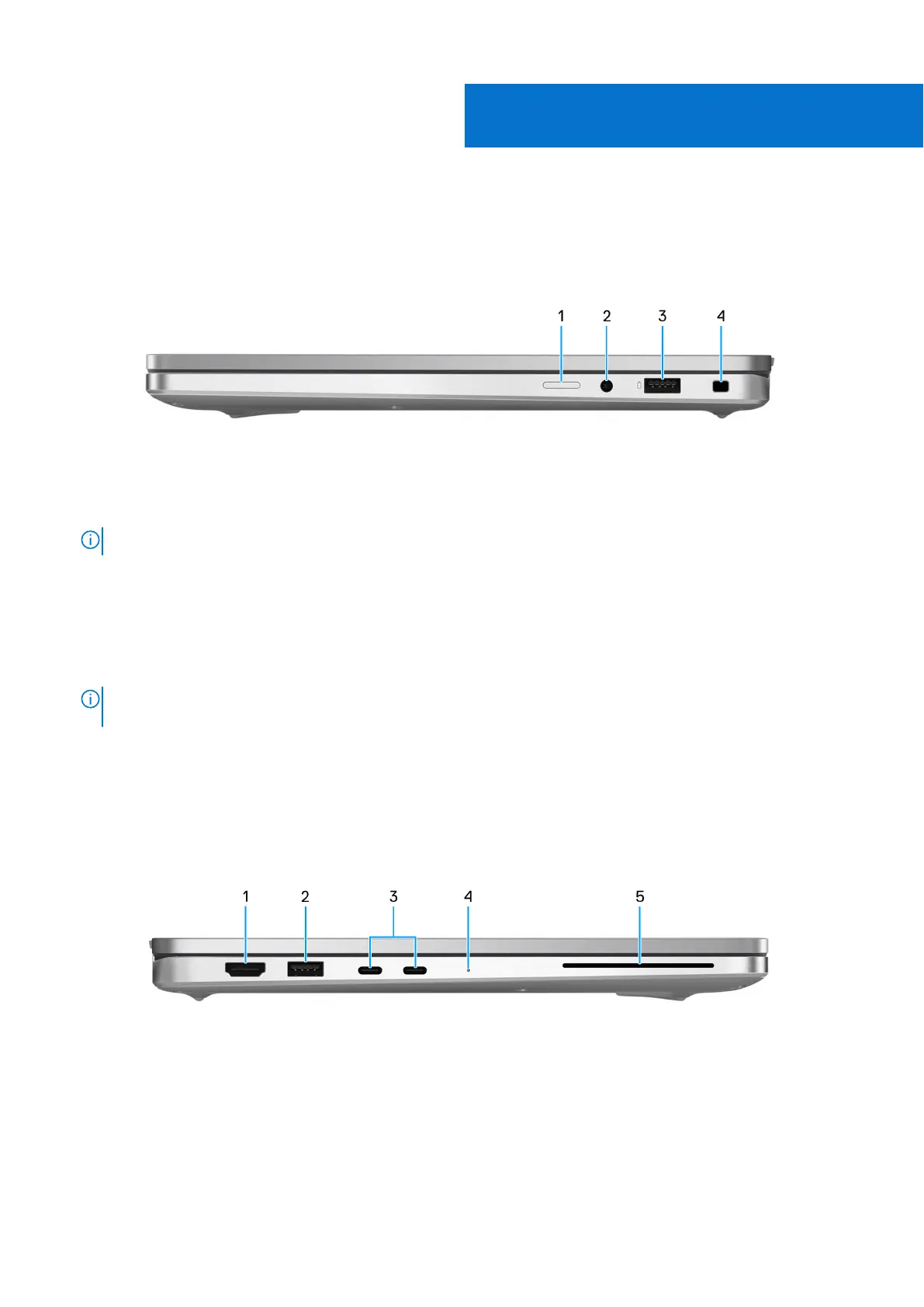
Figure 1. Right view
1. Nano-SIM card slot (optional)
Insert a SIM card to connect to a mobile broadband network.
NOTE: Availability of the SIM card slot depends on the region and configuration ordered.
2. Global headset jack
Connect headphones or a headset (headphone and microphone combo).
3. USB 3.2 Gen 1 port with PowerShare
Connect devices such as external storage devices and printers. It provides data transfer speeds up to 5 Gbps. PowerShare
enables you to charge your USB devices even when your computer is turned off.
NOTE:
If your computer is turned off or in a hibernate state, you must connect the power adapter to charge your
devices using the PowerShare port. You must enable this feature in the BIOS setup program.
4. Wedge-shaped lock slot
Connect a security cable to prevent unauthorized movement of your computer.
Left
Figure 2. Left view
1. HDMI 2.1 TMDS
Connect to a TV, external display or another HDMI-in enables device. Provides video and audio output.
2. USB 3.2 Gen 1 port
Connect devices such as external storage devices and printers. Provides data transfer rate of up to 5 Gbps.
3. Thunderbolt 4.0 with DisplayPort Alt Mode/USB Type-C/USB4/Power Delivery
1
Views of Dell Pro 14 Plus 7



 To Next Page