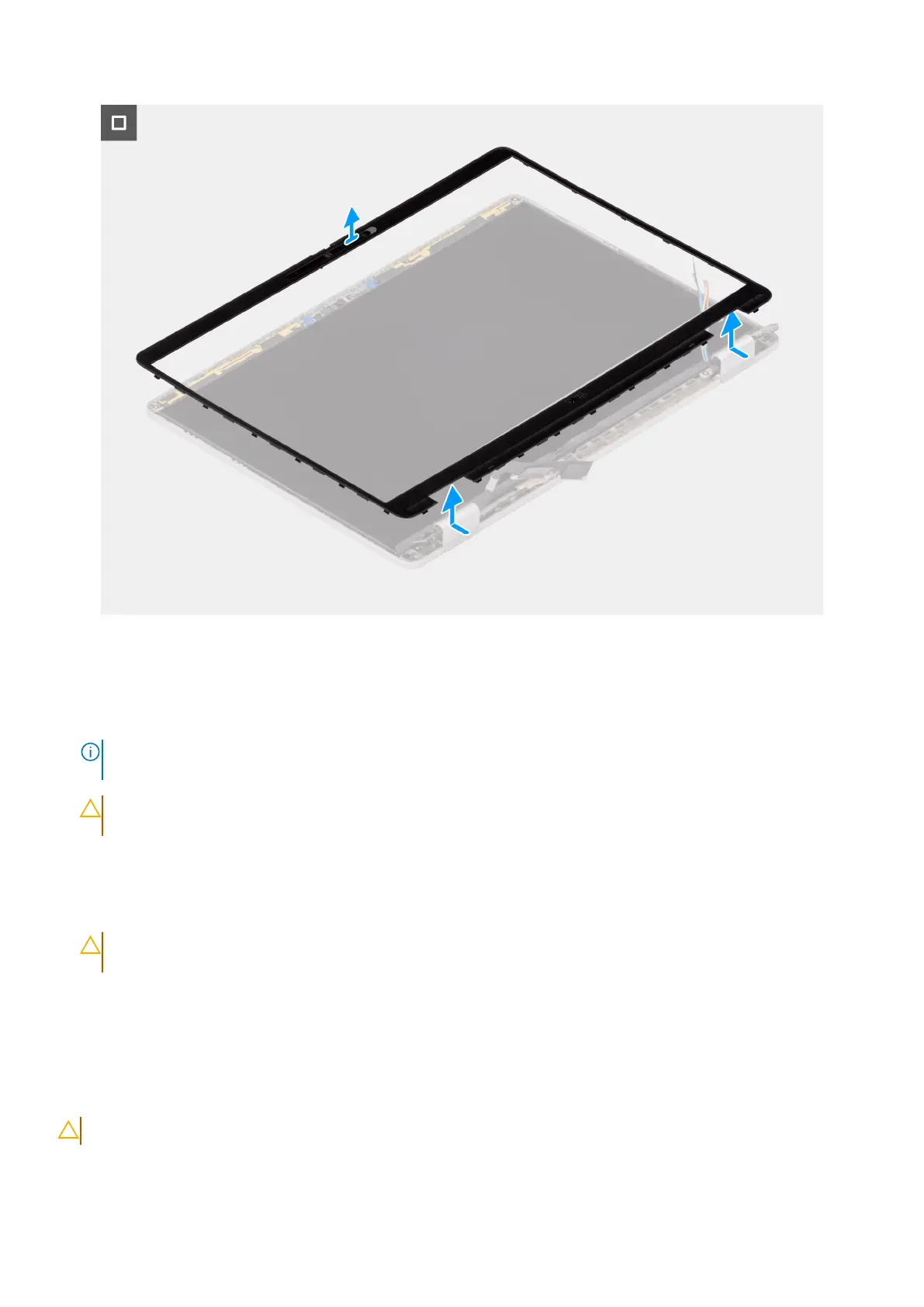
Figure 47. Removing the display bezel
Steps
1. Insert a flat-head slotted screwdriver (maximum width: 4 mm) into the slots on the display bezel near the hinges, and gently
apply pressure to release the bezel at both ends, creating a gap.
NOTE:
Do not use the flat head screwdriver to pry up the rest of the bezel. Instead, use the flat end of a plastic scribe
to continue prying along the bezel.
CAUTION: When inserting the scribe into the bezel, keep it parallel to the display. Pressing it downward can
damage the display.
2. Insert the flat end of the scribe into the gap created under the display bezel.
3. Keeping the scribe parallel to the display, carefully slide it along the bottom edge of the bezel to release the latches on the
lower side.
4. Insert the scribe diagonally into the hinge section to carefully pry up the portion of the bezel above the hinge.
CAUTION:
Do not lift the scribe vertically as it damages the screen. Slide the scribe horizontally to disengage
the adhesive and pry the bezel upwards.
5. Insert the scribe into the corner of the display bezel near the hinge. Keeping the scribe parallel to the display, carefully slide
the scribe along the edges from one corner to the other (right to left or left to right).
6. Lift the display bezel from the display assembly.
Installing the display bezel
CAUTION: The information in this installation section is intended for authorized service technicians only.
74 Removing and installing Field Replaceable Units (FRUs)



 To Next Page