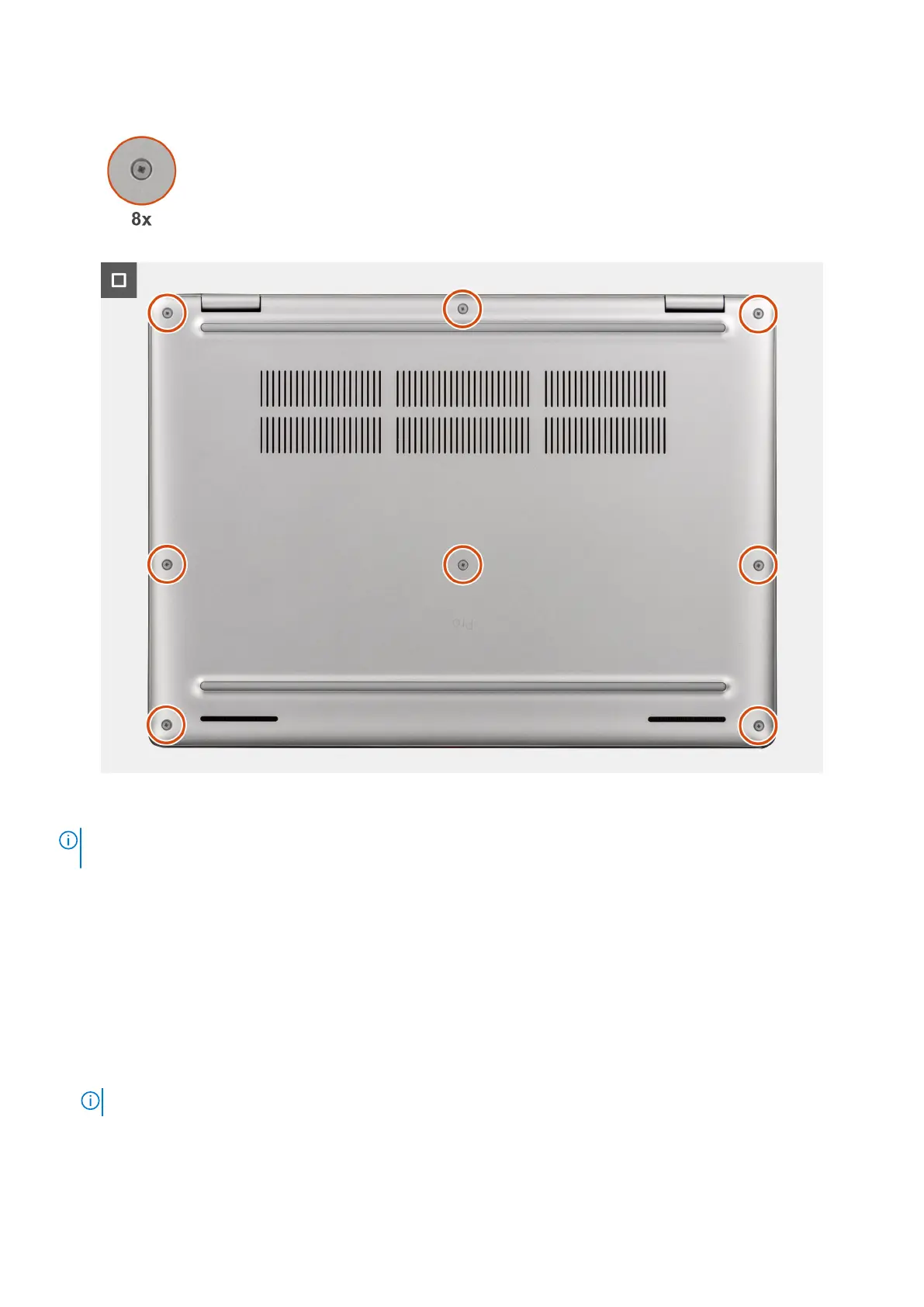
Figure 23. Installing the base cover
NOTE:
If you have disconnected the battery cable, ensure to connect the battery cable. To connect the battery cable,
follow step 1 and step 2 in the procedure.
Steps
1. Connect the battery cable to the battery-cable connector (BATT1) on the system board if the computer is not in service
mode.
2. Align the screw holes on the base cover with the screw holes on the keyboard assembly, and then snap the base cover into
place.
3. Tighten the eight captive screws to secure the base cover in place.
Next steps
1. Follow the procedure in after working inside your computer.
NOTE: Ensure that your computer is in Service Mode. For more information, see before working inside your computer.
2. Install the SIM-card tray, if applicable.
Removing and installing Customer Replaceable Units (CRUs)
47



 To Next Page