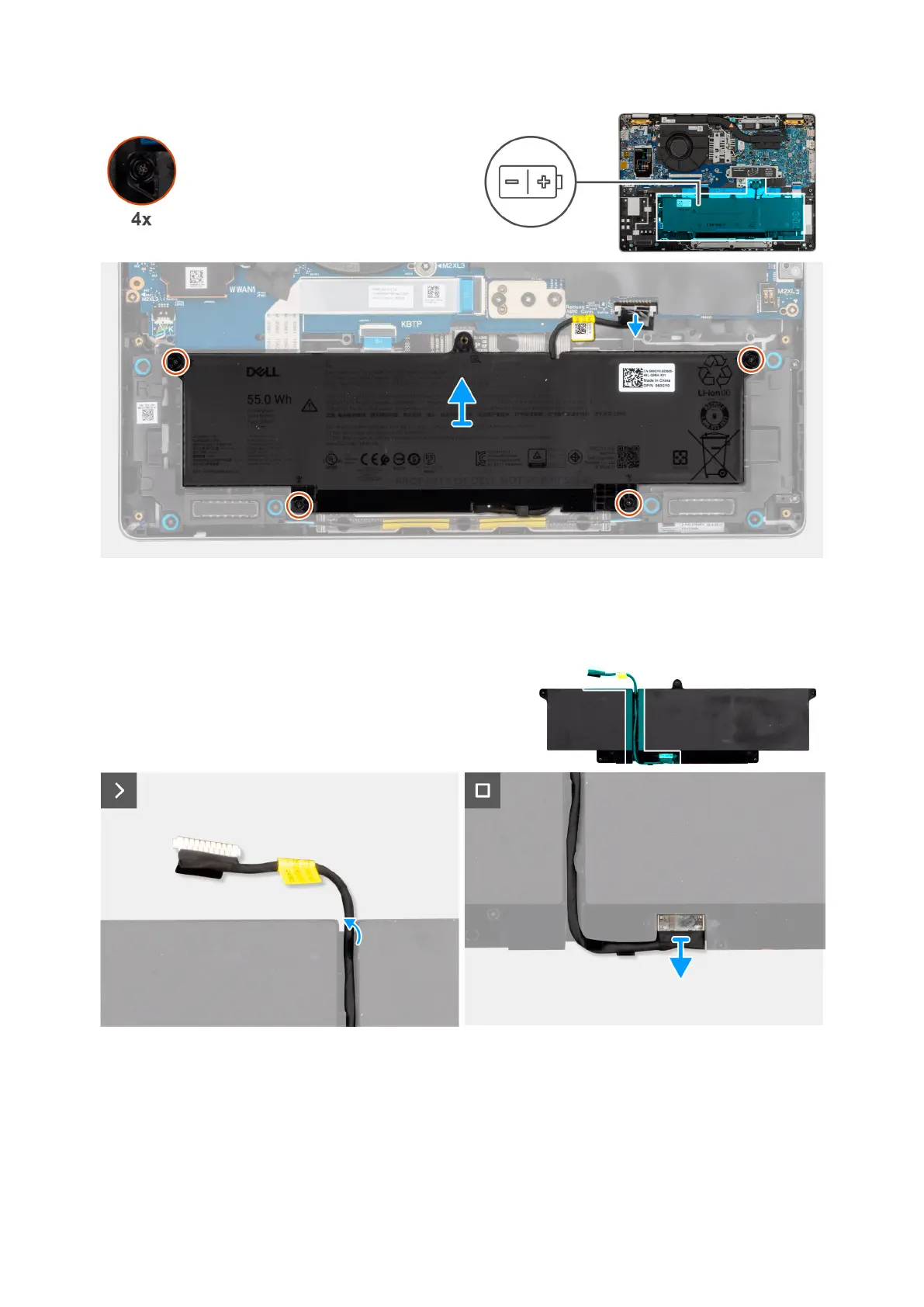
Figure 24. Removing the battery
Figure 25. Removing the battery cable
Steps
1. Disconnect the battery cable from the battery cable connector (BATT1) on the system board (if not disconnected earlier).
2. Loosen the four captive screws that secure the battery in place.
3. Lift the battery off the palm-rest assembly.
4. Remove the battery cable from the routing guides on the battery.
Removing and installing Customer Replaceable Units (CRUs)
49



 To Next Page