3. Remove the base cover.
About this task
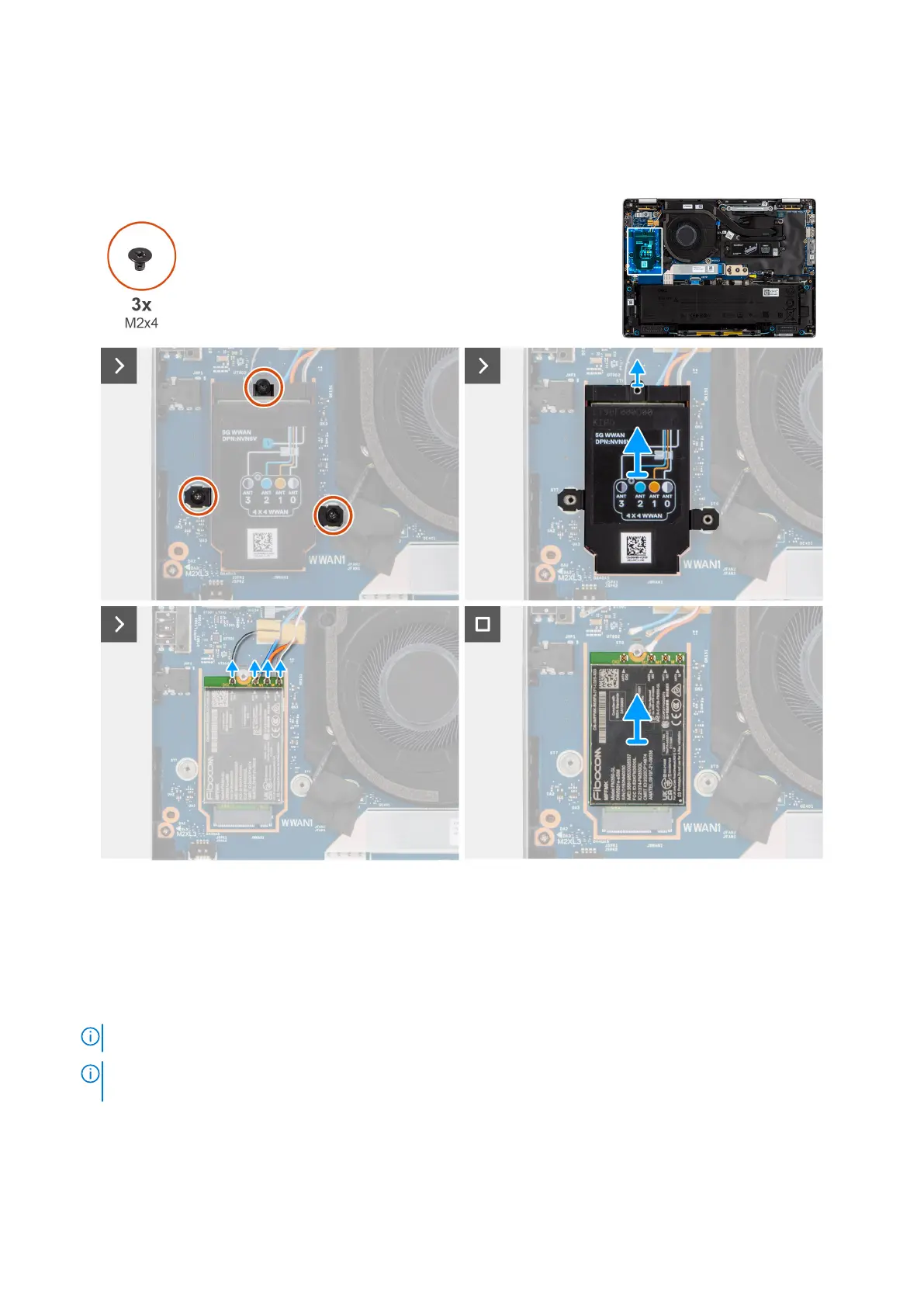
The following images indicate the location of the WWAN card and provide a visual representation of the removal procedure.
Figure 28. Removing the WWAN card
Steps
1. Remove the three screws (M2x3) securing the WWAN shielding cover in place.
2. Remove the WWAN shielding cover from the computer.
3. Disconnect the gray, blue, orange, and white cable from the respective connectors on the WWAN card.
4. Remove the WWAN card from the slot.
NOTE: If you are replacing the 5G WWAN card, ensure that the thermal pad is in place.
NOTE: If you are replacing the system board, ensure to peel the thermal pad from the old system board to the new
system board.
52 Removing and installing Customer Replaceable Units (CRUs)



 To Next Page