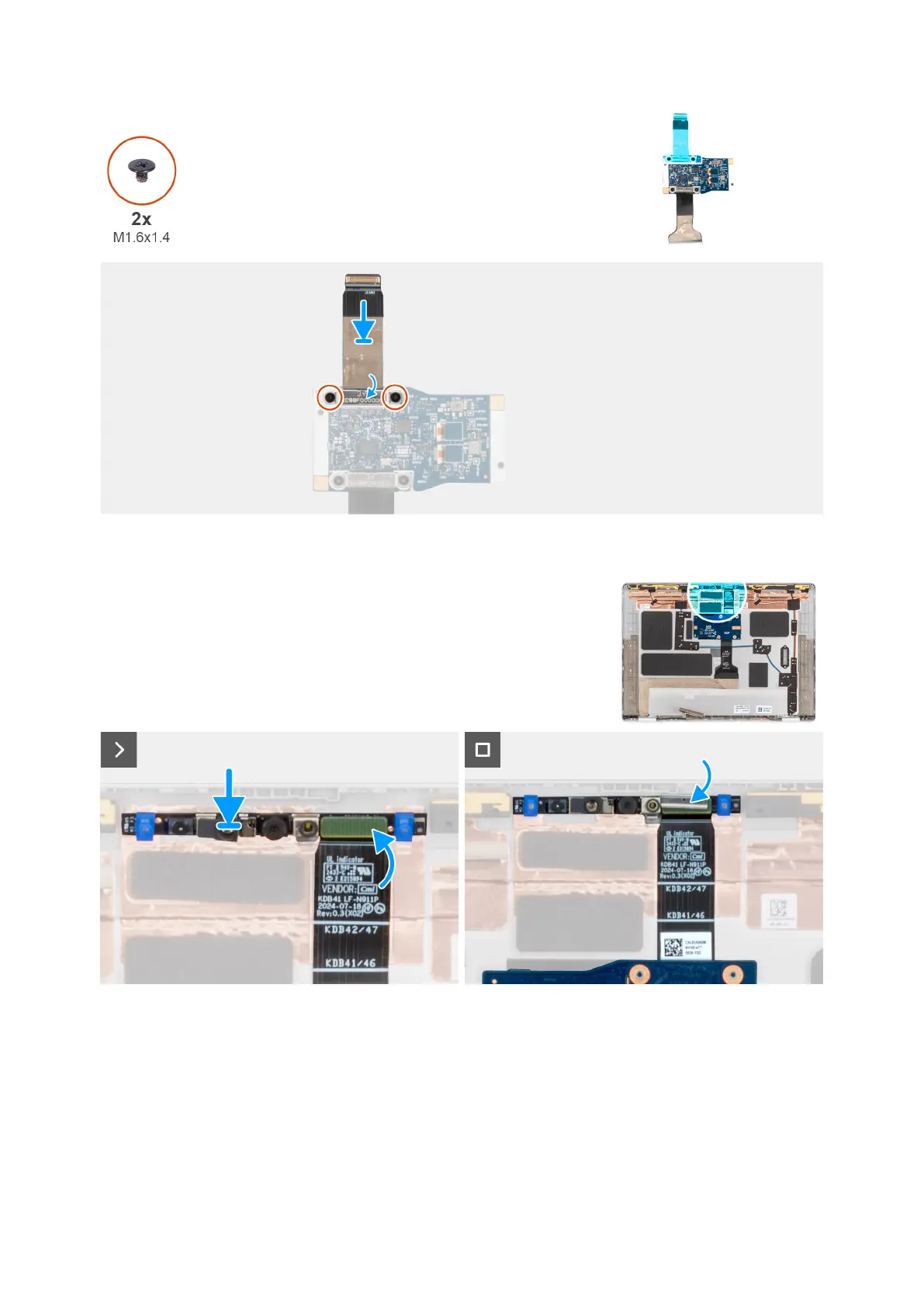
Figure 58. Installing the camera cable to middle I/O board
Figure 59. Installing the MIPI camera
Steps
1. Replace the two screws (M1.6x1.4) to secure the camera cable to the middle I/O board.
2. Attach the clip that secures the MIPI camera connection to the daughter board cable.
3. Replace the camera module to the display back cover starting from the prying point at the bottom edge of the camera
module.
Removing and installing Field Replaceable Units (FRUs)
87



 To Next Page