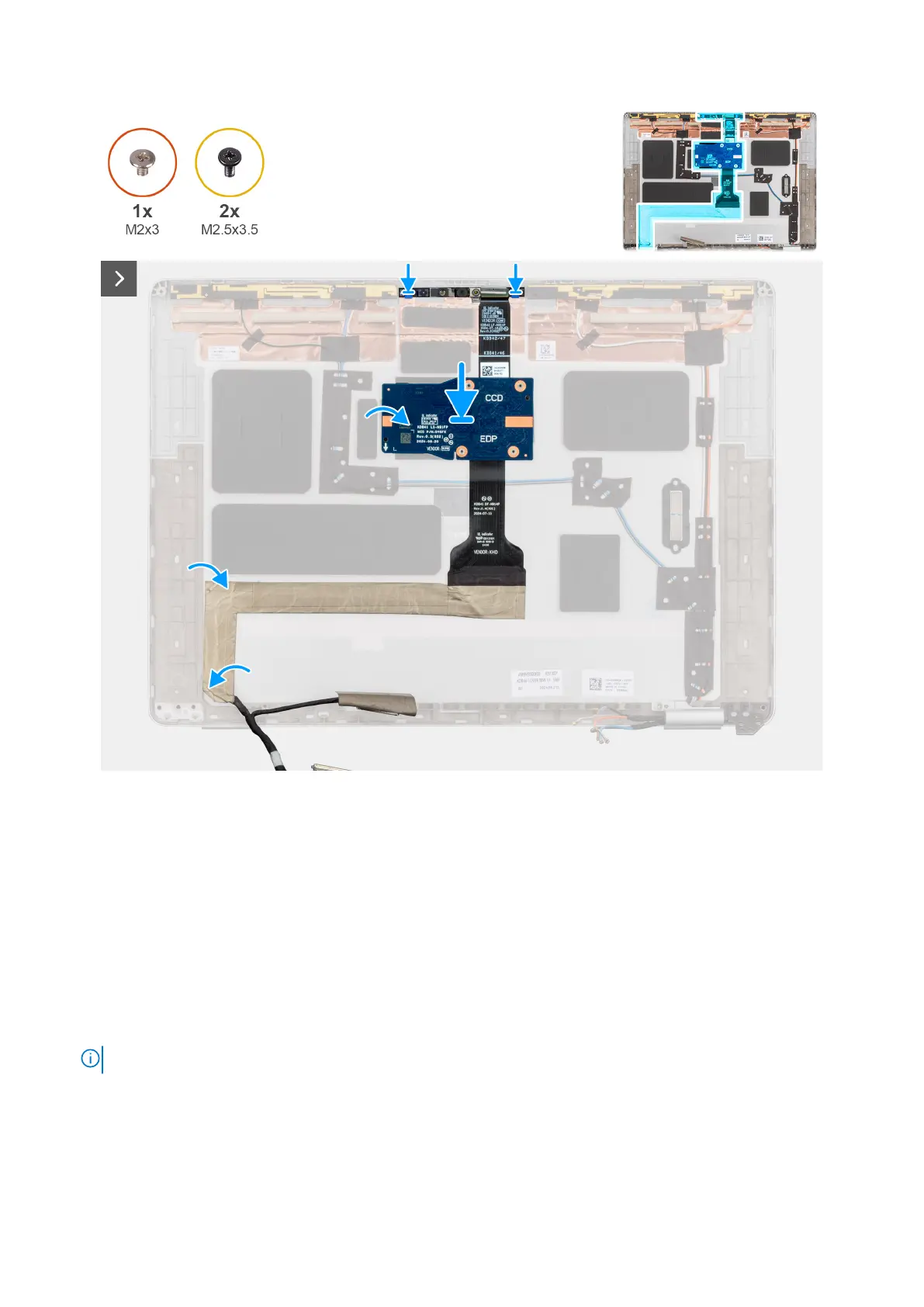
Figure 61. Installing the camera and display cable
Steps
1. Align the camera to the display back cover.
2. Connect the display cable to the camera.
3. Readhere the display cable at the bottom of the display back cover.
Next steps
1. Install the display panel .
2. Install the display bezel.
3. Install the display assembly.
4. Install the WWAN.
NOTE: This procedure applies only to computers shipped with a WWAN card installed.
5. Install the base cover.
6. Install the SIM card tray, if applicable.
7. Follow the procedure in after working inside your computer.
90
Removing and installing Field Replaceable Units (FRUs)



 To Next Page