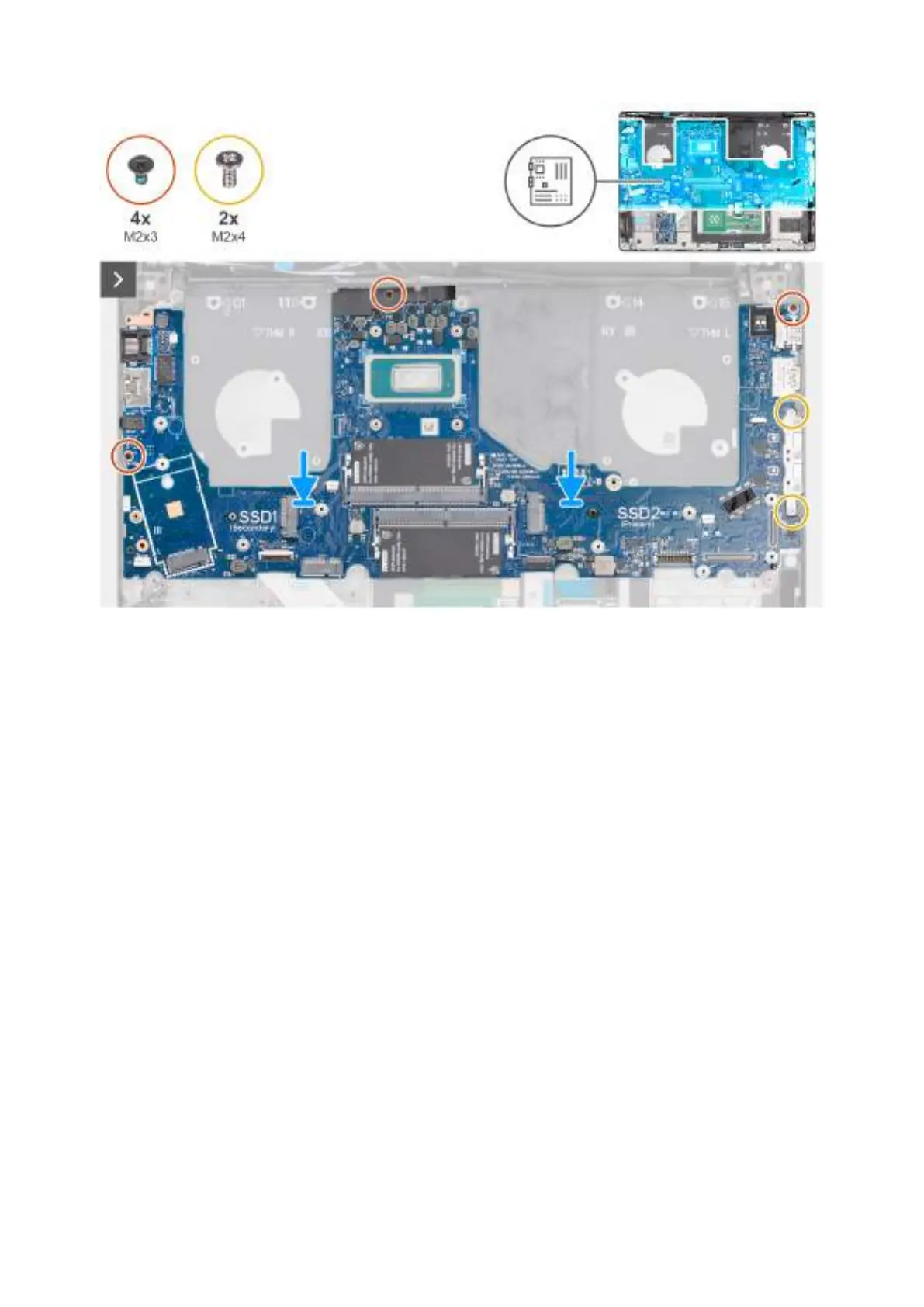
Figure 82. Installing the system board
Steps
1. Align the ports on the system board to the port slots and place the system board on the palm-rest assembly.
2. Align the screw holes on the system board with the screw holes on the palm-rest assembly.
3. For computers shipped with a fingerprint reader, replace the three screws (M2x3) and the two screws (M2x4) to secure the
system board to the palm-rest assembly.
For computers shipped without a fingerprint reader, replace the four screws (M2x3) and the two screws (M2x4) to secure
the system board to the palm-rest assembly.
4. Connect the following cables to the system board:
a. Speaker cable (SPK1)
b. Touchpad cable (TPAD1)
c. USH-board cable (CN661)
Removing and installing Field Replaceable Units (FRUs)
115



 To Next Page