104
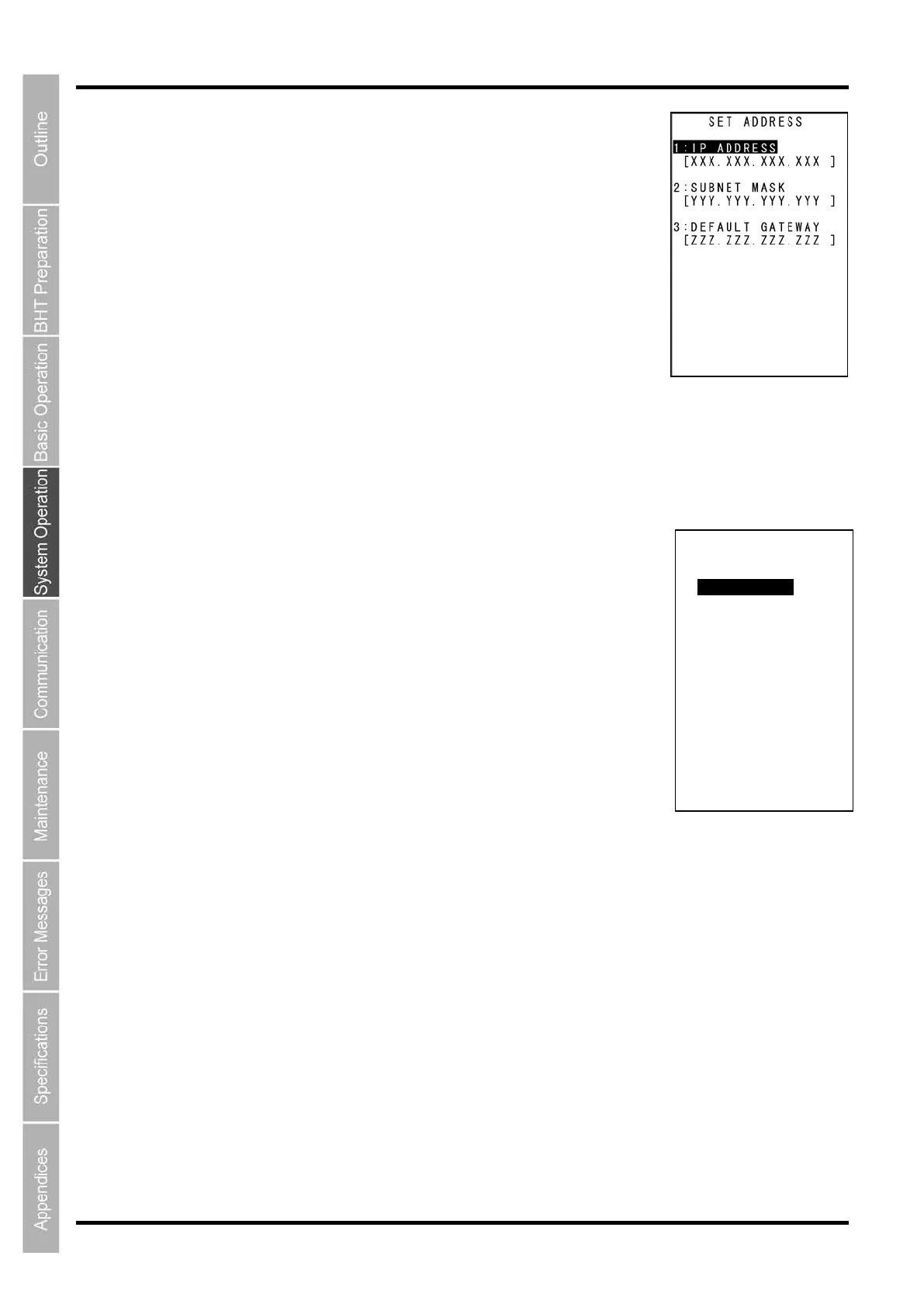
“2: IP ADDRESS”: Setting the IP address
Select “2: IP ADDRESS” at the SET TCP/IP menu to display the screen on
the right where the current settings are displayed.
To change the setting:
(1) Use the cursor keys ([▲] [▼]) or numerical keys ([1] [2] [3]) to highlight the
item to be set and press the ENT key.
(2) The mode changes to entry mode and the cursor is displayed, allowing the
setting to be entered with the numerical keys and dot key.
To delete a single character, press the BS/C key. To delete the entire entry,
press and hold the BS/C key, or press the SF key and BS/C key
simultaneously.
(3) Enter the desired value and then press the ENT key.
If the IP address, subnet mask and default gateway are all set to [0.0.0.0], DHCP is enabled.
Press and hold the BS/C key to return to the SET TCP/IP menu.
“3: TIMEOUT”: Setting the timeout (only when COM1 selected)
Select “3: TIMEOUT” at the SET TCP/IP menu to display the screen on the
right where the current settings are displayed.
To change the setting:
(1) Use the cursor keys ([▲] [▼]) or numerical keys ([1] [2] ) to highlight the item
to be set and press the ENT key.
(2) The mode changes to entry mode and the cursor is displayed, allowing the
setting to be entered with the numerical keys and dot key.
To delete a single character, press the BS/C key. To delete the entire entry,
press and hold the BS/C key, or press the SF key and BS/C key
simultaneously.
(3) Enter the desired value, and then press the ENT key.
Press and hold the BS/C key to return to the SET TCP/IP menu.
SET TIMEOUT
- - CONNECTION - -
1:RETRY COUNT
[ 5]
2:RETRY INTERVAL
[ 5]



 To Next Page