24
2.7 Inserting and Removing the microSD Card
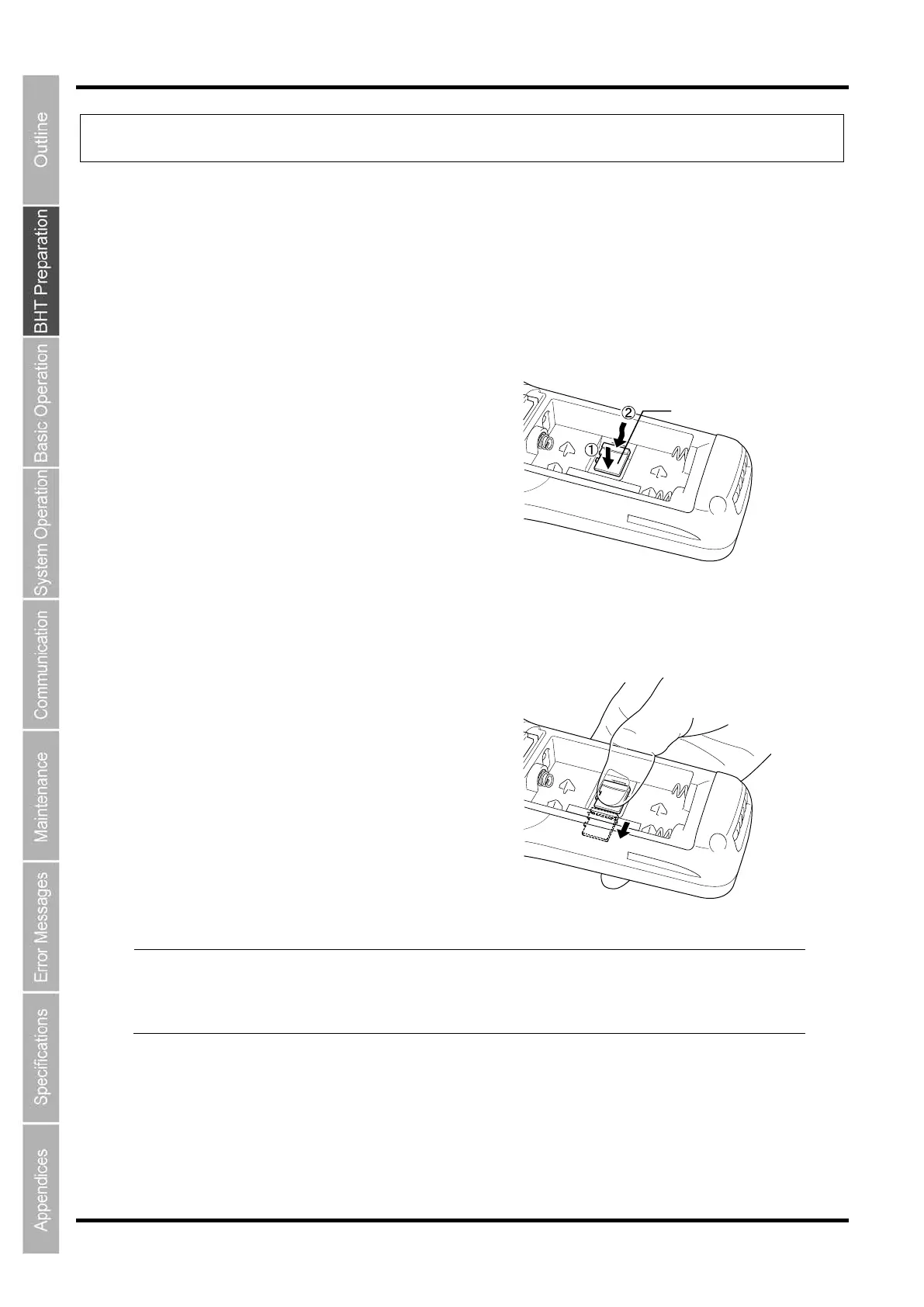
How to insert the microSD card
Insert the microSD (option) card in the following procedure.
1. Remove the batteries.
2. Slide the microSD card into the microSD card slot (1)
in the direction shown by the arrow (2).
3. Insert the card click into the place.
Point
Do not use excessive strength when inserting the microSD card, so as not to
card and the card socket.
Do not touch any metal parts inside the BHT to prevent a malfuncti
on caused by
electricity discharging when inserting or removing the microSD card.



 To Next Page