76
1:MESSAGE
English Japanese
Chinese Taiwanese
Thai
2:STATUS ON OFF
3:BOOT LOGO
[logo_def.jpg]
4:LOGO DISPLAY TIME
[ 9]
[1] Setting the auto-start execution program
Use the following procedure to set the auto-start execution program.
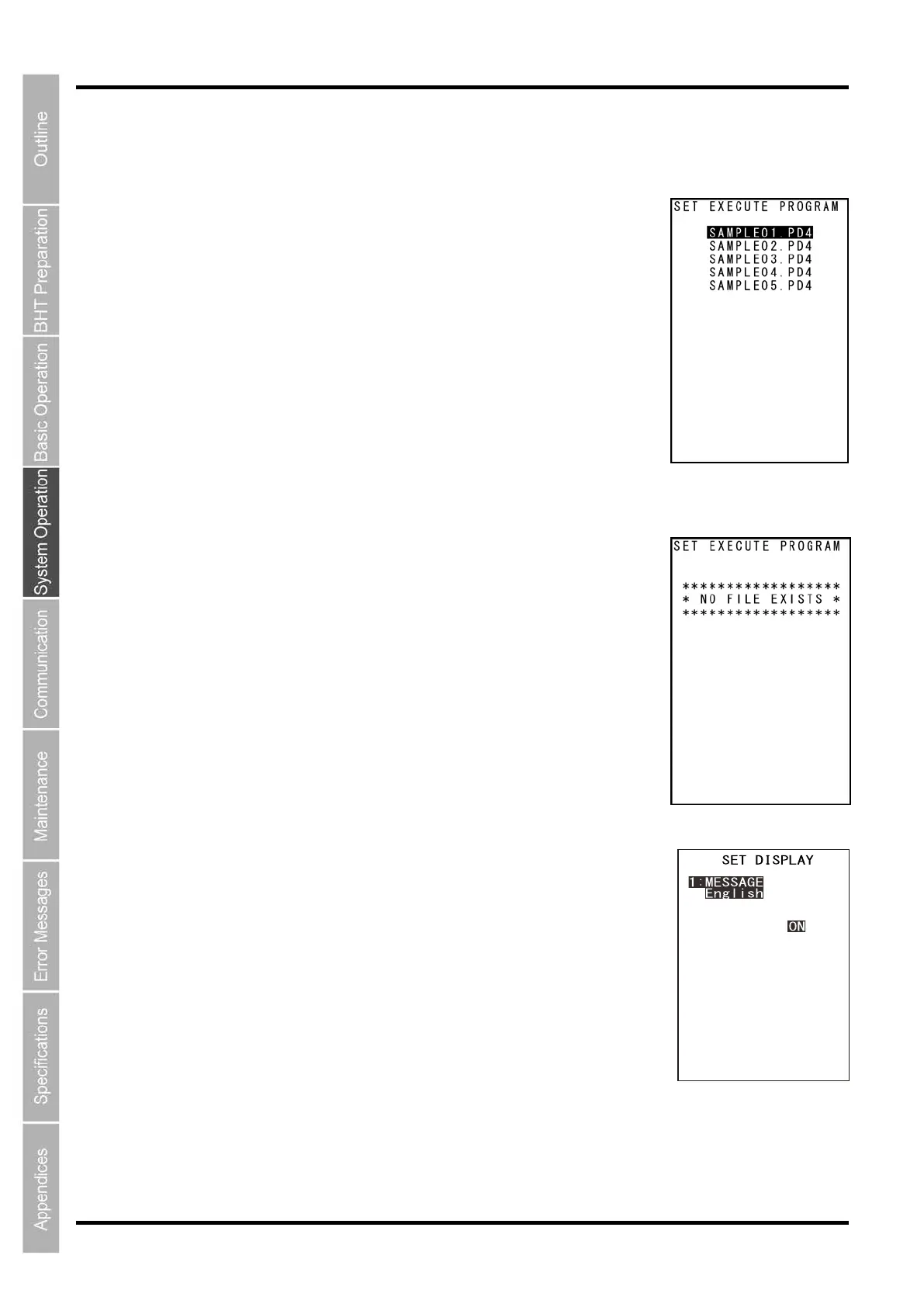
1. Select “1: EXECUTE PROGRAM” at the SET SYSTEM menu and
then press the ENT key.
The SET EXECUTE PROGRAM menu screen on the right is displayed.
The highlighted program will be the program currently set as the auto-start
execution program.
2. Use the cursor keys ([▲] [▼]) to highlight the target program.
3. Press the ENT key.
The selected program will be set as the auto-start execution program.
Press the BS/C key to return to the SET SYSTEM menu.
The screen on the right is displayed if no programs have been downloaded.
Press the BS/C key to return to the SET SYSTEM menu.
[2] Setting the message version, system status indication and screen display compatible mode
Use the following procedure to set the display language, system status
indication and screen display compatible mode.
1. Select “2: DISPLAY” at the SET SYSTEM menu and press the ENT
key.
2. Use the cursor keys ([▲] [▼]) or numerical keys ([1] [2] [3] [4]) to
highlight ”1: MESSAGE”, “2: STATUS”, “3: BOOT LOGO”, or “LOGO
DISPLAY TIME”.
3. Highlight the target setting with the cursor keys ([◄] [►]) and press the
ENT key.
Press the BS/C key to return to the SET SYSTEM menu.
“1: MESSAGE”:



 To Next Page