48
Setting Value Selection
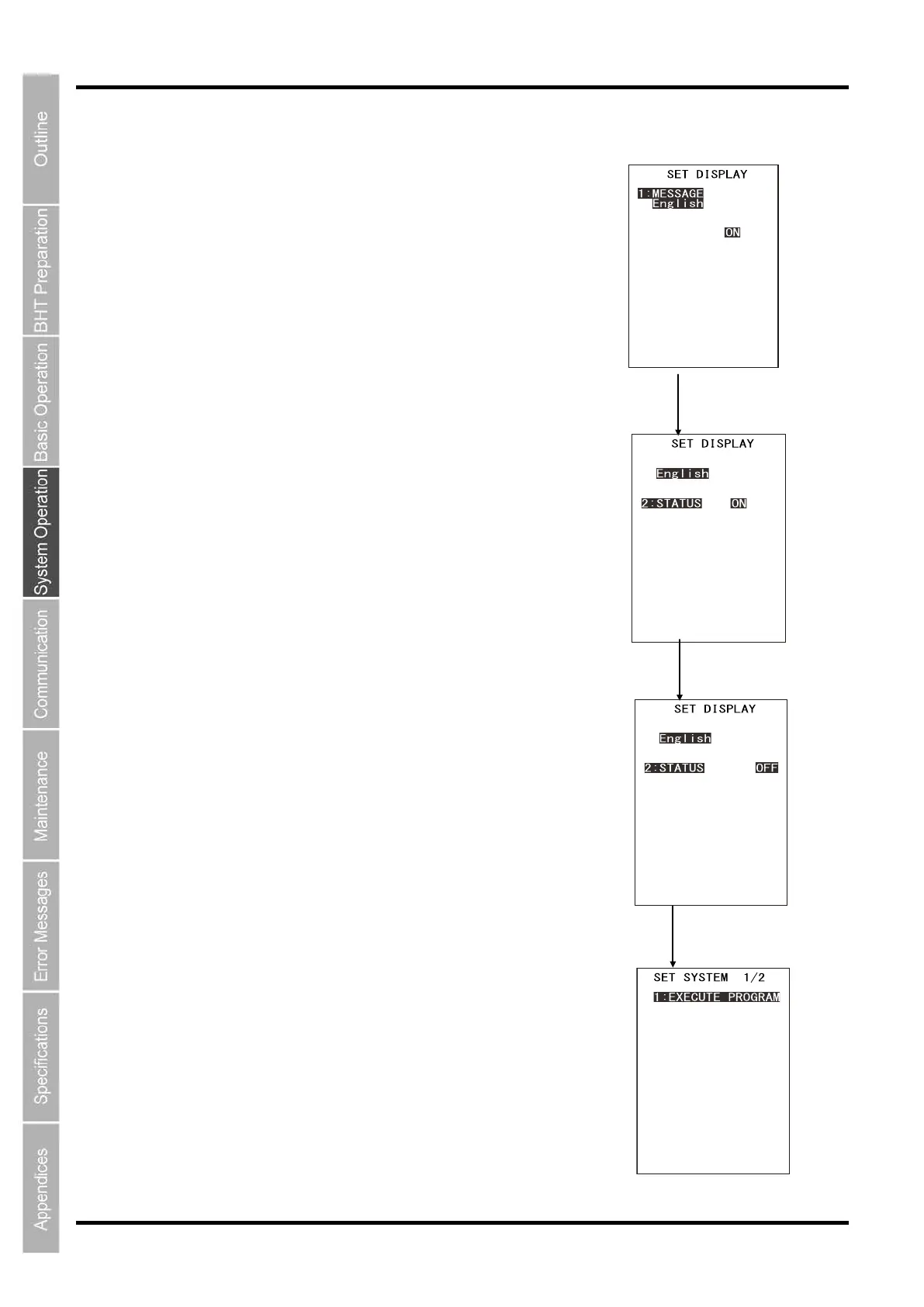
Use the following procedure to select setting values.
1. Press the numerical key corresponding to the item to be selected.
Alternatively, press the cursor keys ([▲] [▼]) to select the item.
The selected item will be highlighted.
2. Select the setting value with the cursor keys ([◄] [►]).
3. Press the ENT key.
The selected setting value will be set.
Operation example
Select the setting item with the
[▲] or [▼] keys.
Select the setting value with
the
cursor keys ([◄] [►]).
key
1:MESSAGE
English Japanese
Chinese Taiwanese
Thai
2:STATUS ON OFF
3:BOOT LOGO
[logo_def.jpg]
4:LOGO DISPLAY TIME
[ 9]
1:MESSAGE
English Japanese
Chinese Taiwanese
Thai
2:STATUS ON OFF
3:BOOT LOGO
[logo_def.jpg]
4:LOGO DISPLAY TIME
[ 9]
1:MESSAGE
English Japanese
Chinese Taiwanese
Thai
2:STATUS ON OFF
3:BOOT LOGO
[logo_def.jpg]
4:LOGO DISPLAY TIME
[ 9]
1:EXECUTE PROGRAM
2:DISPLAY
3:DATE/TIME
4:BARCODE
5:COMMUNICATION
6:KEY
7:TCP/IP
[ ]NEXT▶



 To Next Page