112
Chapter 7 Online Functions
Caution
• The WINCAPS III debugging functions are for running robot programs and controlling operation
from the computer.
To ensure safety, always stay within reach of an Emergency stop button on the teach pendant,
the mini-pendant, or the equipment.
• Never debug over a link that puts the equipment out of sight of the operator at the computer.
Operating procedure
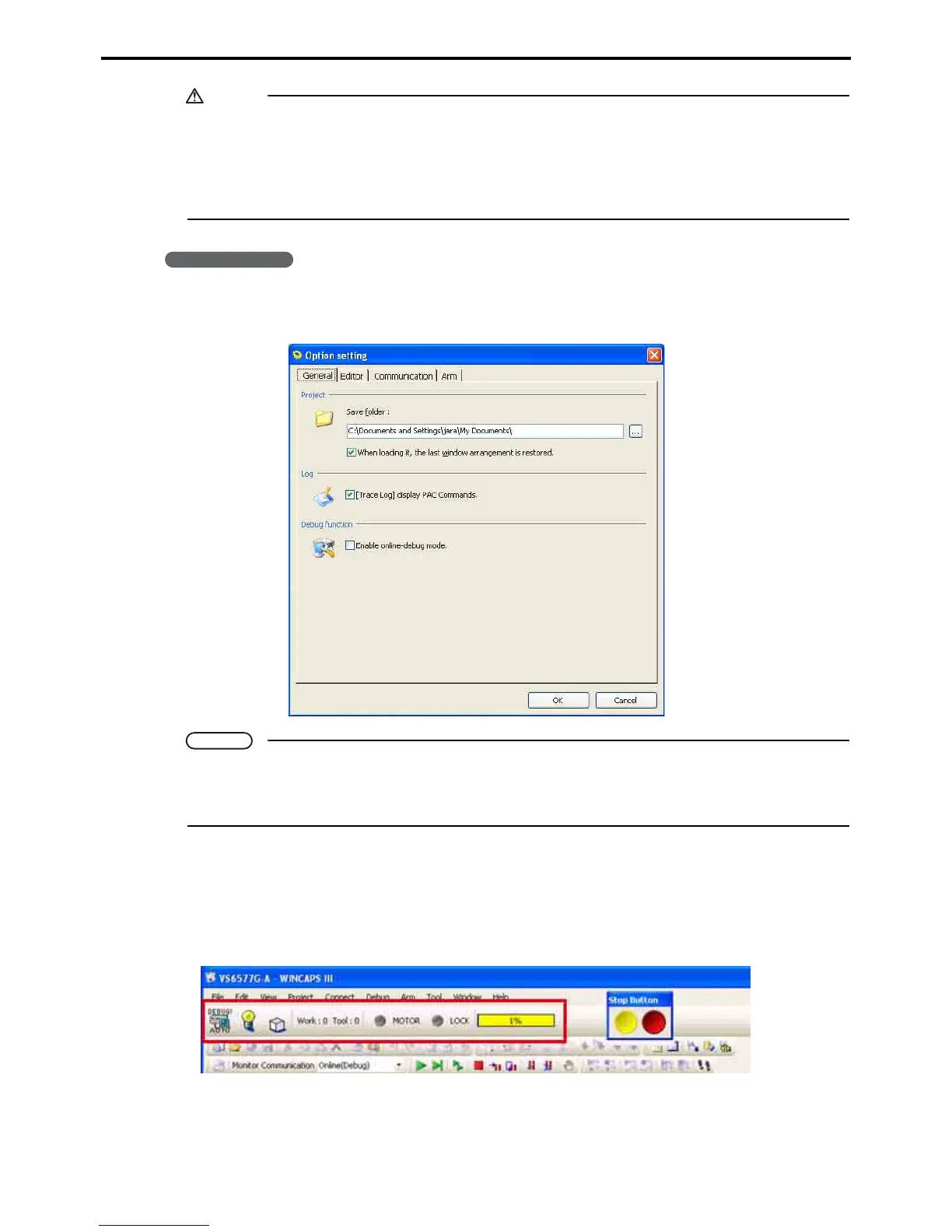
1. Choose Tool|Option and select the Enable online-debug mode check box on the General
tab.
Note
• Leaving Enable online-debug mode deselected disables all debugging functions, so selecting
one during online operation triggers an error message.
• WINCAPS III always starts with debugging disabled.
2. Choose Connect|Debugging (online) to initiate debugging.
A status bar appears to display the current debugging status.
A Stop button also appears independent of WINCAPS III.
Status bar



 To Next Page