Chapter 7 Online Functions
117
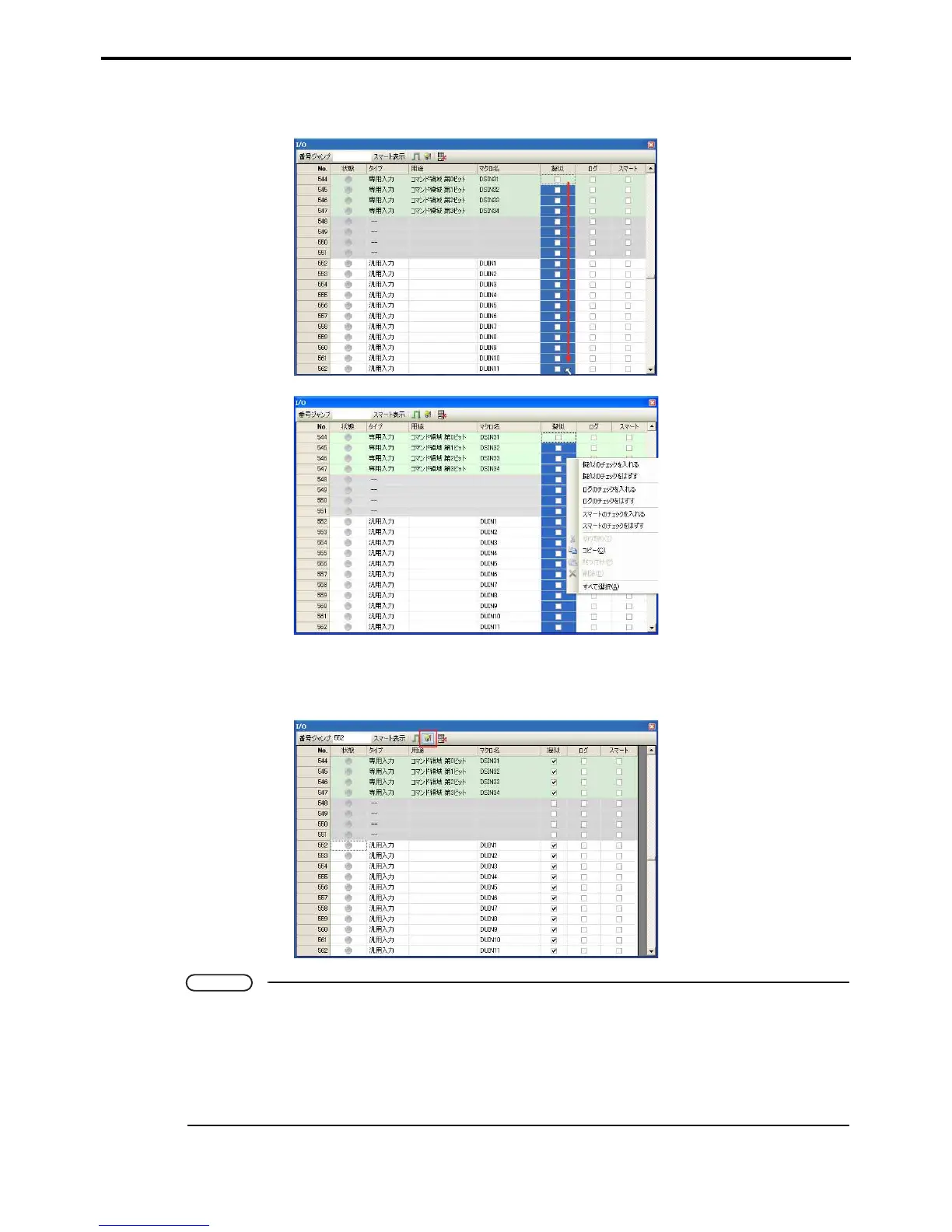
If several input signals are set, specify the range by dragging and combine them by selecting Enter dummy
check or Remove Dummy check using the mouse right-button menu.
3. Press the Dummy input button to reflect the dummy I/O settings in the robot controller.
Press the Dummy input button again to remove the robot controller dummy I/O settings.
Note
• If communications errors occur using DeviceNet or other field networks, dummy input settings
cannot be made unless field network display error settings are 1:Default. Refer to Field Network
Display Error Parameters in the RC7M Controller Manual Option Equipment Manual regarding
such display errors.
• Dummy I/O settings are not possible for applications listed as Reserved for exclusive input.
Switch the Dummy check boxes off before using.


 To Next Page
 Loading...