Chapter 5 Writing Programs
79
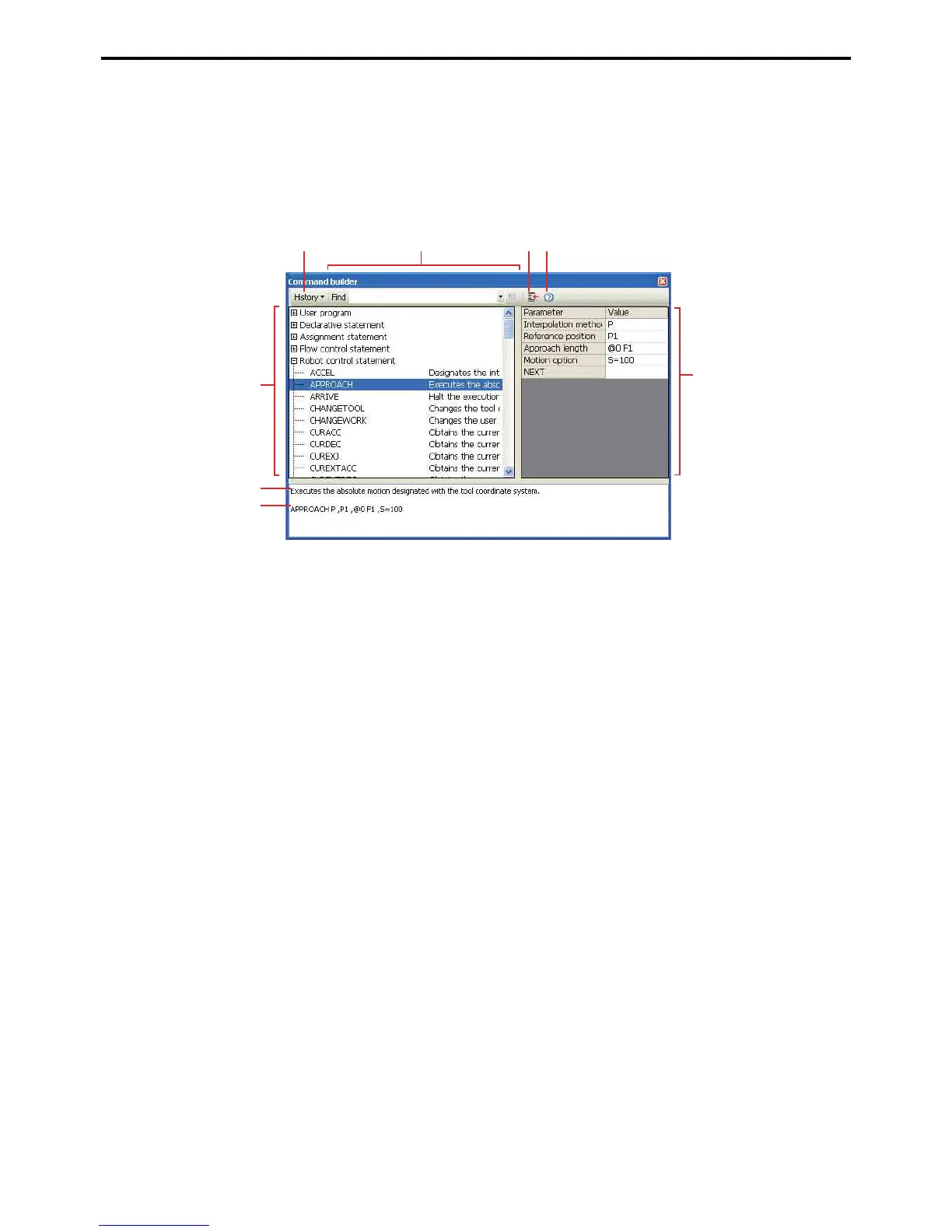
5.4.2.7 Command builder function
This is for command input through Command builder at the cursor point in the program being edited. Necessary
parameters can also be input, allowing correct parameter statements.
You can also select from command searches or past commands entered. Help can be referred to for the commands
shown, enabling quick command input.
Programs created by users in the project are also displayed, call programs can also be created.
A: History
Select command from history of previously entered commands.
B: Find
Search commands using their names or description.
C: Insert
Selected commands are input at the cursor position on the program editing window.
D: Help
This displays the Help for the selected command.
E: Command list
Commands are listed by category.
P: Parameter
List of parameters for the selected command. Correct commands can be created by input into the values col-
umns.
G: Brief description
Shows a simple description of the command.
H: Input command display
Displays the text inserted for the command, including the input parameters.
A
E
G
H
F
BCD



 To Next Page