HYBRID Coater Service Manual ver1.1 Chapter 4
27
4.3 Placing and Leveling the Machine
Place the machine on a position as described in the User Manual.
To level a stand-alone machine:
Adjust the height of the adjustable feet to get the mounting table to the desired height.
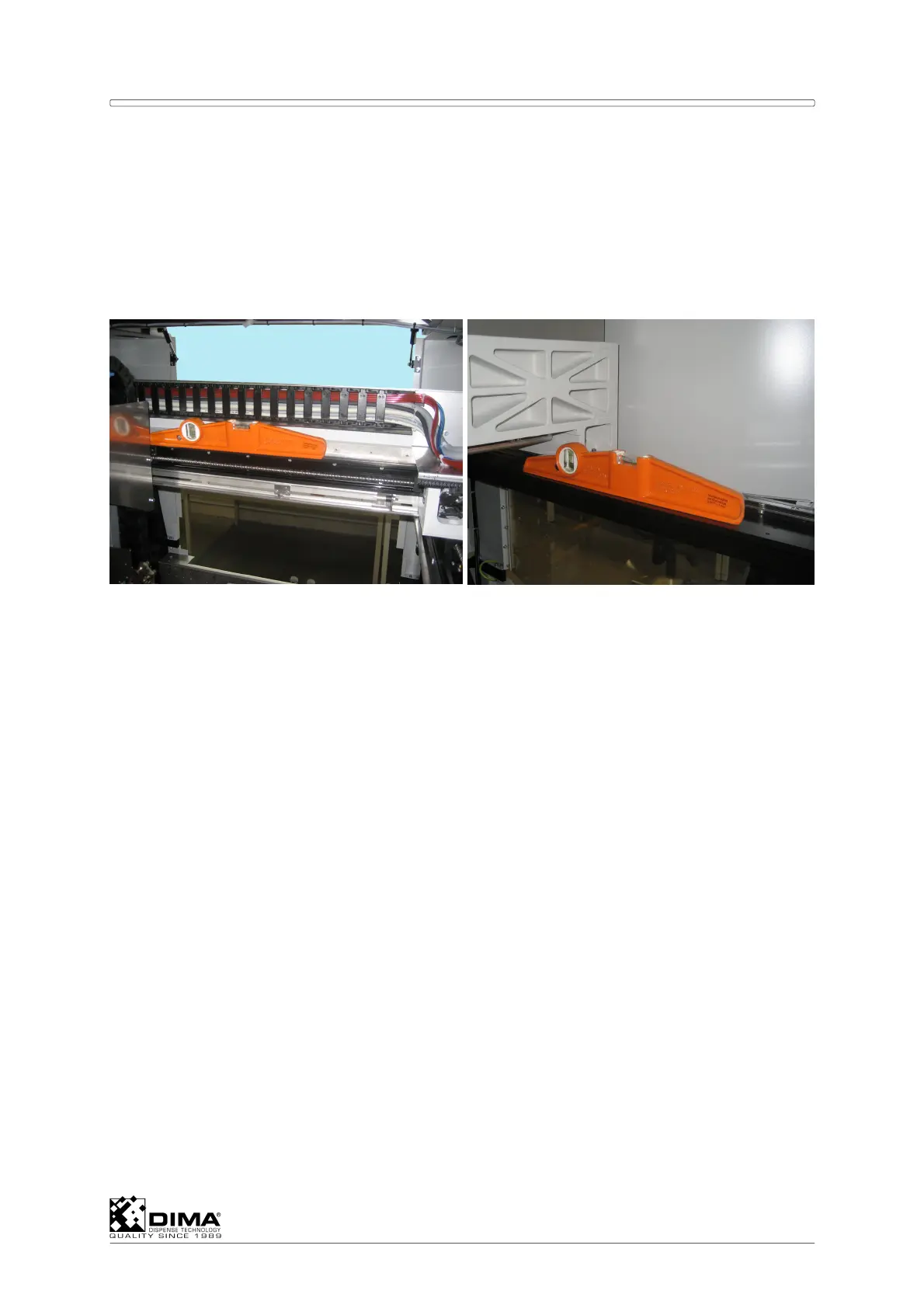
Place a level high in the machine on the frame as shown in the next pictures.
Use the adjustable feet to level the machine in both the X and in the Y direction.
Secure all four adjustable feet with the check nuts.
Leveling in X direction
Leveling in Y direction
To level an inline machine:
NOTE: When the HYBRID is placed inline (so a conveyor is present) use the following
procedure.
Adjust the height of the adjustable feet to get the top of the conveyor to SMEMA height
(between 37” and 38” or 952.7mm +/- 12.7mm) or the height of the other machines in the
production line.
Place the level on the guide plates of the conveyor in the X and Y direction
Use the adjustable feet to level the machine in both the X and in the Y direction.
Secure all four adjustable feet with the check nuts.
4.4 Connections and Pressure Setting
Connect the PC to the cabling that is already prepared in the PC compartment. This is
reached by opening both lower front covers of the machine.
Place the PC (if required including the connection to the customer’s computer network) in
the PC compartment.
Use the power cord to connect the machine to the electrical power supply at the site (refer
to the User Manual for more information).
Connect the air system at the site to the main pressure regulator at the rear in the
machine.
Check if the main pressure regulator is set to a pressure of 6 Bar and press down the
knob on this regulator to lock the pressure setting.



 To Next Page