Chapter 9 HYBRID Coater Service Manual ver1.1
76
9.5.3 Replacing the Stepper Motor of the Ø axis
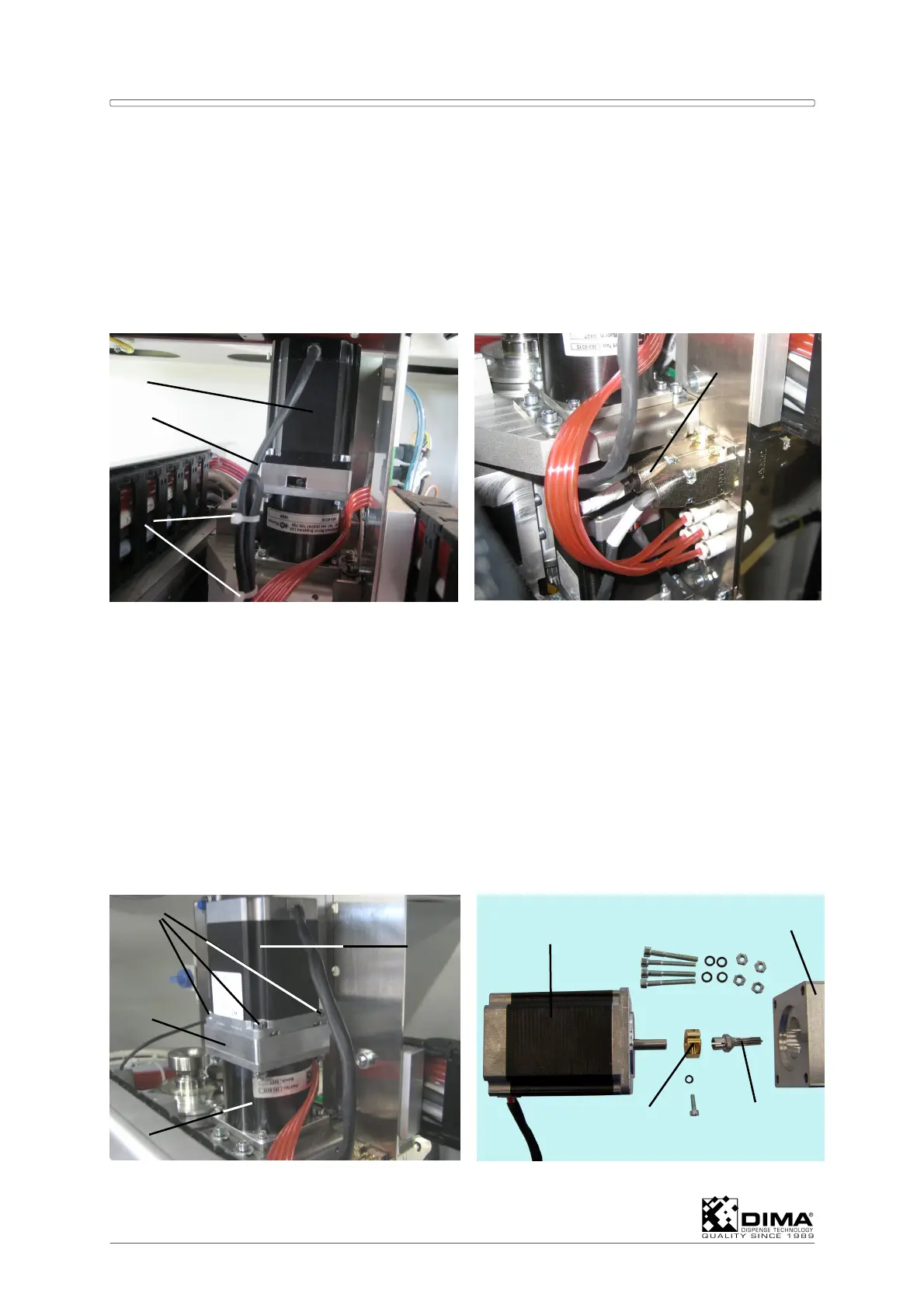
The stepper motor for the Ø axis is the upper motor on the coating head of the HC-200. In
order to be able to get near this stepper motor, the Coating Head has to be moved all the
way to the left hand side of the working area (seen from the front). Also push the Coating
head all the way to the rear of the working area. Now you can take on this stepper motor
from the rear of the HYBRID.
A Cut the tie wraps (#3) which hold the cable (#2) of the stepper motor (#1) and then undo
its connector (#4).
B Loosen and remove the four bolts (#5) which mount the stepper motor (#1) to the
gearbox (#7). Remove the stepper motor (#1) from middle piece (#6) on top of the
gearbox (#7). Leave the gearbox in place.
C Remove the shaft extension (#11) from the shaft of the old stepper motor (#1) by
loosening the clamp (#10).
D While you are at it, you can check if the gearbox (#7) needs lubrication. When needed
add some grease, but don’t overdo it.
E Put the old extension (#11) on the new stepper motor (#8) and fasten it by tightening the
clamp (#10). Now you can put the new stepper motor (#8) onto the middle peace (#9) on
the gearbox (#7). Pay attention that the extension (#11) of the stepper motor drive shaft
fits nicely between the gears of the gearbox. Remount the four bolts (#5) and tighten
them.
F Remount the connector (#4) and put some new tie wraps onto the cable, so that it
doesn’t touch anything during movement.
1
2
3
4
5
7
6
1
10
8
9
11



 To Next Page