HYBRID Coater Service Manual ver1.1 Chapter 4
31
4.6.3 Installing Option HC-1210/ HC-1215
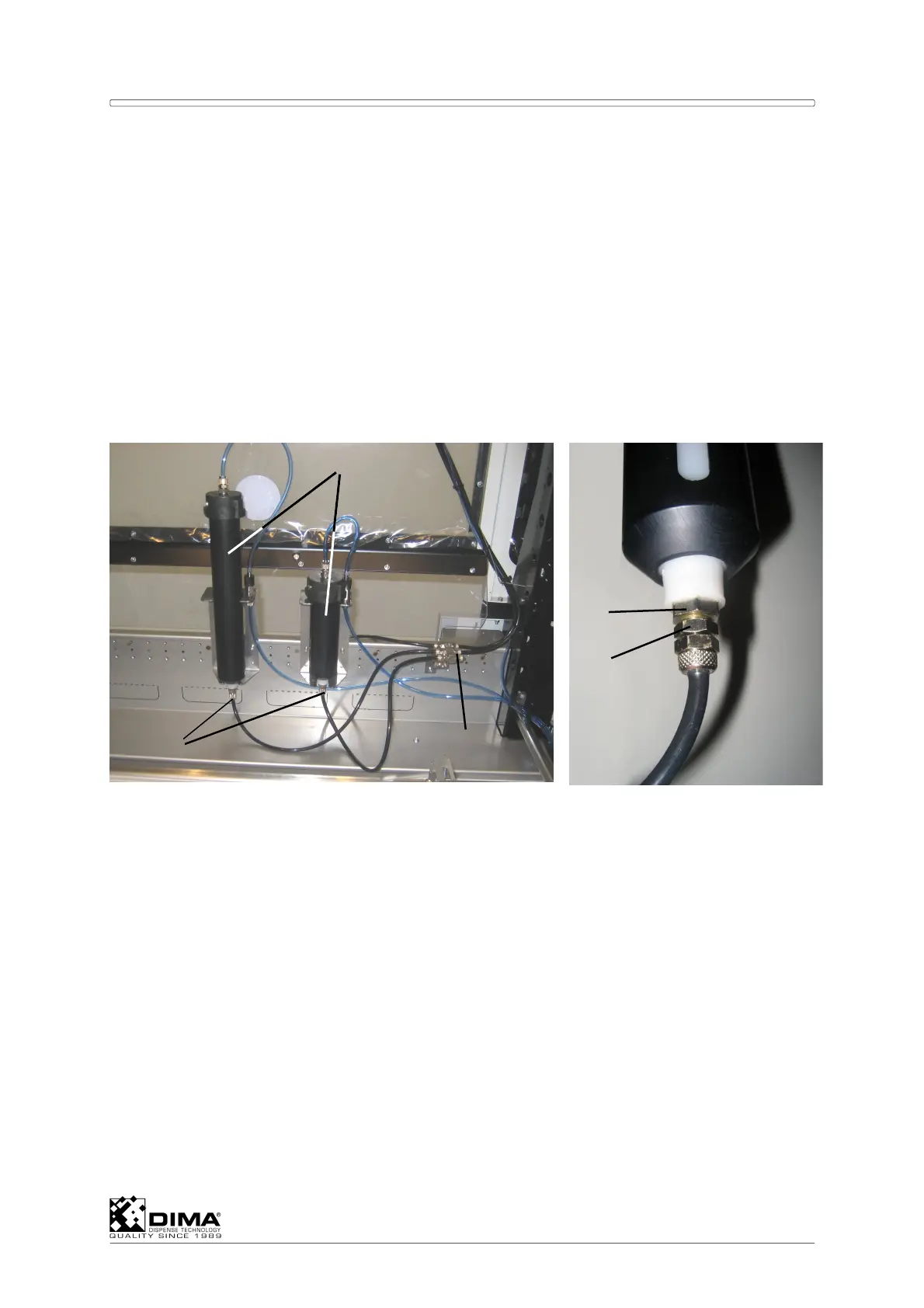
This means installing the HC-1210 and/or HC-1215 Cartridge Retainers in the working area
of the machine. Preferably install these cartridge retainers in the right rear of the working
area so the coating head doesn’t interfere with the cartridges. See also the User Manual of
the HybridC for the HC-1210 and HC-1215.
Mount the retainer and the connection block near each other against the panel. One
connection block (#1) can support the lines of three cartridge retainers (#2).
NOTE: Nut (#4) is glued into the cartridge retainer, So pay attention when screwing in the
connection (#3) of the hose into the cartridge retainer (#2). Hold the nut of the
cartridge retainer (#4) with a spanner and turn the upper nut (#5) of the connection
into the nut of the cartridge retainer.
4.6.4 Installing Option HC-1230/ HC-1231
This means installing the HC-1230 or HC-1231 (stainless) Steel Tank outside the HYBRID and
connecting it to the HYBRID.
Connect the air line # 1 (which is regulated by a Pressure Reducing Valve at the Control
Panel) via a an outlet of the Solenoid Valve (see Section 3.3.2.1) to the corresponding
connection on top of the lid of the tank.
Connect the fluid line # 2 to the corresponding connection on top of the lid of the tank and
to the connection block (see #1 in previous Section) and via this it can run to the chosen
dispenser on the coating head. See also the User Manual of the HybridC for the HC-1230
and HC-1231.
2
1
3
4
5



 To Next Page