Chapter 9 HYBRID Coater Service Manual ver1.1
72
E Hold the camera (#5) from underneath and slide back the wires together with both
connectors.
F Now you can lower the camera.
G Mount a new camera in the reverse order and pay attention that the camera is mounted
so that the connector on top of it is in front and square to the housing. When ready, check
the focus of the camera image and adjust when necessary, see Section 9.2.
9.4 Replacing the Fiducial Camera at a HC-200
NOTE: In order to be able to dismantle the fiducial camera all the tools have to be removed.
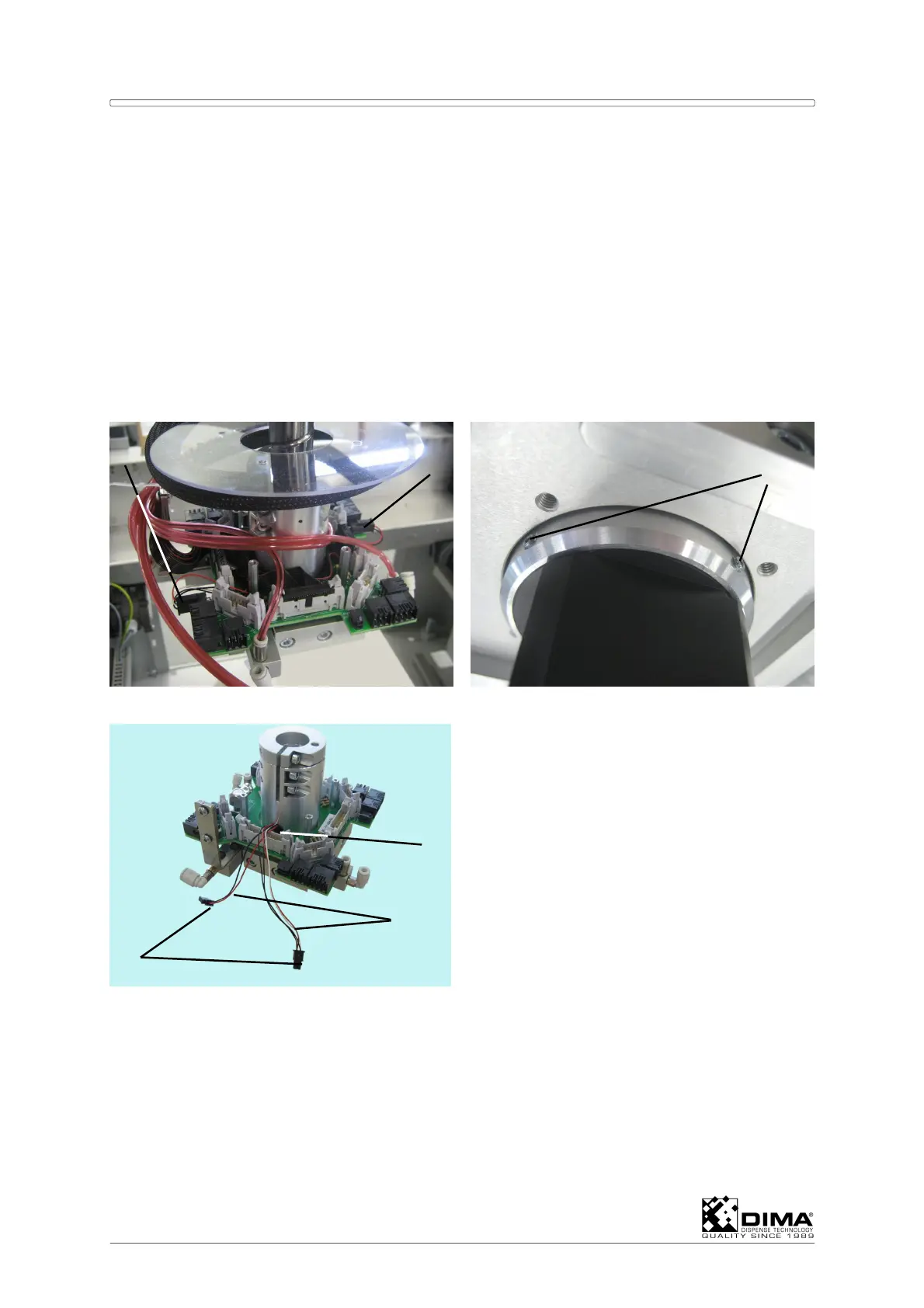
A Lower the Coating Head and loosen the four small bolts of the clear plastic disc, so that
the disc can be lifted.
B Undo both connectors (#1 and #2) of the camera on the upper side of the square PCB.
C Hold the camera from underneath and loosen both setting screws (#3).
D Slide back both wires (#5) through the hole (#4) together with both connectors (#6).
E Now you can lower the camera.
Mount a new camera in the reverse order and pay attention that the camera is mounted so
that the connector on top of the camera is in front and square to the PCB. When ready,
adjust the focus of the camera, see Section 9.2.
6



 To Next Page