SpO2 and Pulse CO-Ox monitoring with Masimo SET MCable
256 Instructions for use – Infinity Acute Care System – Monitoring Applications VG6.n
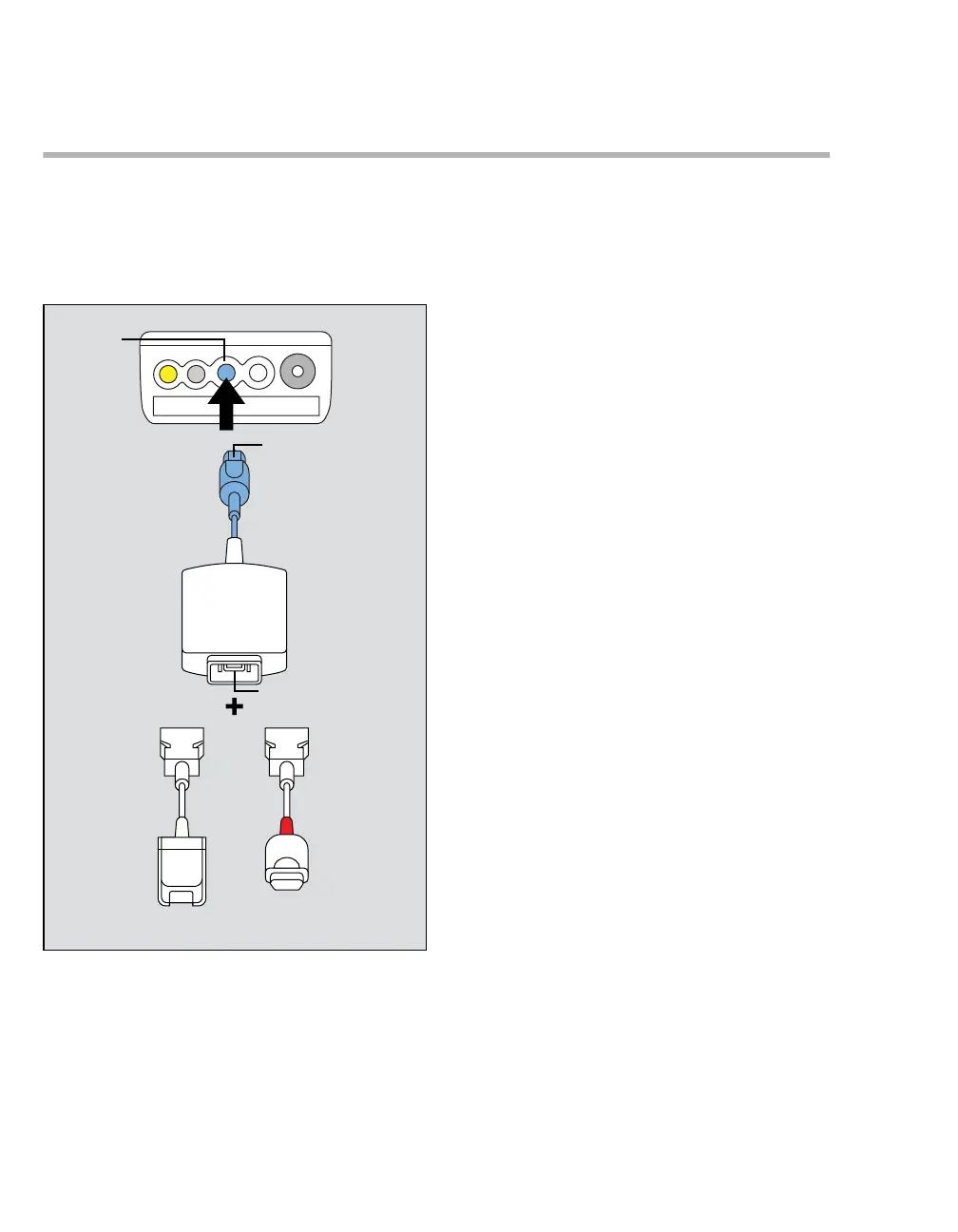
Connecting the Masimo SET MCable
The Masimo SET MCable connects directly to the
M540. The logo on the MCable identifies if you are
using a Masimo rainbow SET or a Masimo SET
MCable.
A SpO2 port on the M540
B MCable connector
C MCable 14-pin connector
D or F Intermediate cable connector to MCable
E or G Intermediate cable connector to sensor
To connect the Masimo SET MCable
1 Attach the MCable connector (B) to the blue
SpO2 port (A) of the M540.
2 Attach the sensor intermediate cable (D or F) to
the connector of the Masimo SET MCable 14-
pin connector (C).
3 Attach the appropriate Masimo LNCS sensor to
the end of the intermediate cable (E or G) – see
page 258 for more information.
329











 To Next Page