B Safety Omega 2
13 Emergencies
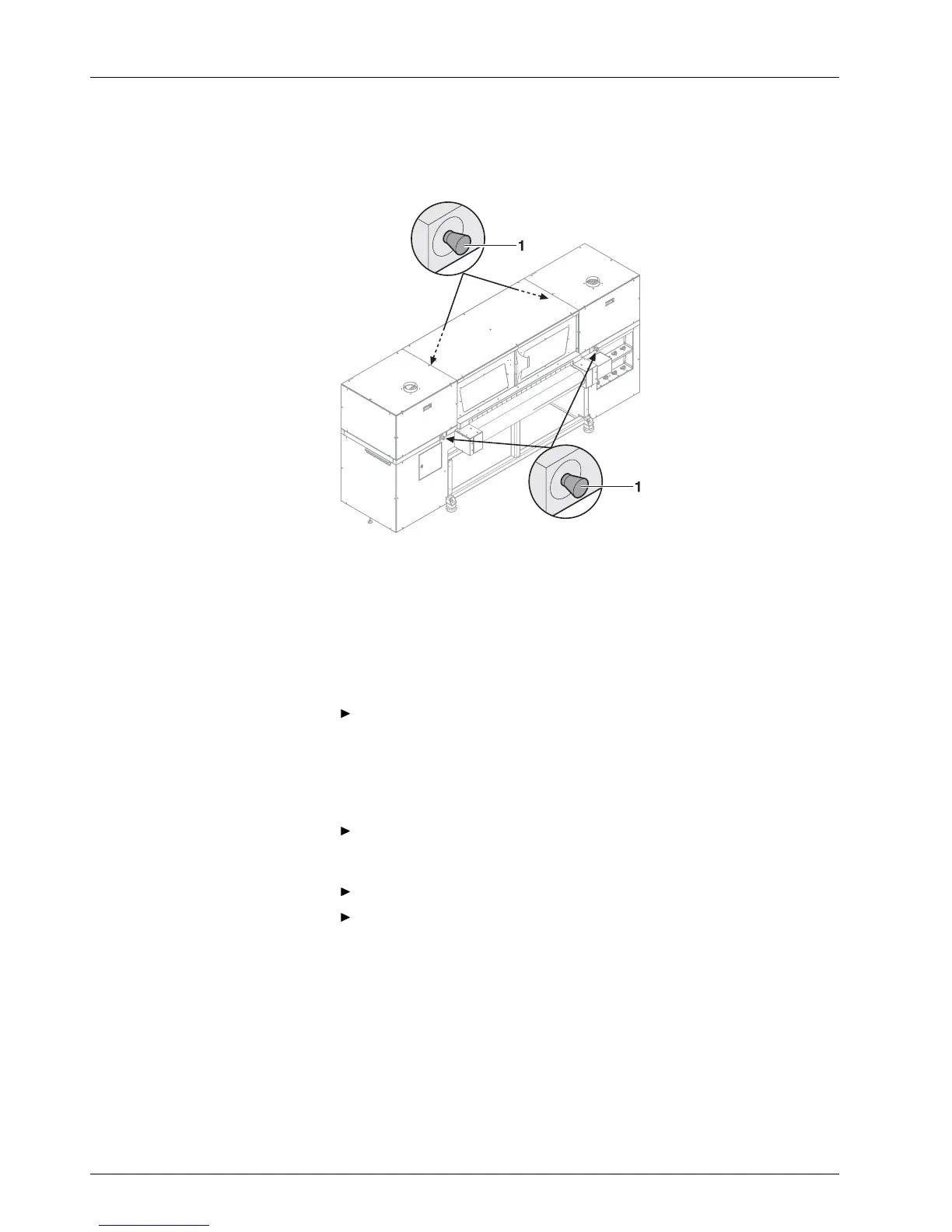
13.1 Emergency-Stop switch
1 Emergency-Stop switch
Fig. 3 Emergency-Stop switch
The printer can be switched off with the main switch or one of the
Emergency-Stop switches.
13.2 What to do in case of an emergency
13.2.1 Switching off printer
Switch off the printer with one of the Emergency-Stop switches or the
main switch if a fault occurs that could endanger personal safety.
13.2.2 First aid in case ink contacts skin , mucous membranes or
eyes
Wash affected areas with pH-neutral soap and water. Under no
circumstances should solvents be used, as it remove oils from the skin
and increase irritation.
Change your clothes immediately if heavy contamination has occurred.
If some spray has entered your eyes, wash your eyes immediately with
lots w at er and contact a doctor.
13.3 Switching on the p rinter again after an emergency
stop
13.3.1 Reactivating E m ergency-Stop sw itch
1. Turn Emergency-Stop switch to the right.
Emergency-Stop switch pops out.
18 / 9 1 2004 – 2014 © Durst Ph ototechnik AG – www.d urst-online .com , Omega 2, Issued 0 7/20 14



 To Next Page