FSoftware Omega 2
4.3 Ink heating
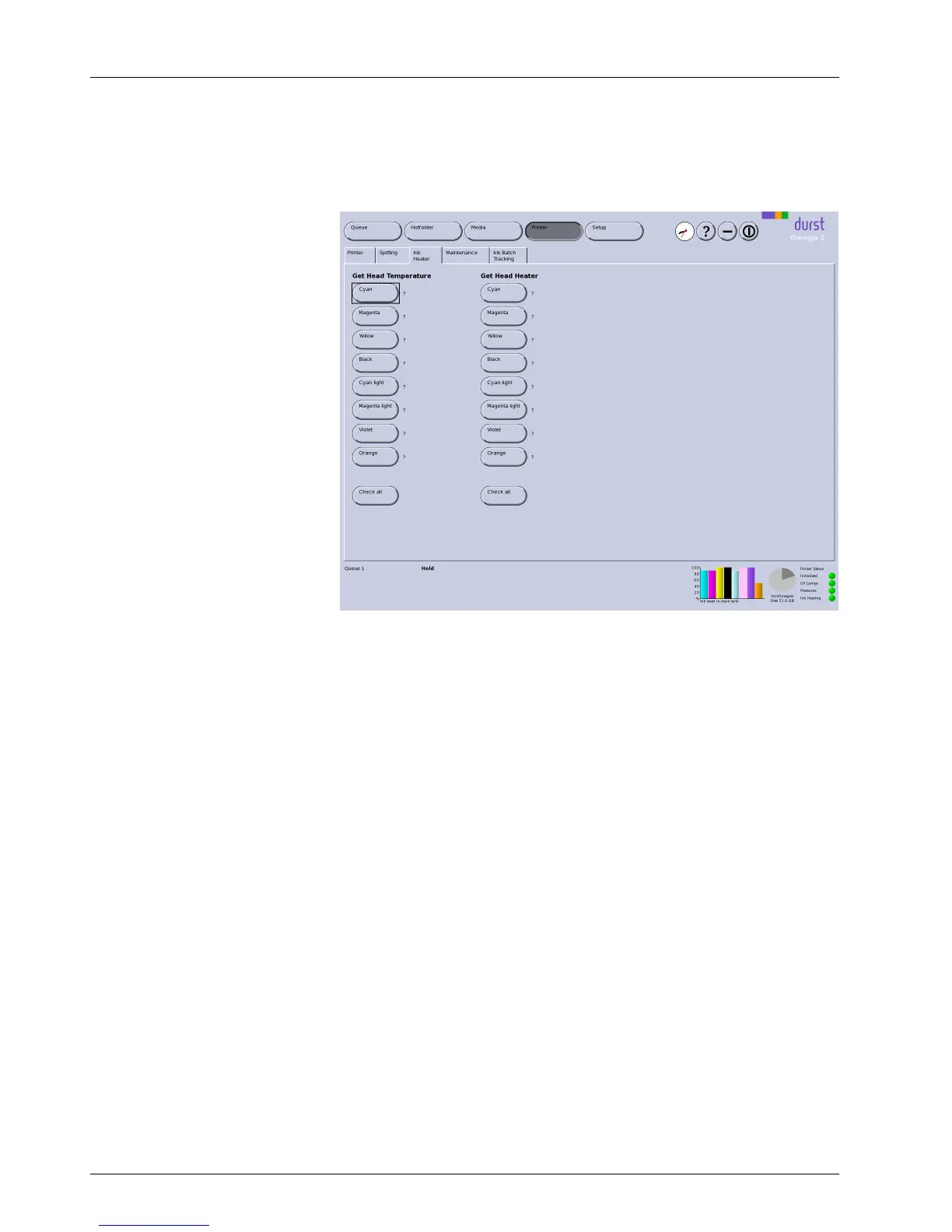
You c an call up the print head temperature and print head heating on the
Ink Heater tab.
Fig. 40 Ink Heater tab
Calling up print head temperature Whentherespectivebuttonisclicked,thec
urrent temperature for each color
and print head is displayed. The top line sh
ows the values for the first print
head row, and the bottom line shows th
e values for the second print head
row. The individual values X/Xcorr
espond to the individual print heads in
the sequence 1 to 2.
The value is not updated automatically. It m ust be updated again by clicking
the button as needed.
Calling up print head heat ing When clicking the respective button, the current status of the print head
heating for each color and print head is displayed. The individual positions
XXXX (positions 3 and 4 are not occupied with this printer) correspond to the
individual print heads in the sequence 1 to 2. The values have the following
meaning:
0: Temperature OK
C: Temperature too l
ow
H: Temperature too high (sets itself to 0 after a few minutes)
All other values: Dust customer service must be notified
4.4 Maintenance
The Maintenance tab provides a n overview of all service activities described
in the "Service " part (→ Page 68 / Service).
58 / 9 1 2004 – 2014 © Durst Ph ototechnik AG – www.d urst-online .com , Omega 2, Issued 0 7/20 14



 To Next Page