A About these operating instructions Omega 2
A About these operating instructions
1 Using these operating instructions
These operating instructions are part of the unit.
1. Ensure that these operating instructions are accessible to personnel
at all times.
2. Any supplements receiv ed from Durst Phototechnik AG are to be included
with these operating instructions.
3. Give these operating instructions to any subsequent owners or users
of this unit.
2 Symbols and markings
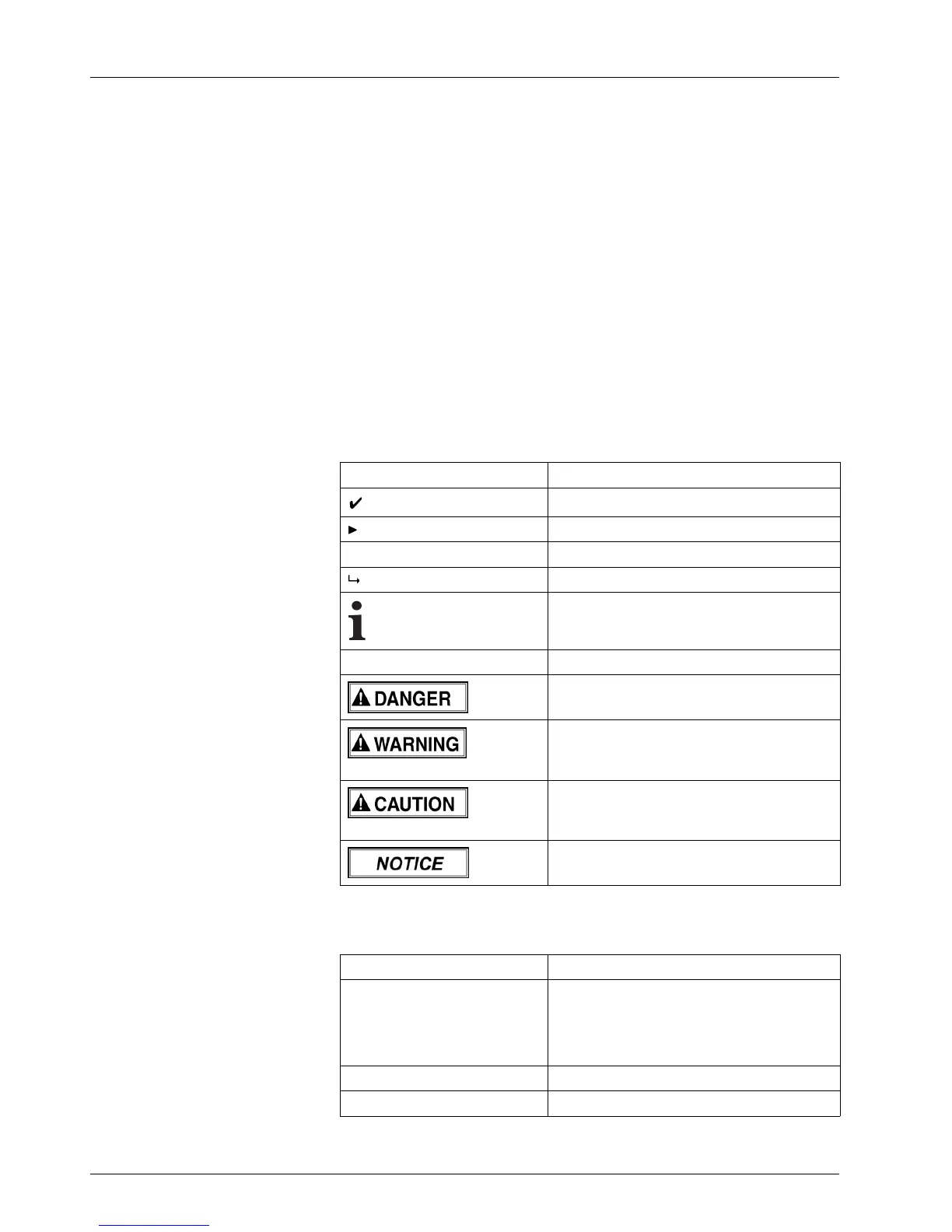
The following symbols are used in these operating instructions:
Symbol
Meaning
Requirement for an action
One-step action
1.
Stepwithinamulti-stepaction
Result of an action or sequence of actions
Information on easier or safer work
(→ Page 22 / Description) Cross reference
Imminently hazardous situation that, if not
avoided, results in death or serious injury.
Potentially hazardous situation that, if not
avoided, could result in death or serious
injury.
Potentially hazardous situation that
may result in minor injury if the safety
precautions are not complied with.
Potentially hazardous situation that, if not
avoided, may result in property damage.
The following typographical markings (e.g. bold) are used in these operating
instructions for differentiating between types of information:
Example Meaning
Start Queue Operating element o n unit, e.g.
buttons, levers etc.
Software element, e.g. menu name,
menu entry, operating elements etc.
start
File name, path name
[ALT] Keyboard key
8 / 91 2004 – 2014 © Durst Phototech nik AG – www.durst-online .com , Omega 2, Issued 07/2014



 To Next Page