Omega 2 F Softw are
4.2 C leaning function
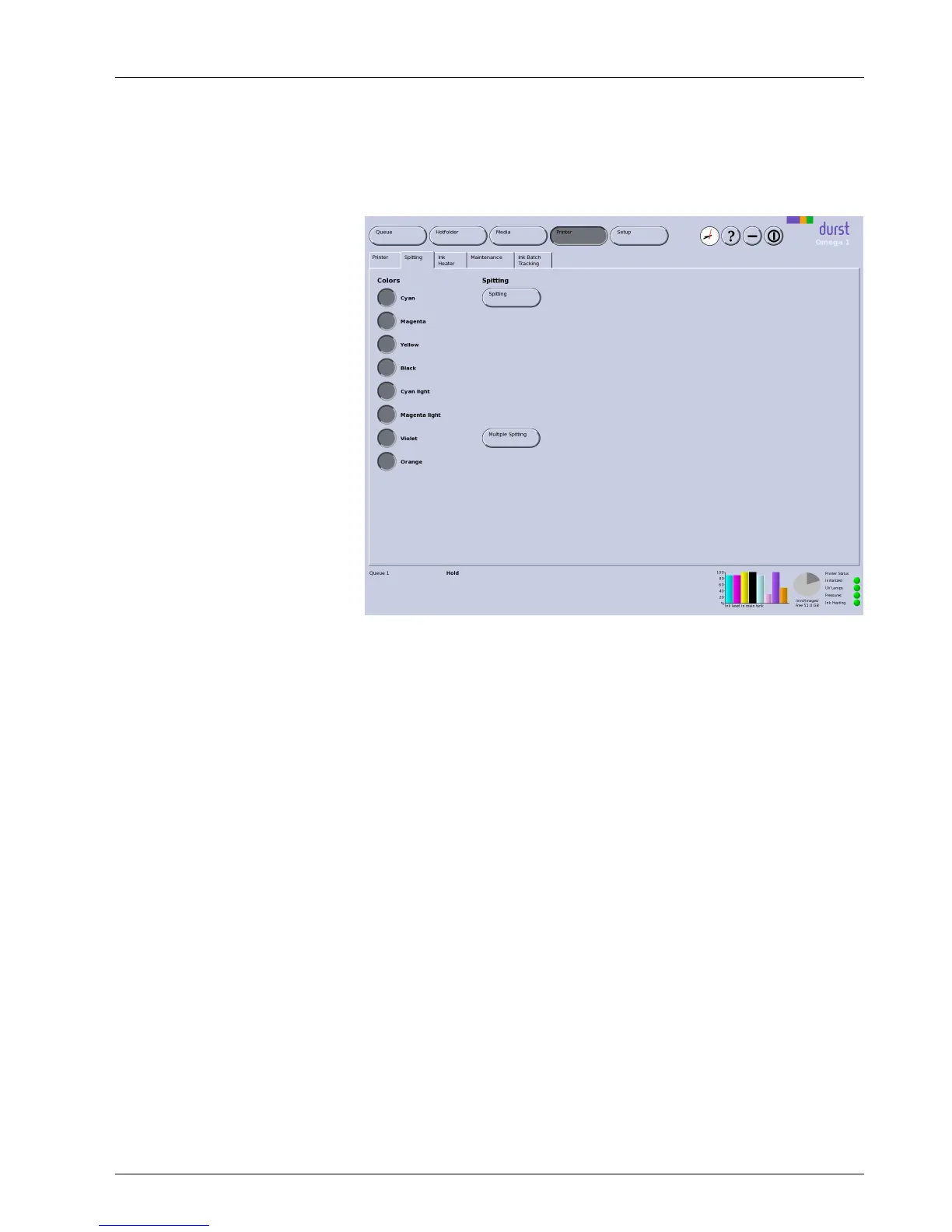
On the Spitting tab, you set the parameters for the spitting function and
initiate the spitting process.
Fig. 39 Spitting tab
Spitting With the Spitting button, you start the
single spitting process manually, e.g.
after interrup tions in printing o
r a longer standstill.
Multiple Spitting W ith the Multiple Spitting button, you start a 5 x spitting process (multiple
spitting) for morning cleaning or for clogged nozzles.
4.2.1 Initiating the cleaning fun
ction
1. Click Printer.
2. Select Spitting tab.
3. C lick the Spitting or
Multiple Spitting button depending on the need.
Depending on the selection, either the Spitting or Multiple Spitting
dialog window appears.
4. Click Yes.
The print carri
age m o ves over the light trap carrier.
Thespittingprocess is started.
The ink is collected in the spitting tray.
5. As soon as t
he spitting process is reported in the software, click OK.
2004 – 2014 © Durst Pho totechn ik AG – www.durst-online.co m , Omega 2 , Issued 07/201 4 57 / 91



 To Next Page