FSoftware Omega 2
Initialization
Test prin t
Switching off
Print carriage position
Open, close and test the sliding doors
Operating the UV lamps
Medium advance
Ink heating
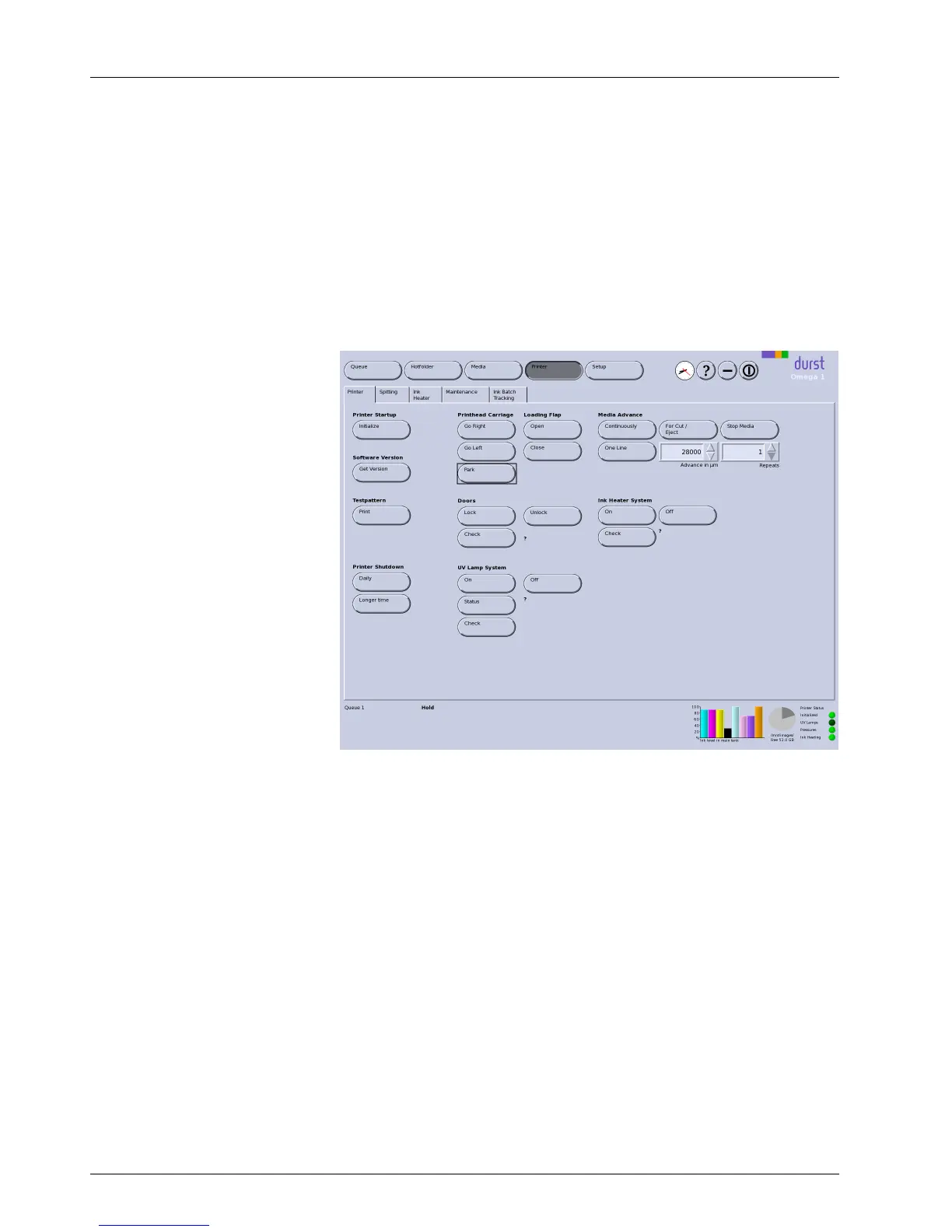
Fig. 38 Printer tab
Switchingonprinter All units of the printer mov
e to the reference position. This option is
recommended if the printer
was s witched on manually.
Media Advance
You control the manual ad
vance of the medium with this option.
Continuously: The medium is transported further until you click Stop Media.
One Line: This option is used to transport the medium further by any desired
number of lines. The number of lines is entered in the input/list field Advance
in µm . You select the number of lines in the input/list field Repeats.
For Cut/Eject: The medium is transported further u ntil you can cut it.
Stop Media: The adv
ance (Continuously) is stopped.
Door
Lock/Unlock:Sl
iding doors are locked/unlocked.
Loading Flap
The loading flap for plate media is folded up/down.
56 / 9 1 2004 – 2014 © Durst Ph ototechnik AG – www.d urst-online .com , Omega 2, Issued 0 7/20 14



 To Next Page