Omega 2 F Softw are
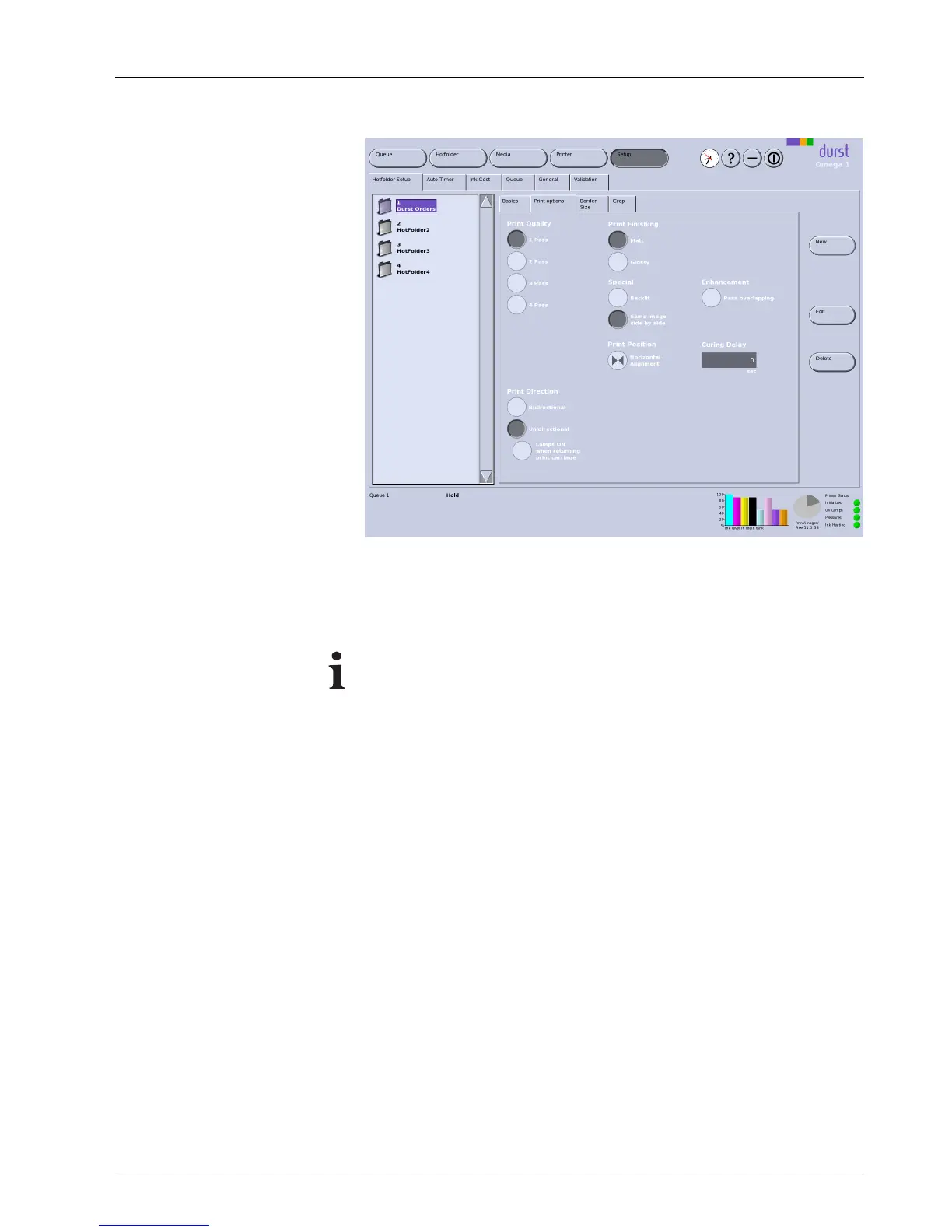
Fig. 30 Print options sub-tab
Print Quality /Resolution
With quality levels 1Passto 4Pass, you can print with higher quality. The
higher the value, the more frequently the print carriage passes over the image
and the higher the image quality.
An overview of the recommended levels of qua
lity for different media
is found on t he Durst Rho Community Website
. The link is fo und on
the Durst website at www.rho-online
.com.
Print Direction Bidirectional: The ink is applied in both directions when the print carriage
moves. This increases print speed.
Unidirectional:Theinkisonlya
pplied in one direction or the other when the
print carriage moves.
Spot Backlit: The ink is applied twice. This option is recommended for transparent
media for lit sign advertisement or for textiles.
Sameimagesidebyside: If a smaller image is to be printed in large
numbers, the individual copies of the image are not only printed in the
direction of transport, but also next to one another.
Position
You can select whether the image is to be printed left-aligned, right-aligned
or centered. For left- or right-alig ned printing, the border width preset on the
Border/Size sub-tab is taken into account.
Enhancement
Pass overlapping: You can increase the image quality with this function. This
reduces productivity.
Curing Delay The print carr
iage waits after traversing in each direction to enable better
penetration o
f the ink into the medium. This reduces productivity, however.
If the Glossy option under Print Finishing is activated, the curing delay
increases the gloss effect.
2004 – 2014 © Durst Pho totechn ik AG – www.durst-online.co m , Omega 2 , Issued 07/201 4 49 / 91



 To Next Page