Contextual help of the web interface – 159
3.9.3.1.4 Save
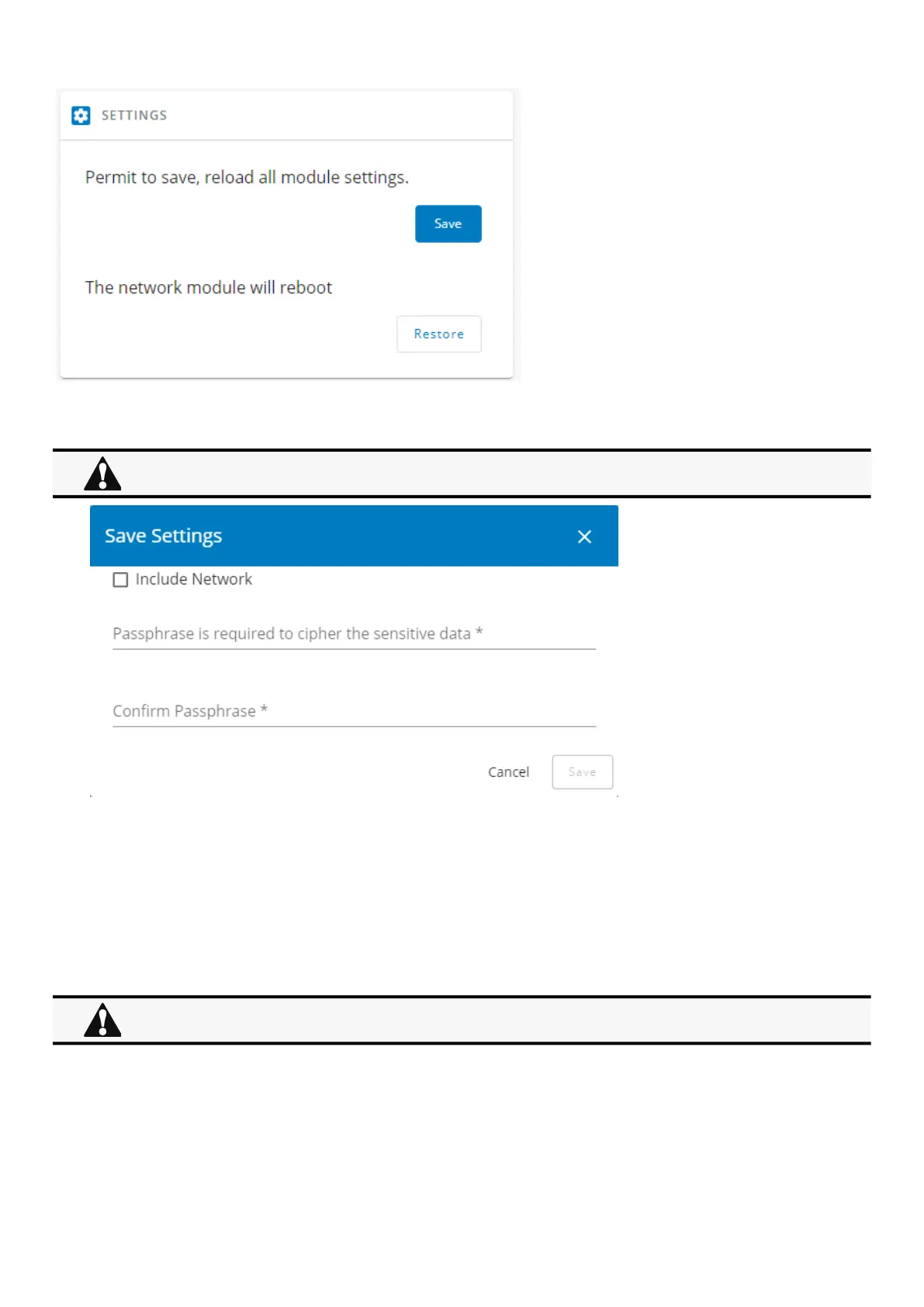
To save the Network module settings:
1. Click onSave
2. Select to include the Network settings if needed.
A passphrase need to be entered twice to cypherthe sensitive data.
3. Click onSave
3.9.3.1.5 Restore
Below settings are not saved:
Local users other than the main administratorSensor settings (commissioning, alarm configuration)
Restoring settings may result in the Network module reboot.



 To Next Page