www.eaton.com
Network
Management Card
(Network-MS)
User Manual
Network Management Card
– User Manual 34003991XT_EN/JC
Page
118/143
7 Configuration via RS232
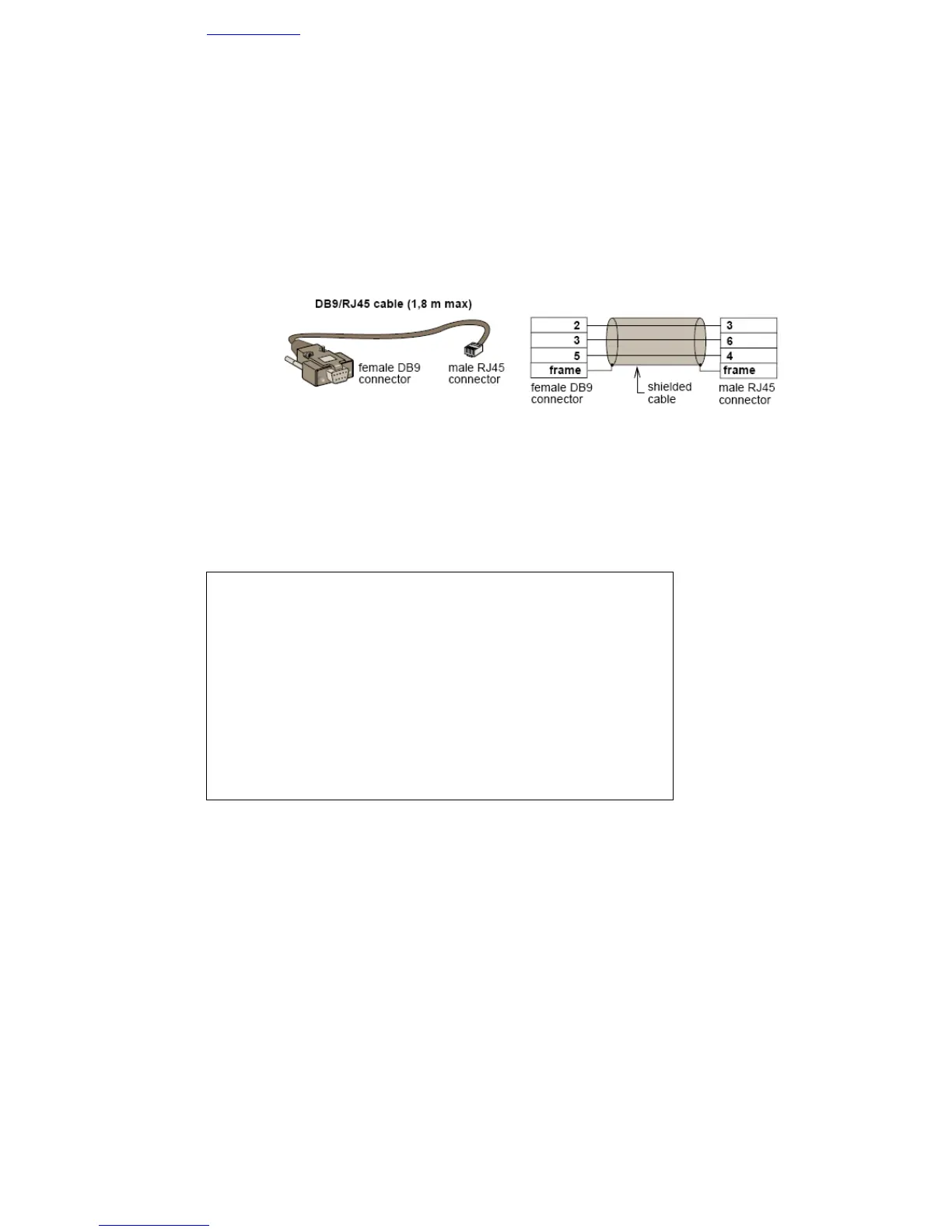
• Use the cord supplied with the card (only with reference 34003918 or CAB-00010 or 720-C2270-00).
• Connect the card to a computer equipped with a hyperterminal type emulator. The serial link must be set
at 9600 baud, 8 bits, no parity, 1 stop bit, and without flow control.
• Check that UPS power is on.
• Enter admin as password (not modifiable).
• The menu is in English only.
-----------------------------------------------------------------------------
EATON
NETWORK MANAGEMENT CARD
-----------------------------------------------------------------------------
1 : Reset
2 : Network configuration
3 : Set Login Password to Default
4 : Return to Default Configuration
0 : Exit
-----------------------------------------------------------------------------



 To Next Page