www.eaton.com
Network
Management Card
(Network-MS)
User Manual
Network Management Card
– User Manual 34003991XT_EN/JC
Page
59/143
4.4.4 System
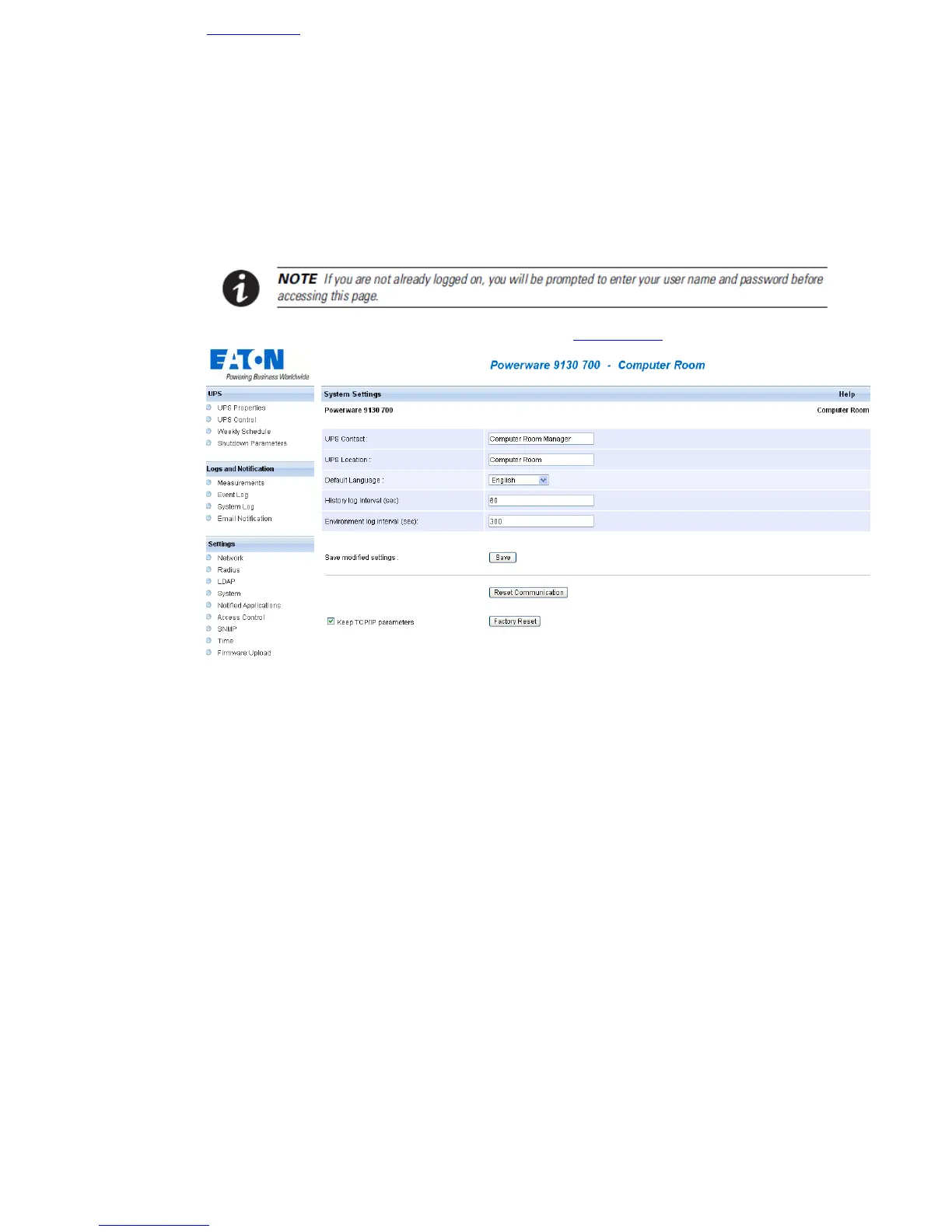
Click on System in the menu.
This menu enables the customisation of the information on the UPS properties pages.
• UPS Contact: This text field is limited to 49 characters. Enter the name of the person responsible for
UPS administration at IT network level and/or electrical maintenance. This field does not appear on any
other Web page. By default, its value is "Computer Room Manager".
• UPS Location: Enter a description (limited to 31 characters) of the location of the UPS in your
installation (e.g. Computer room E1-C066). This text is displayed in the home page and in the title of the
page. By default, its value is "Computer Room".
• Default Language: Enables initialisation of the browser language at card connection.
Choice of one of the available languages: English, French, German, Spanish, Italian, Chinese
Traditional, Chinese simplified, Japanese, Portuguese, Russian, Korean, Czech changes the language
of the html interface pages (Refresh the web page <F5> after modification).
• History log interval: [from 5 to 99999 sec., 60 by default]. Measurement save period.
• Environment log interval: [from 60 to 99999 sec., 300 by default]. Temperature and humidity
measurement save period.
• Reset Communication button: performs a remote reboot of the card without modifying the
configuration. This action is compulsory for consideration of any changes made on the "Network
Settings" page.
• Factory Reset button: enables restoration of the default configuration of all the card’s parameters.
TCP/IP parameters: IP address, subnet mask, gateway and BootP/DHCP value are maintained if the
"Keep TCP/IP parameters" option is selected.



 To Next Page