www.eaton.com
Network
Management Card
(Network-MS)
User Manual
Network Management Card
– User Manual 34003991XT_EN/JC
Page
42/143
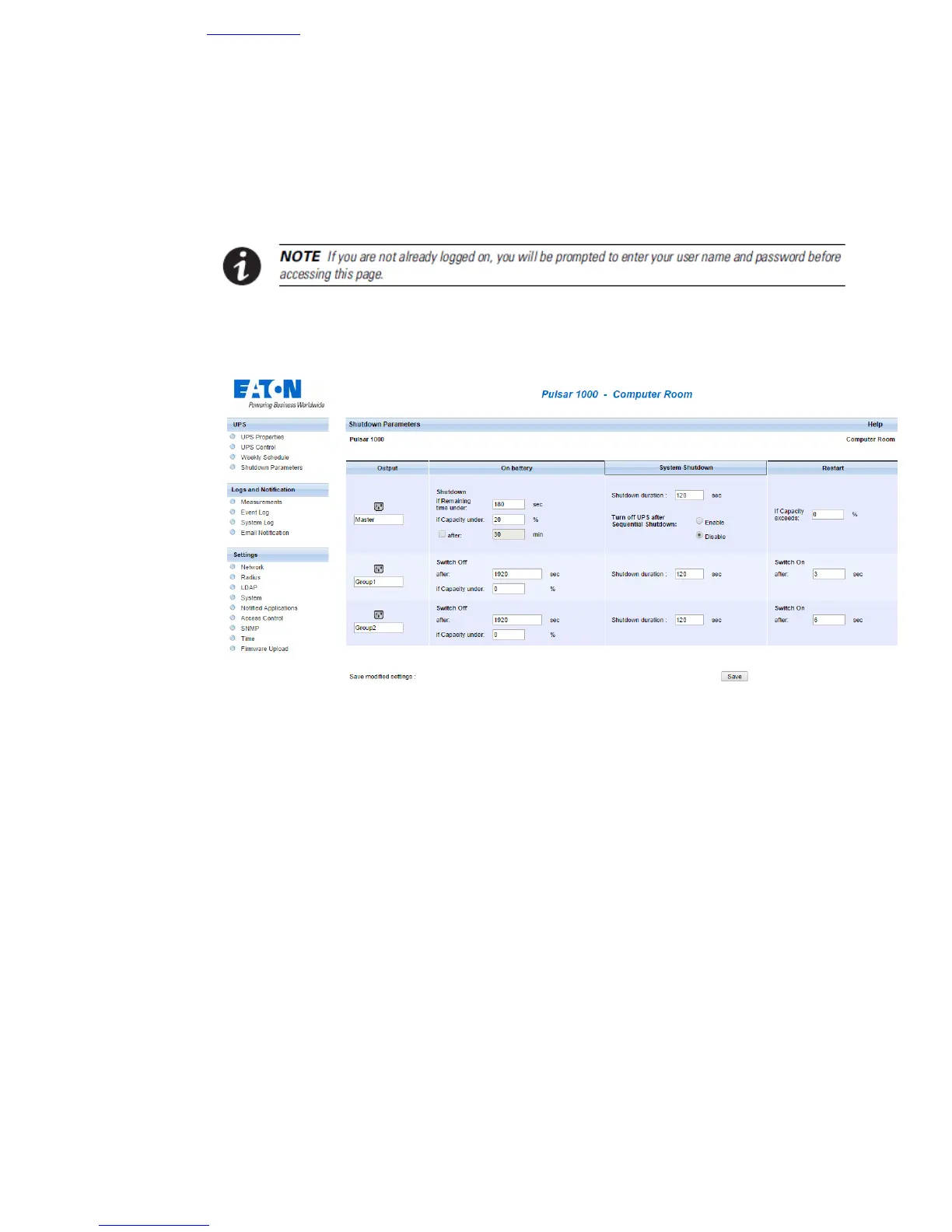
4.2.6 Shutdown parameters
This page enables viewing and configuration of UPS operating parameters in battery mode and for power
restoration.
Click on the Shutdown parameters section in the menu to see the list of parameters.
The Output column enables each outlet to be named (maximum 20 characters).
Note
As priority is given to the main outlet, the card cannot supply the controlled outlets when main outlet power is off.



 To Next Page